All Recooty Articles, HR Tutorials and Tips
How to Post a Job on Monster | Monster for Employers 2026


 All Recooty Articles, HR Tutorials and Tips



Posting a job on Monster involves choosing a Monster+ route, setting up the employer account, completing the listing, and managing applications. This guide walks through the direct form and the ATS route, then explains how to review visibility, applicant limits, and cost.
You can publish directly through Monster+ or use a supported Applicant Tracking System (ATS) when you need one workflow across several boards.
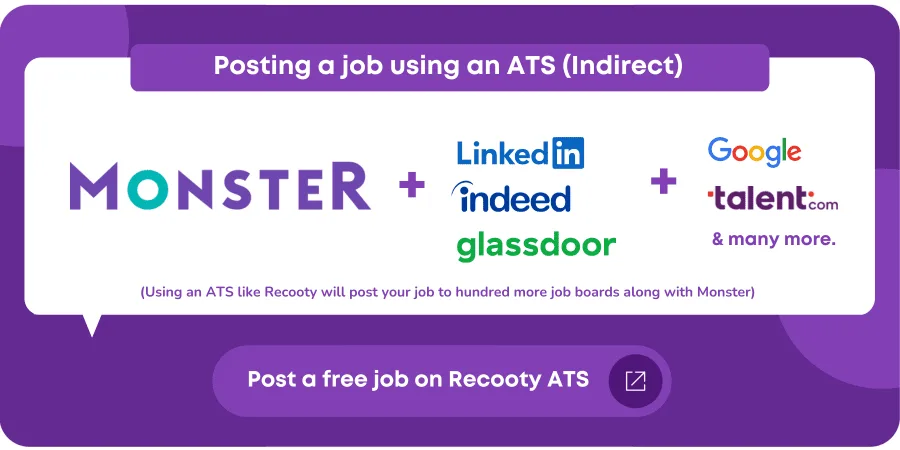
Utilizing a Monster-partnered ATS like Recooty enables you to streamline job postings to Monster, CareerBuilder, and other job boards.
Benefits of an ATS:
To post a job directly on Monster, follow these step-by-step instructions:

Visit the Monster for Employers Page and click Post a Job.
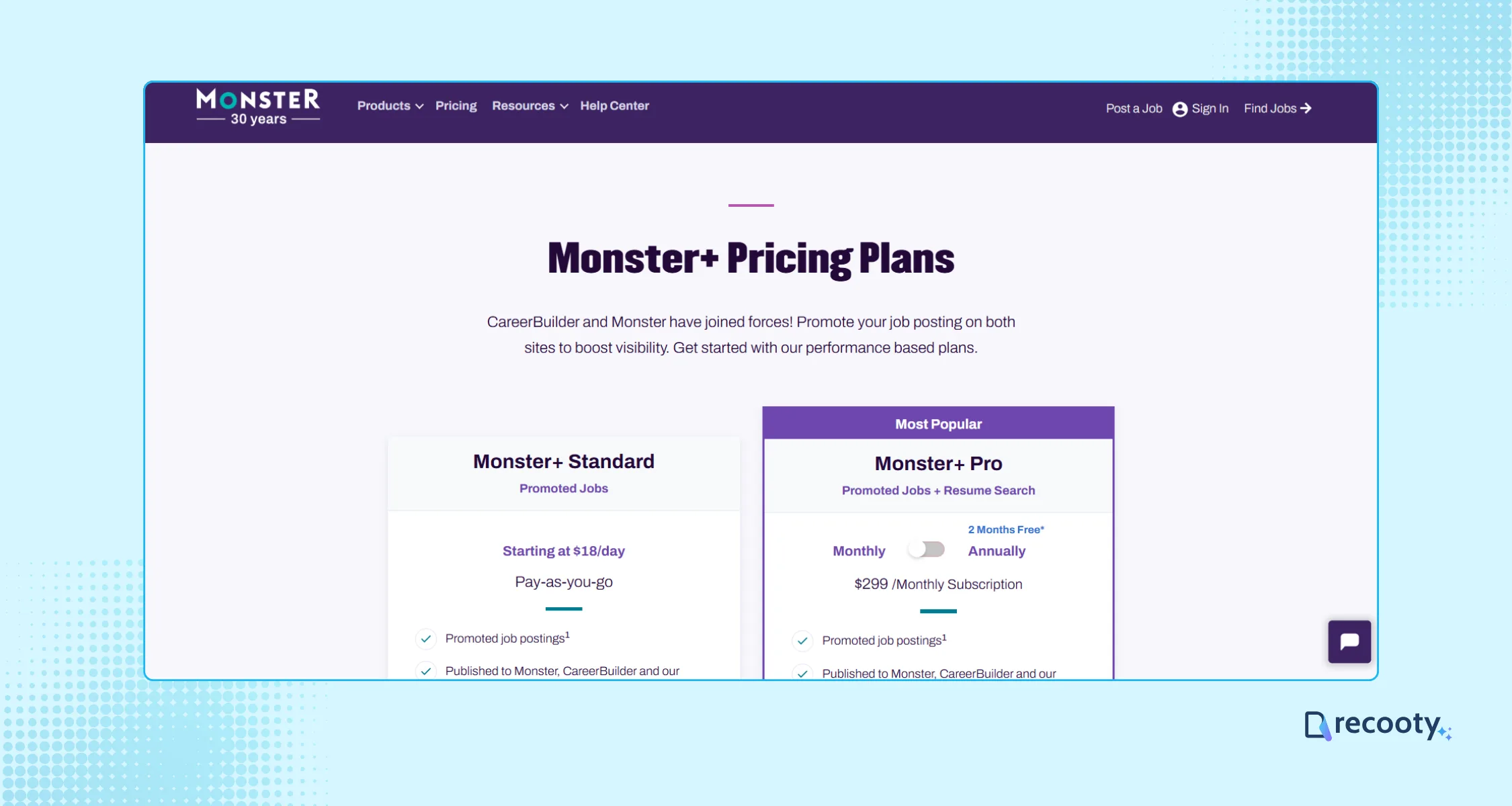
This will take you to the Monster pricing page to select a plan that fits your recruiting needs. Once you select a plan, click Get Started Now.
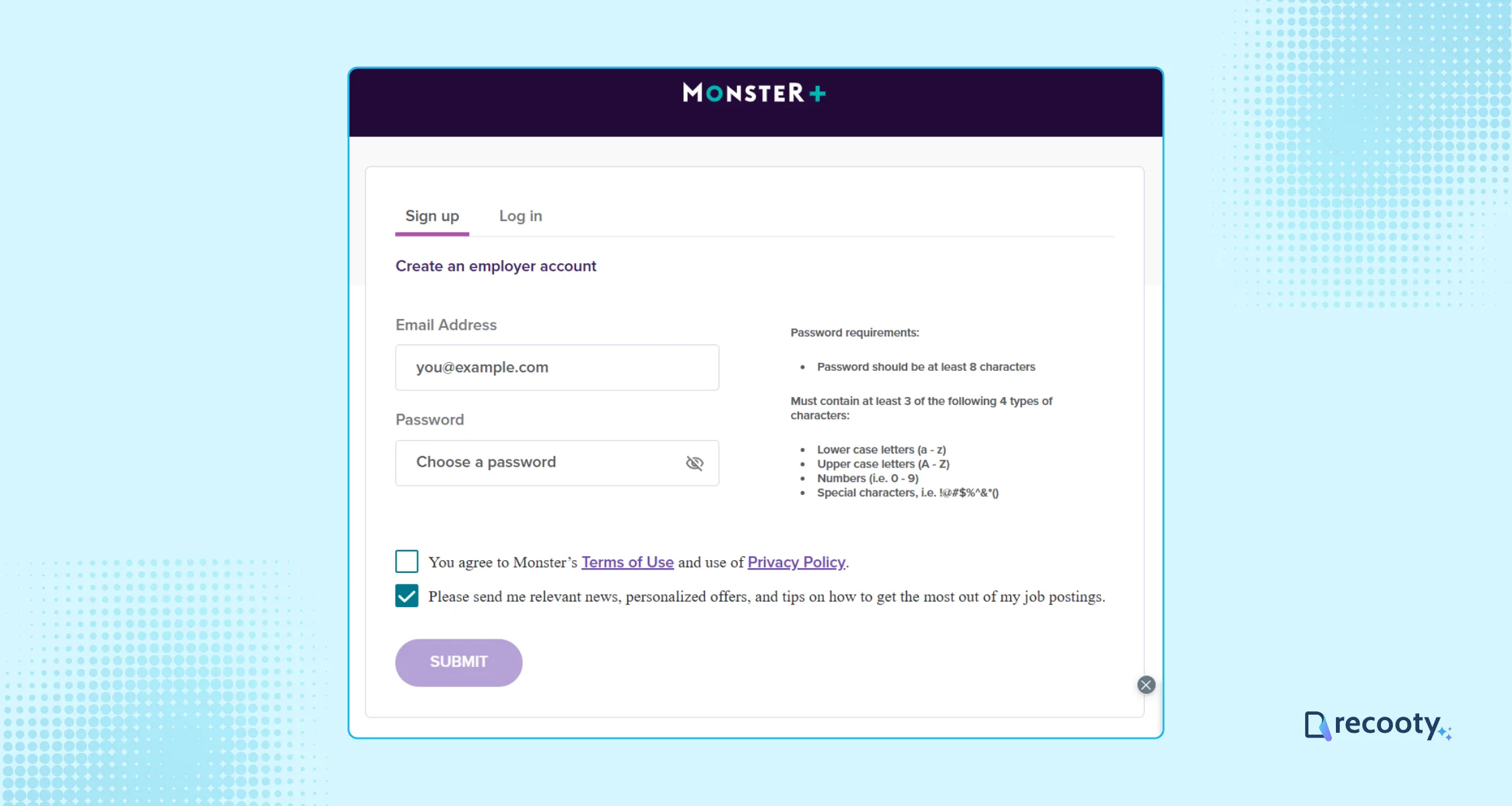
Set up your employer account and create a secure password. This is crucial for protecting your company’s sensitive information.
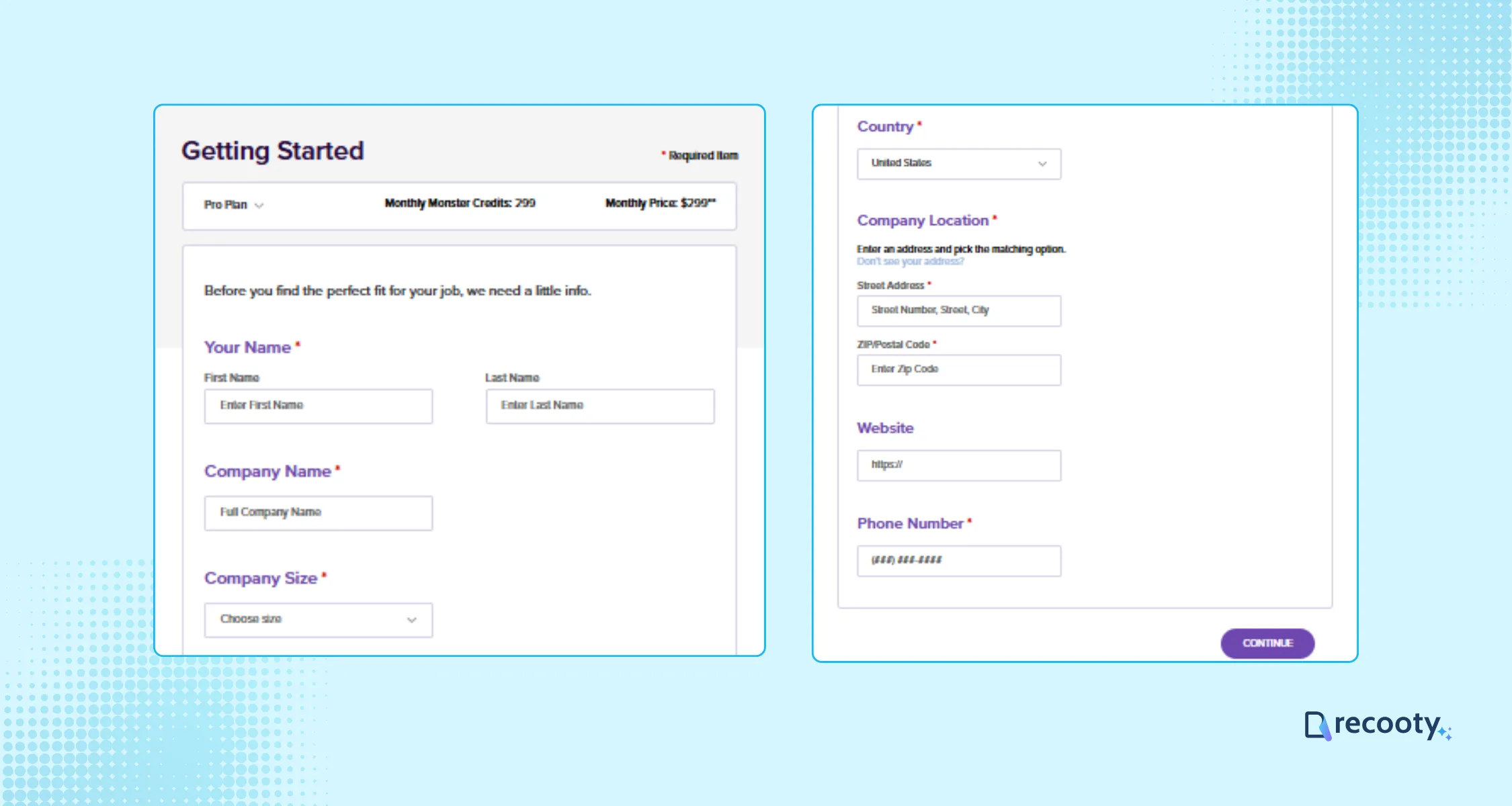
You will be redirected to the Monster employer account, and input your company’s details. Review and update your profile carefully to avoid errors.
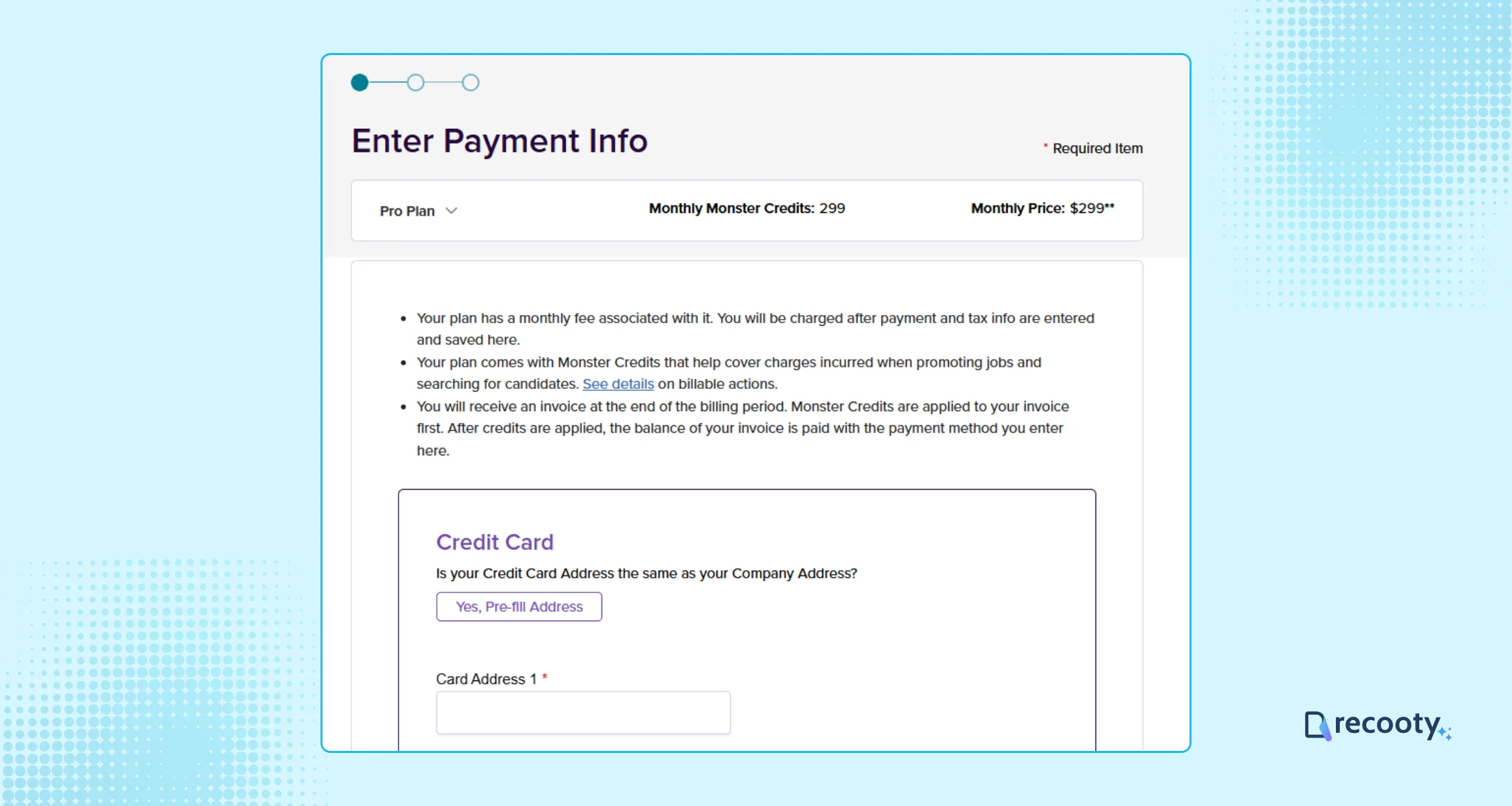
If you have selected the pro or pro annual plan, you need to complete the payment process at this step.
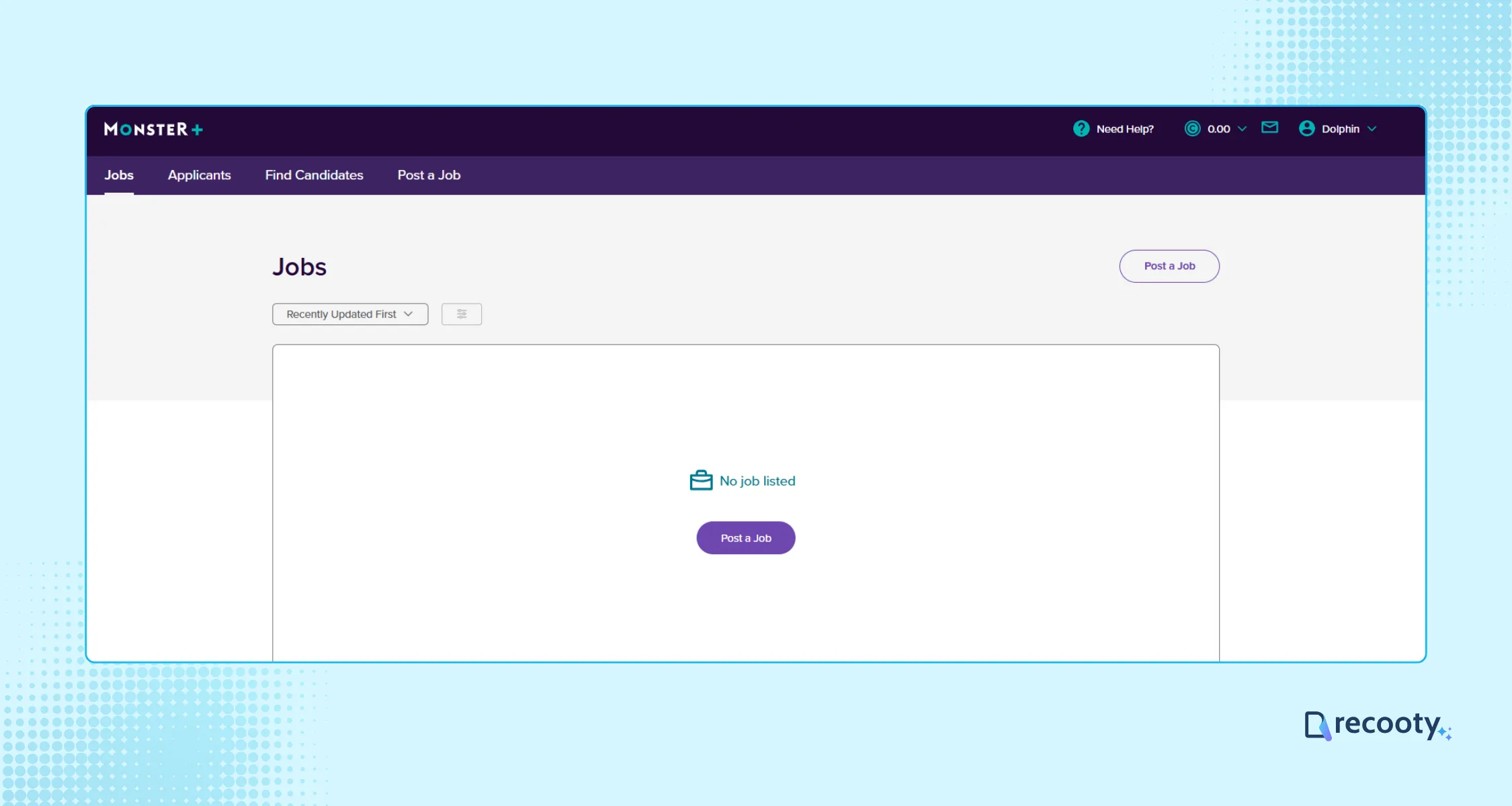
Click “Post A Job” to access the job details form through the dashboard.
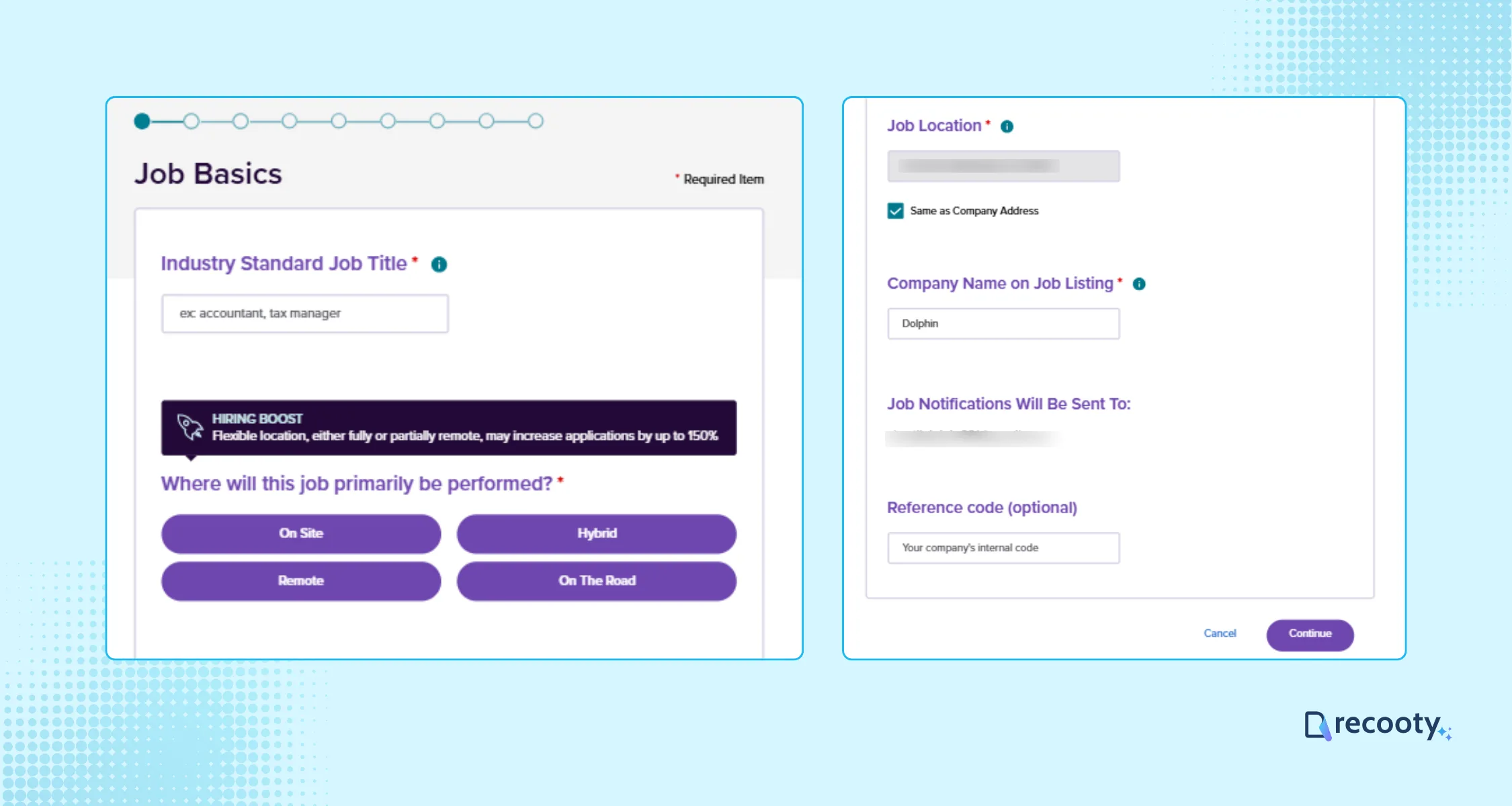
Input required information like:
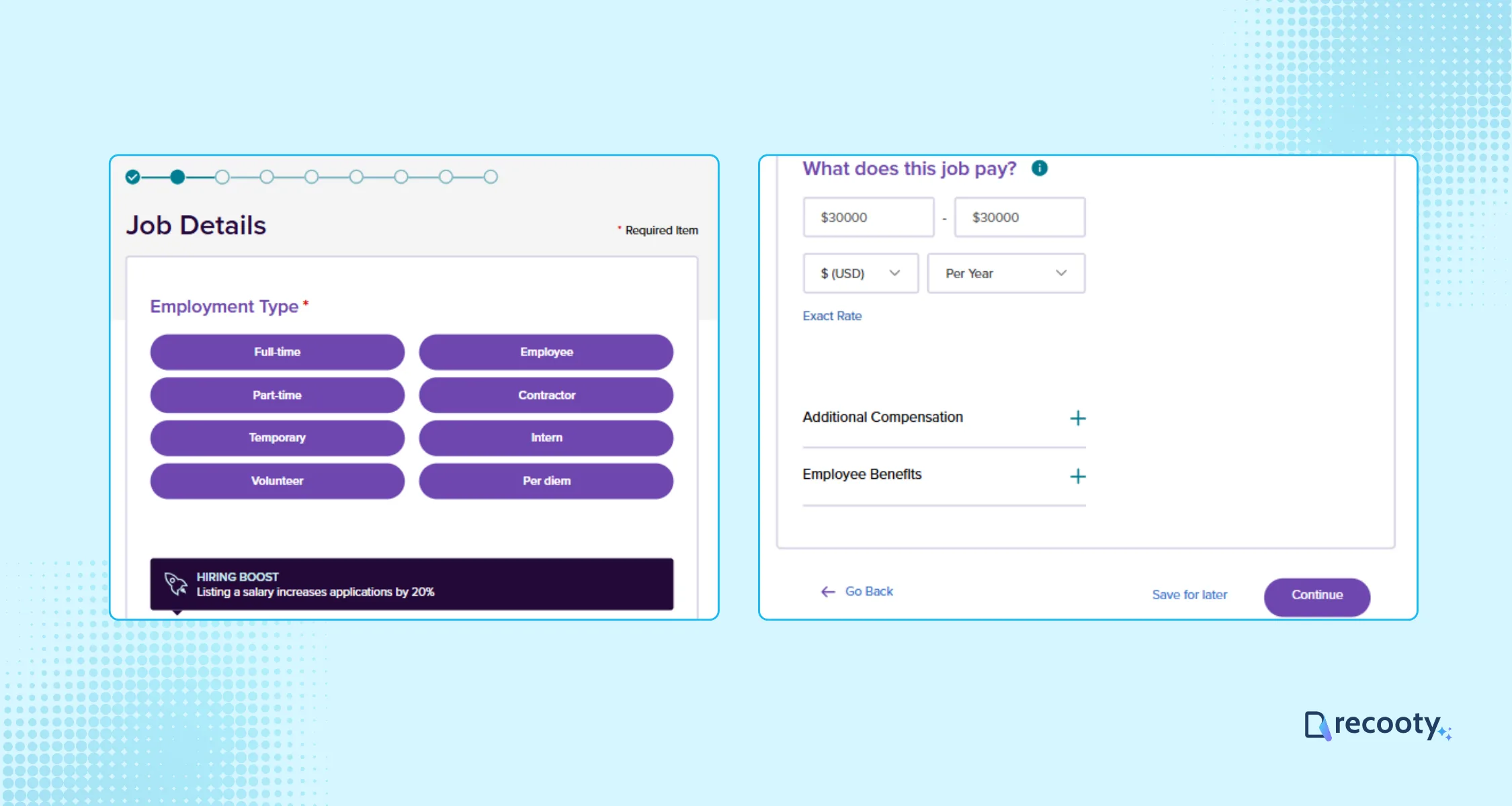
Choose the employment type, pay range, and describe the employee benefits as well; these things help candidates make a better decision.
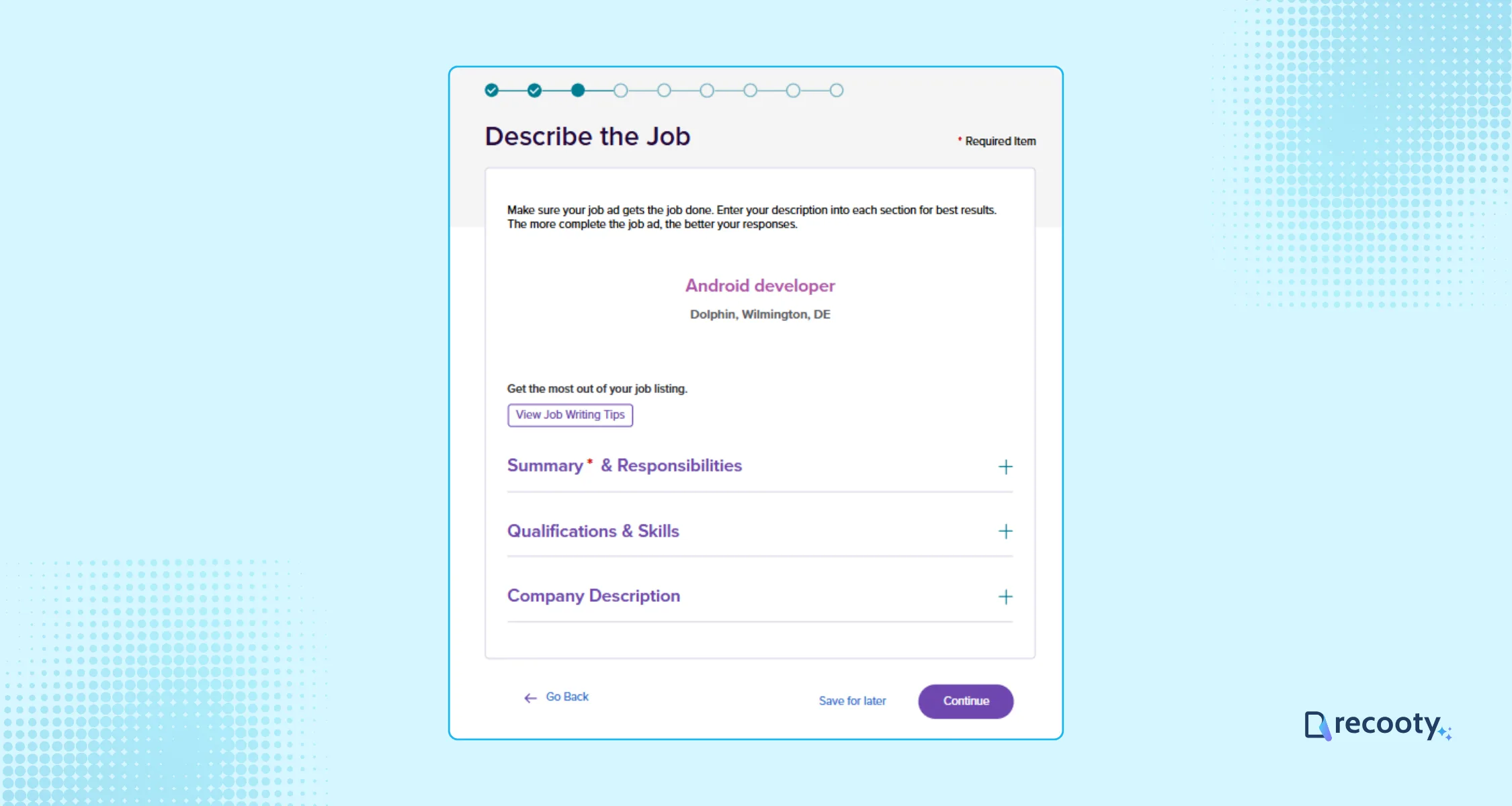
Write a compelling job description; it attracts qualified candidates and effectively communicates your company culture and the role’s responsibilities.
You can also use Recooty’s free AI job description generator to write an SEO-optimized and bias-free job description.
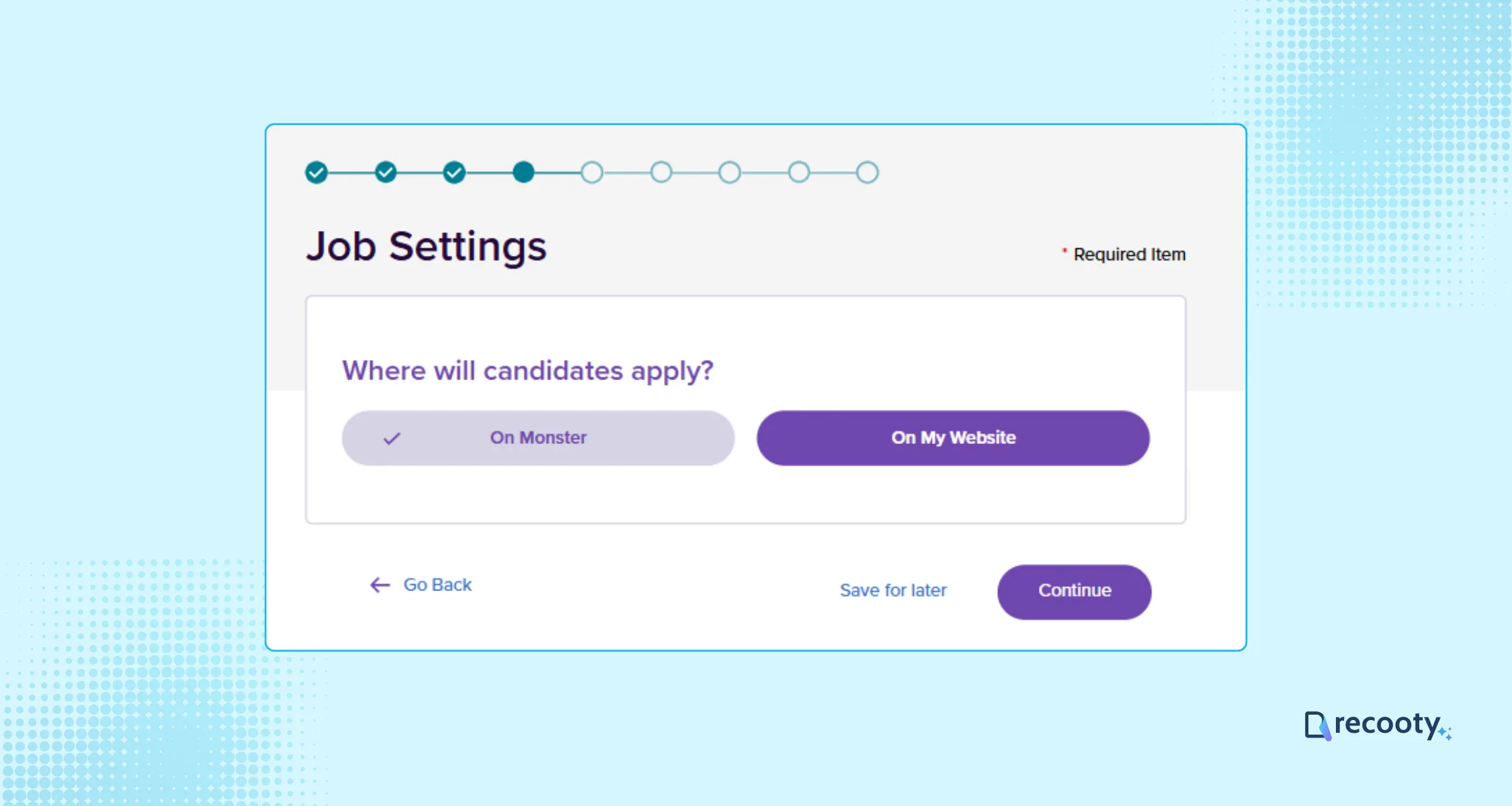
Now choose whether you want the candidates to apply via Monster or through your website.
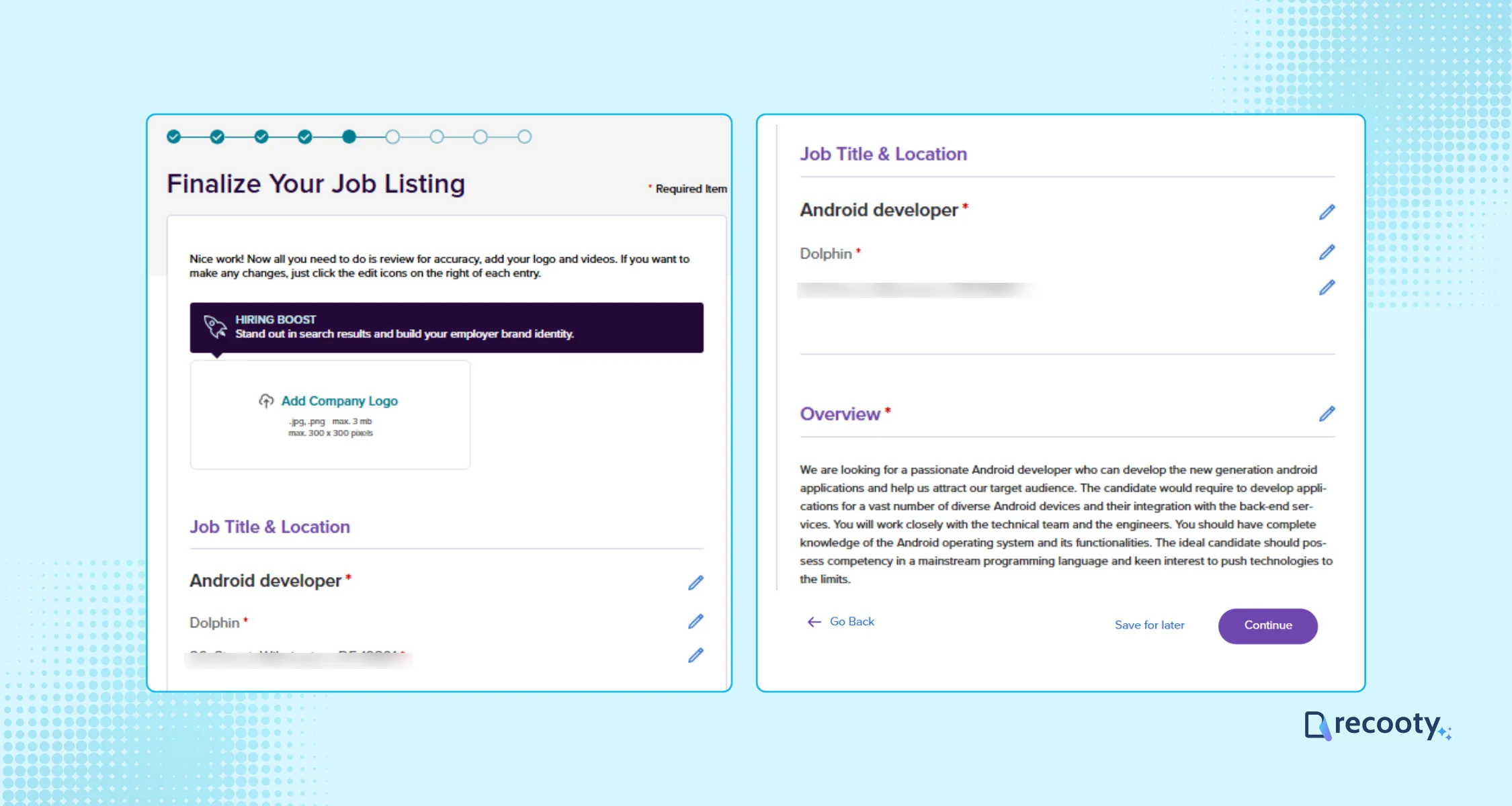
Finalize the job listing, preview it, and make sure you have filled in all the details accurately.
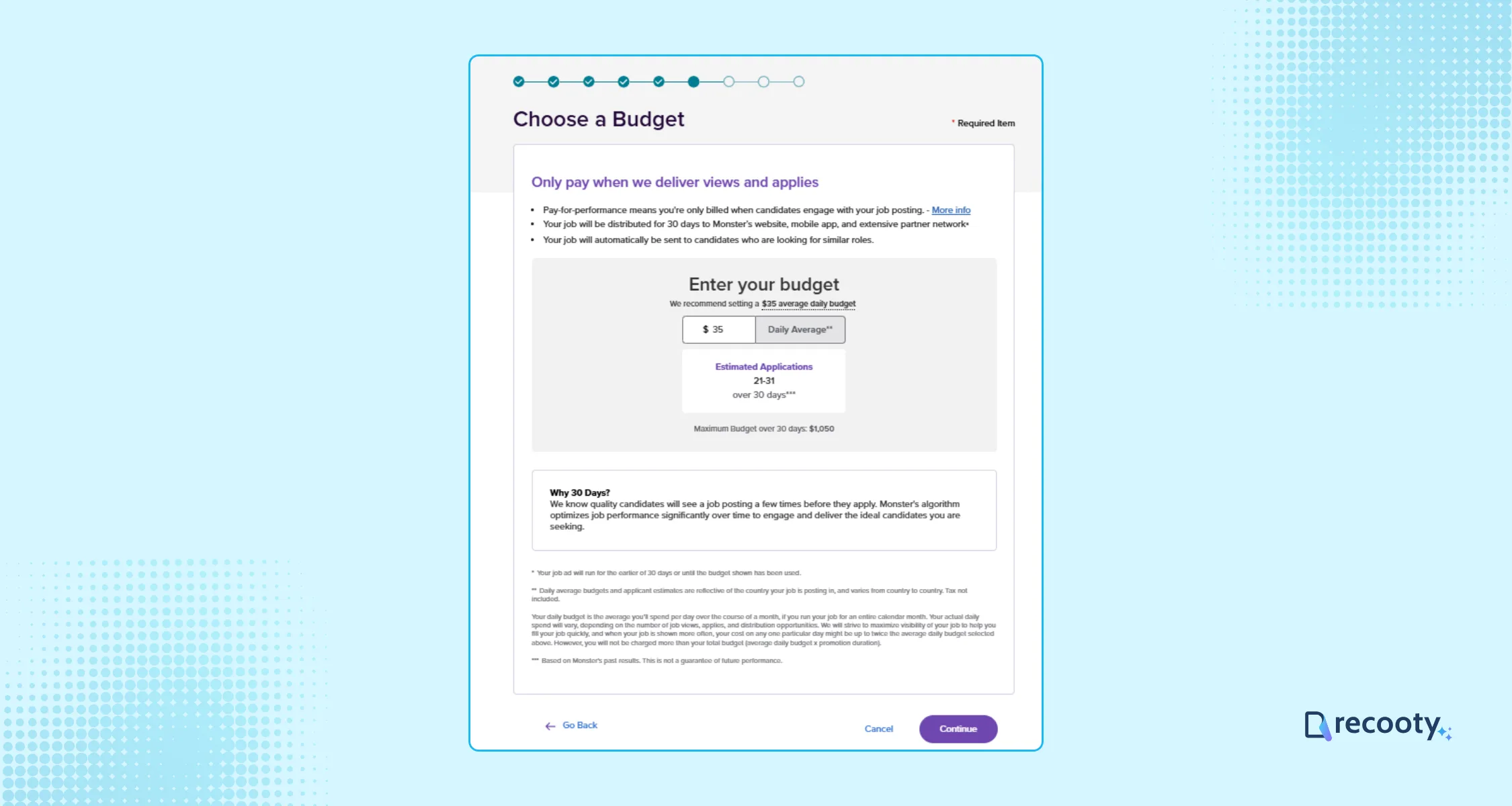
Now, if you have selected the standard plan, you need to set the daily budget here and complete the payment process.
Posting Your Job: Confirm your job ad details and click Post. You can save drafts in Monster’s library for future use.
Managing Candidates: Access candidate applications instantly through the “Applicants” tab.
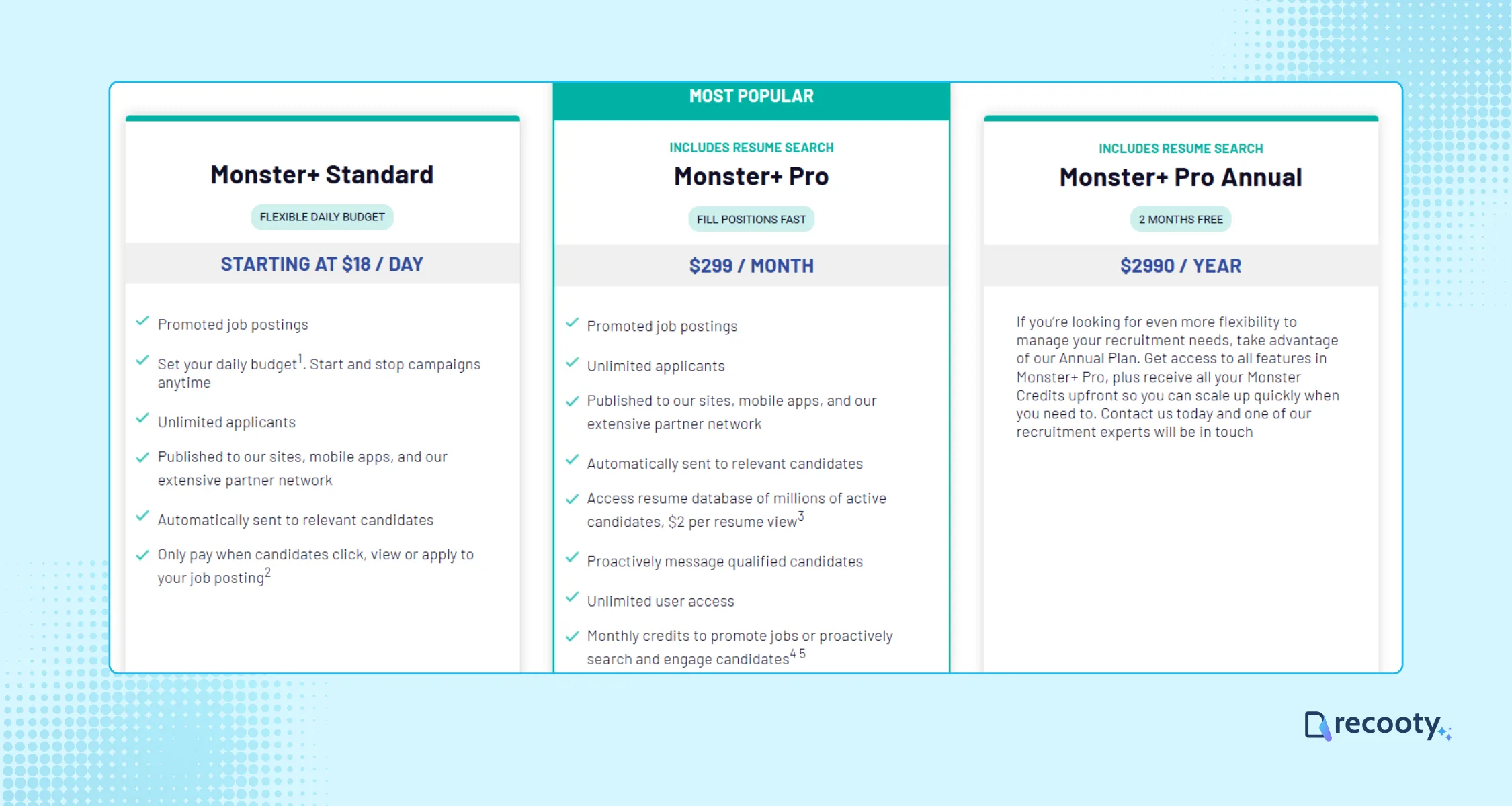
Monster offers three main pricing plans:
These options let you choose a plan that fits your hiring needs and budget.
You can connect with candidates by following these steps and choosing the Monster+ route that fits the role. Review the listing after launch and post a job on Monster when you are ready.
Monster+ combines free posting, paid promotion, candidate distribution, resume search, and outreach. Choose the route from the hiring bottleneck, then connect the source to a shared hiring workflow when several people review applications.
| Hiring need | Current Monster+ route | What it adds | What to verify |
|---|---|---|---|
| Test a single opening | Monster Free | One free job every 30 days and up to three applicants on the current U.S. plan page | Eligibility, free-post duration, and applicant cap |
| Increase visibility | Monster+ Standard | Flexible daily budget, unlimited applicants, mobile and partner distribution, and interaction-based charges | Daily budget, estimated applications, and stop rules |
| Source and contact candidates | Monster+ Pro | $299/month, resume database, proactive messaging, promoted posts, and monthly credits | Credit expiry, resume-view usage, and renewal terms |
| Manage several channels | Monster plus recruitment software or ATS | Shared job record, application stages, scorecards, and source reporting | Application handoff and duplicate listing control |
Monster’s current plan page is the source for live U.S. plan details. Its promotion and payment help page says employers can adjust budgets and that closing a job ends associated promotions. Check those pages before using older screenshots or prices in a hiring budget.
Use the free option to test a role when the applicant cap fits the plan. Promote when the role needs more reach and the team can respond quickly. Choose resume sourcing when active applicants are scarce, then measure qualified candidates rather than activity alone.
Before publishing or setting a budget, review the listing against these checks:
Monster’s current FAQ says skills are aggregated from job-description keywords and standardized for candidates. Some locations also require a good-faith salary range before the job can move forward, so structured role details support both matching and candidate trust.
| Funnel stage | Metric | Decision rule |
|---|---|---|
| Reach | Views, clicks, and partner-network activity | Improve title, location, or budget if the role is underexposed |
| Response | Apply starts and completed applications | Fix the application route or mobile friction |
| Quality | Qualified-application rate and screening pass rate | Tighten requirements or screening questions |
| Selection | Interview, offer, and acceptance rate | Check scorecard consistency, pay, and follow-up speed |
| Economics | Spend, resume credits, cost per qualified applicant, cost per hire | Keep the route only if quality justifies the spend |
For the workflow layer, link Monster to Recooty’s applicant tracking system and compare the requirements with how to choose the right recruitment software. If the career page is the application destination, use how to create a career page that converts to keep the job promise consistent after the click.
Start with a clear listing and the smallest Monster+ route that can reach the right candidates. Assign ownership for reviewing applications, close the job when the status changes, and use qualified-application and hire data before increasing spend.
The current U.S. Monster+ plan page describes one free job posting every 30 days, with up to three applicants per free post and publication on Monster’s site and mobile app. Eligibility and product terms can vary, so confirm the offer shown in your employer account.
The current U.S. page lists Monster+ Standard starting at $18 per day and Monster+ Pro at $299 per month. Standard uses a flexible budget and charges for candidate interactions, while Pro includes monthly credits and resume-sourcing features. These are current plan-page examples, not a universal global price.
Free is for a limited test with a small applicant allowance. Standard buys more visibility, unlimited applicants, and partner distribution. Pro adds promoted posts, resume search, proactive candidate messaging, and monthly credits. Select the plan based on whether your problem is reach, applicant volume, or sourcing.
Monster can be used with ATS workflows and external application links, but the exact integration depends on your product and account. Confirm whether applications, source data, screening questions, and close status return to your ATS before publishing.
Promote when the role is urgent, competitive, or not receiving enough relevant views and applications. First fix the title, compensation, location, description, and application path. Promotion cannot compensate for a poor candidate experience.
Close the job or stop its promotion in Monster+. Monster’s payment help says changing the job status from Open to Closed removes it from the site and ends associated promotions. Confirm the status change and review the next invoice or credit balance.
Source: https://recooty.com/blog/how-to-post-a-job-on-monster-free-job-posting/
Amay Bakshi is a content writer at Recooty, where he breaks down complex hiring trends and HR tech innovations into clear, actionable insights. His work...
View Full Profile →