




Behance is a leading platform founded by Adobe in 2005, dedicated to showcasing creative work and connecting designers with job opportunities.
With over 50 million members globally, Behance stands out as a hub for design professionals, offering recruiters features that simplify the hiring process.
As a recruiter, you can easily post jobs, explore profiles, and evaluate portfolios to find your ideal creative talent. The platform not only helps you hire full-time employees but also freelancers who can contribute to your projects.
In this guide, we’ll explore how to effectively post a job on Behance, along with the associated costs

How to Post a Job on Behance in 6 Easy Steps
Posting a job on Behance is a pretty straightforward task. Here are a few easy steps to do that:
Step 1: Create Your Behance Account
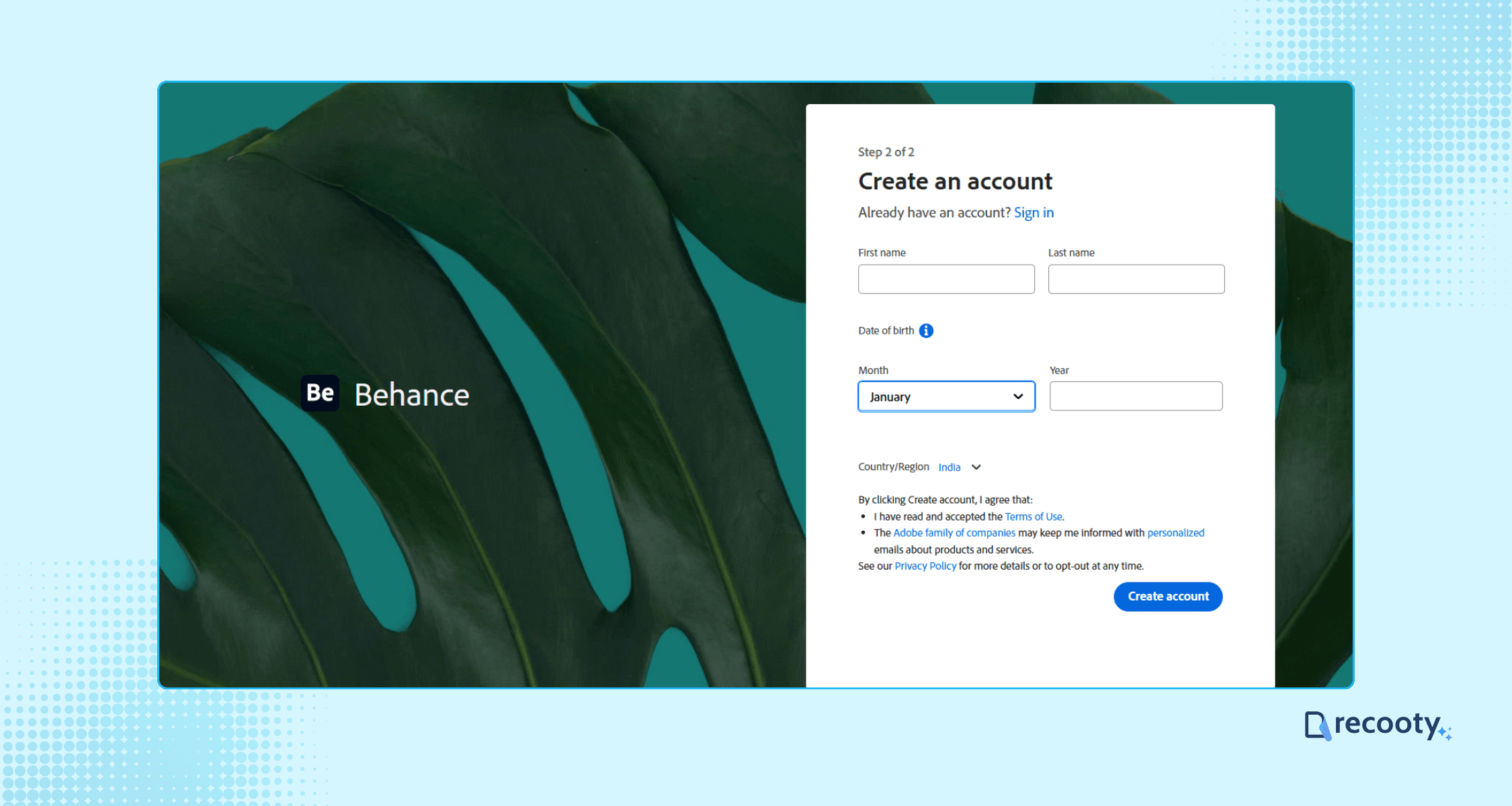
To start posting jobs, you need a Behance account. Here’s how:
- Visit Behance.net and click on Sign Up.
- Fill out the required details: email, password, first name, last name, and your date of birth.
- Confirm your data by clicking “Create Account.”
Step 2: Designate Yourself as a Hirer
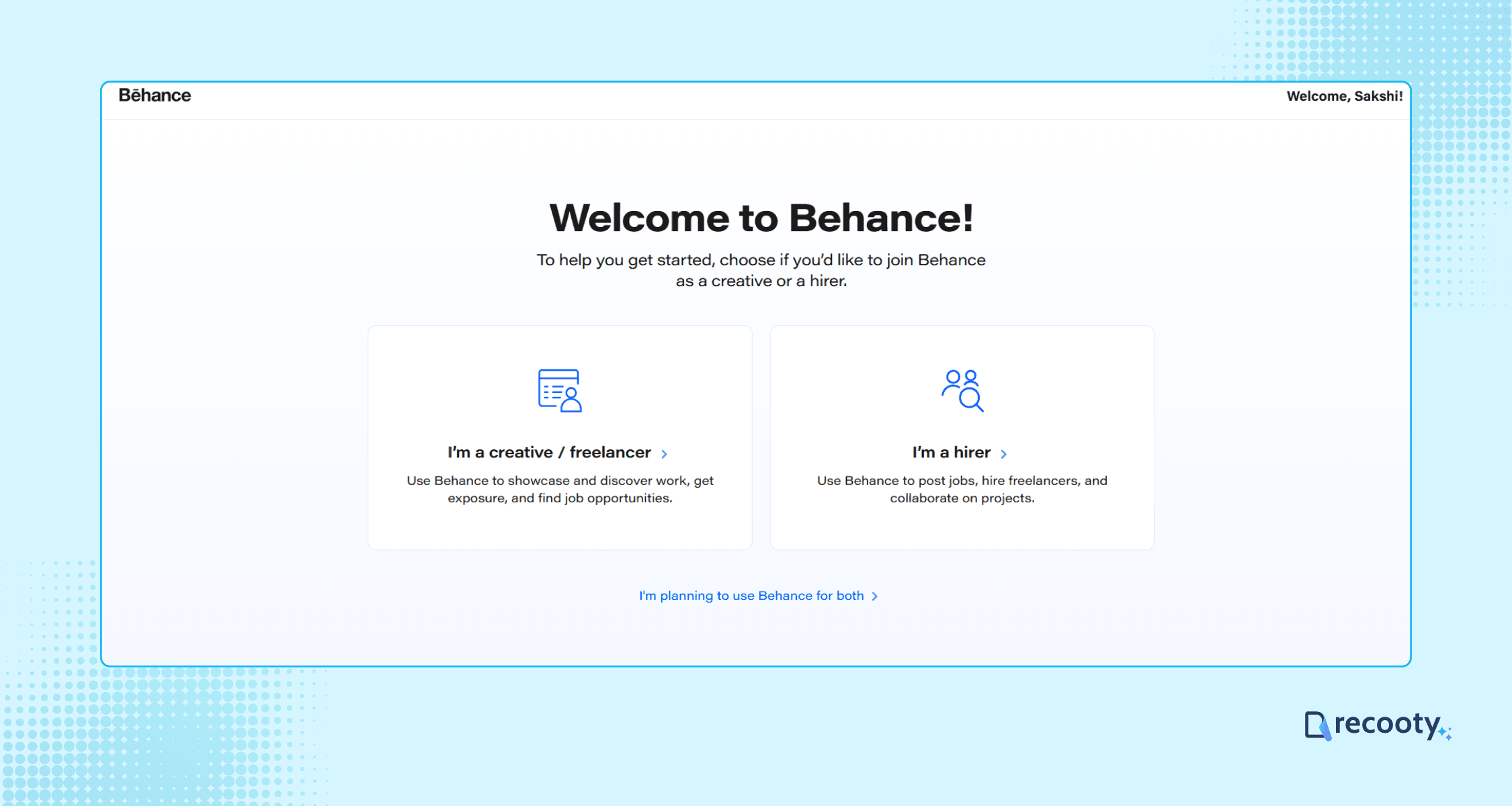
On your newly created account, specify your role:
Select “I’m a Hirer” when prompted. This allows you to access the functionalities necessary for posting jobs and hiring creatives directly.
Step 3: Navigate to the Jobs Section
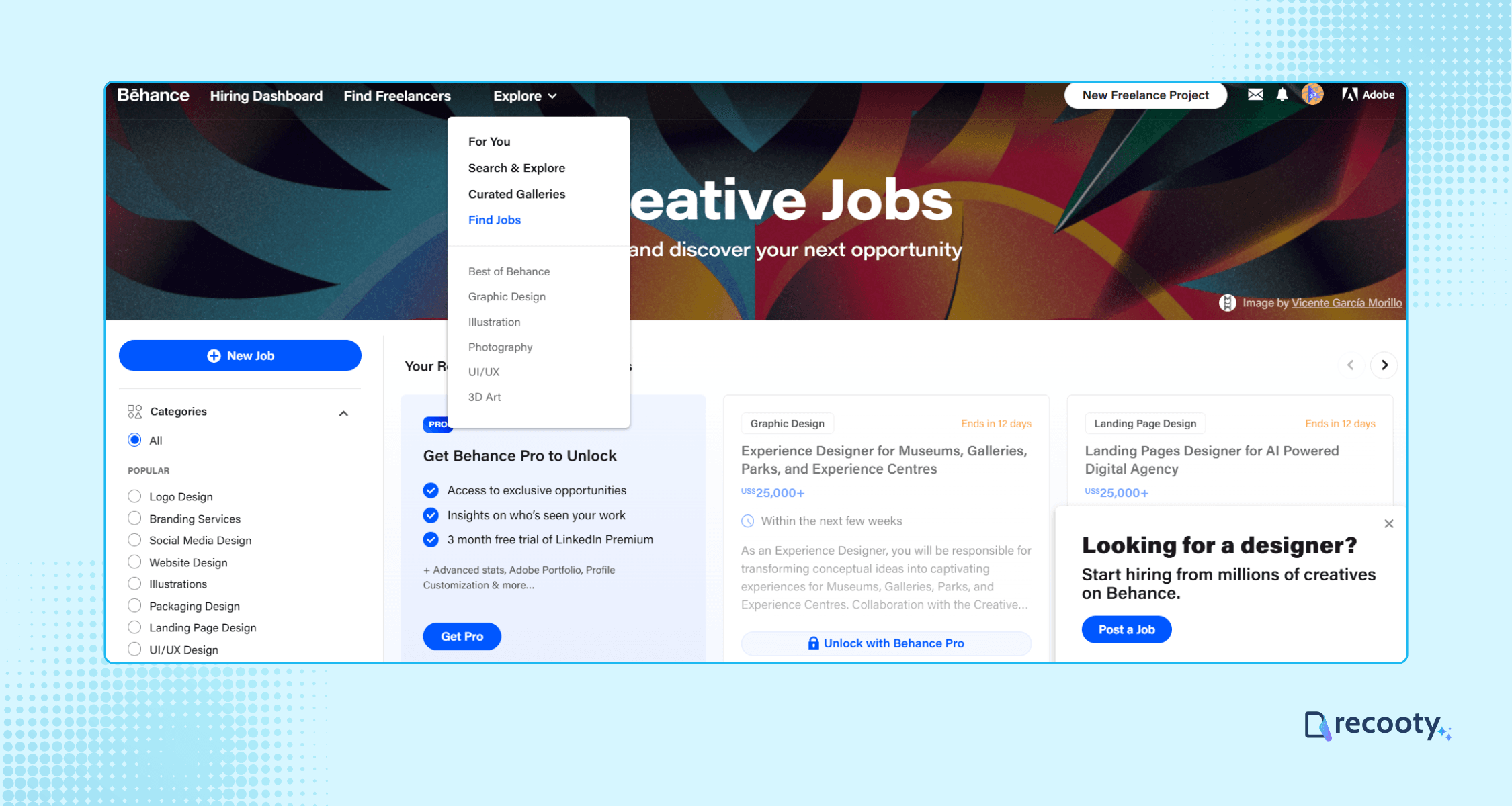
Click on “Explore” from the top navigation and select Find Jobs. A pop-up will appear prompting you to post a job.
If you don’t see it, locate the “New Job” button on the left side.
Step 4: Choose the Type of Creative You Wish to Hire
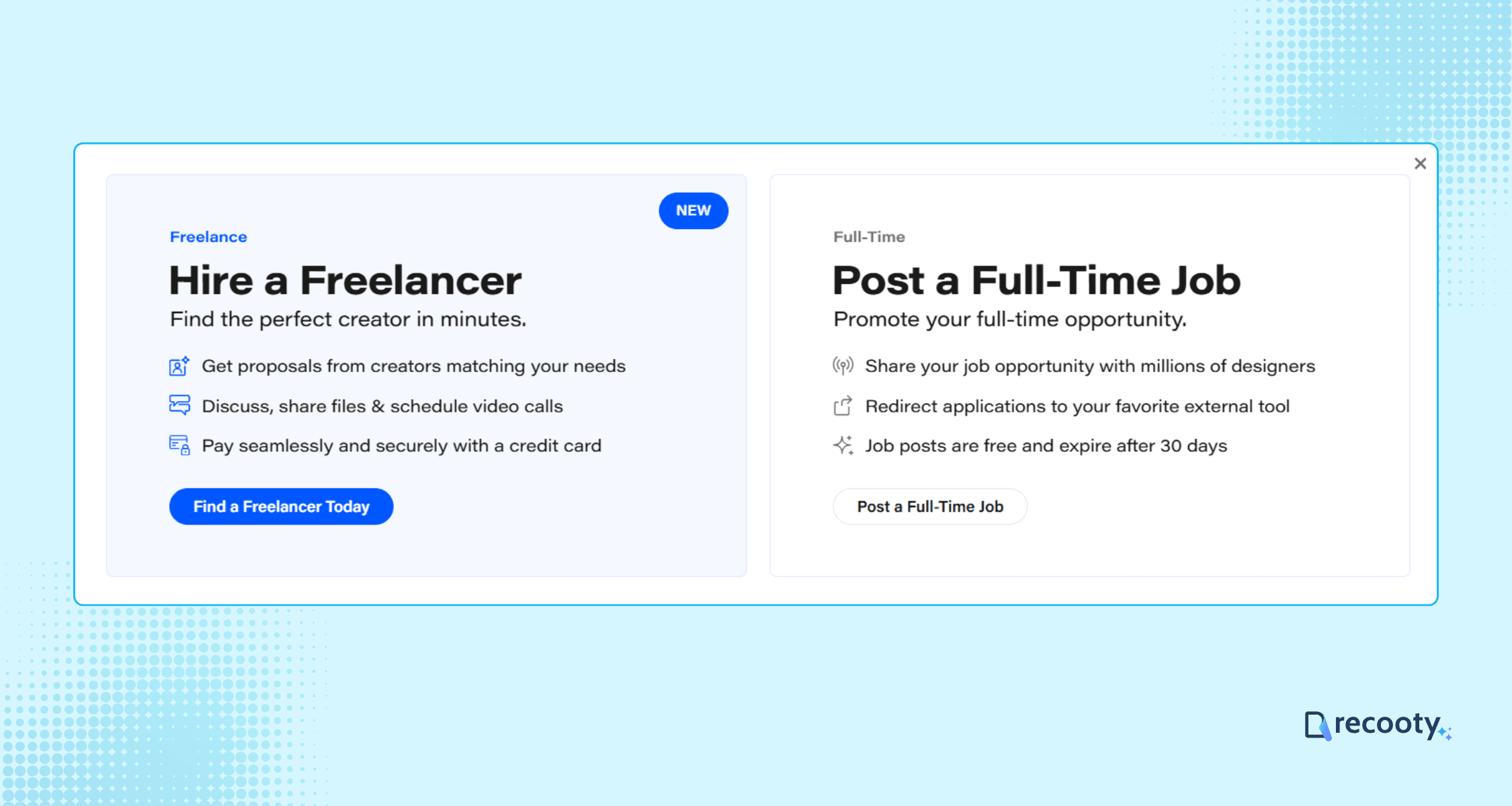
Behance allows you to hire both freelancers and full-time professionals.
For full-time positions, click on “Post a Full-time Job.” This will initiate the specific posting process for full-time creatives.
Step 5: Enter Company and Job Details
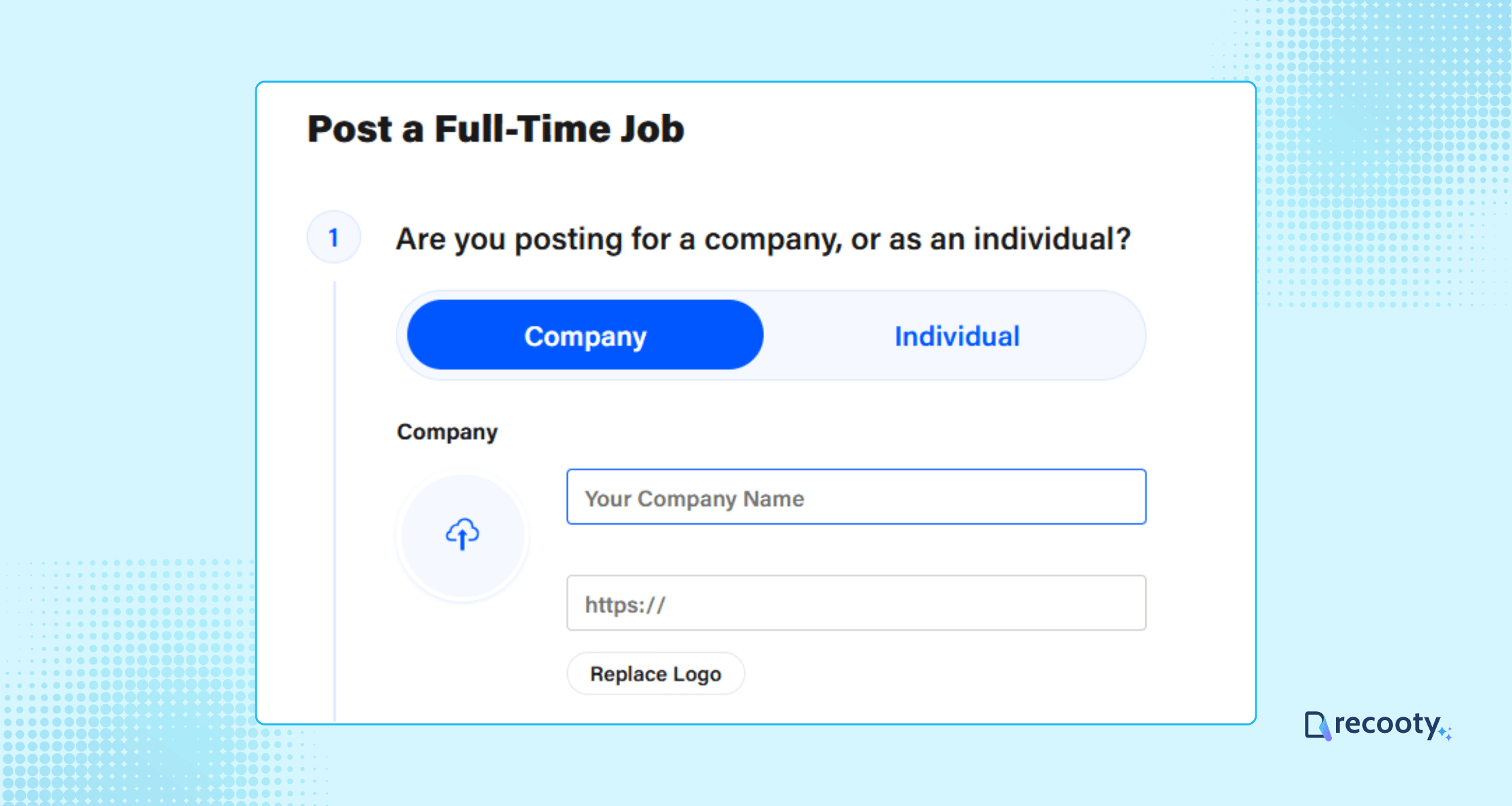
Your job post requires various details to attract suitable candidates.
Input your company’s name and website URL.
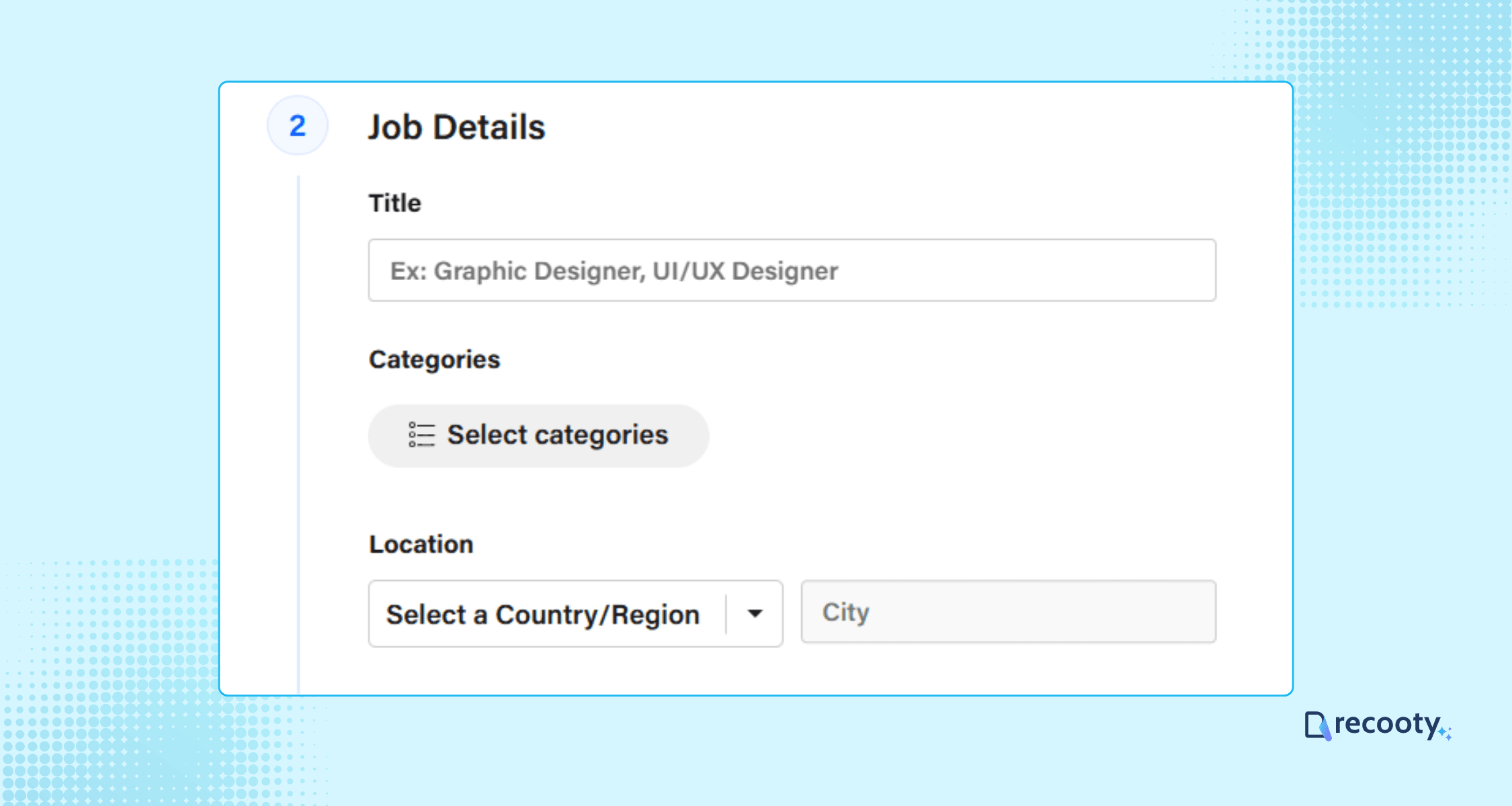
Select the job title, categories, and work location. Behance provides segmented categories for better targeting.
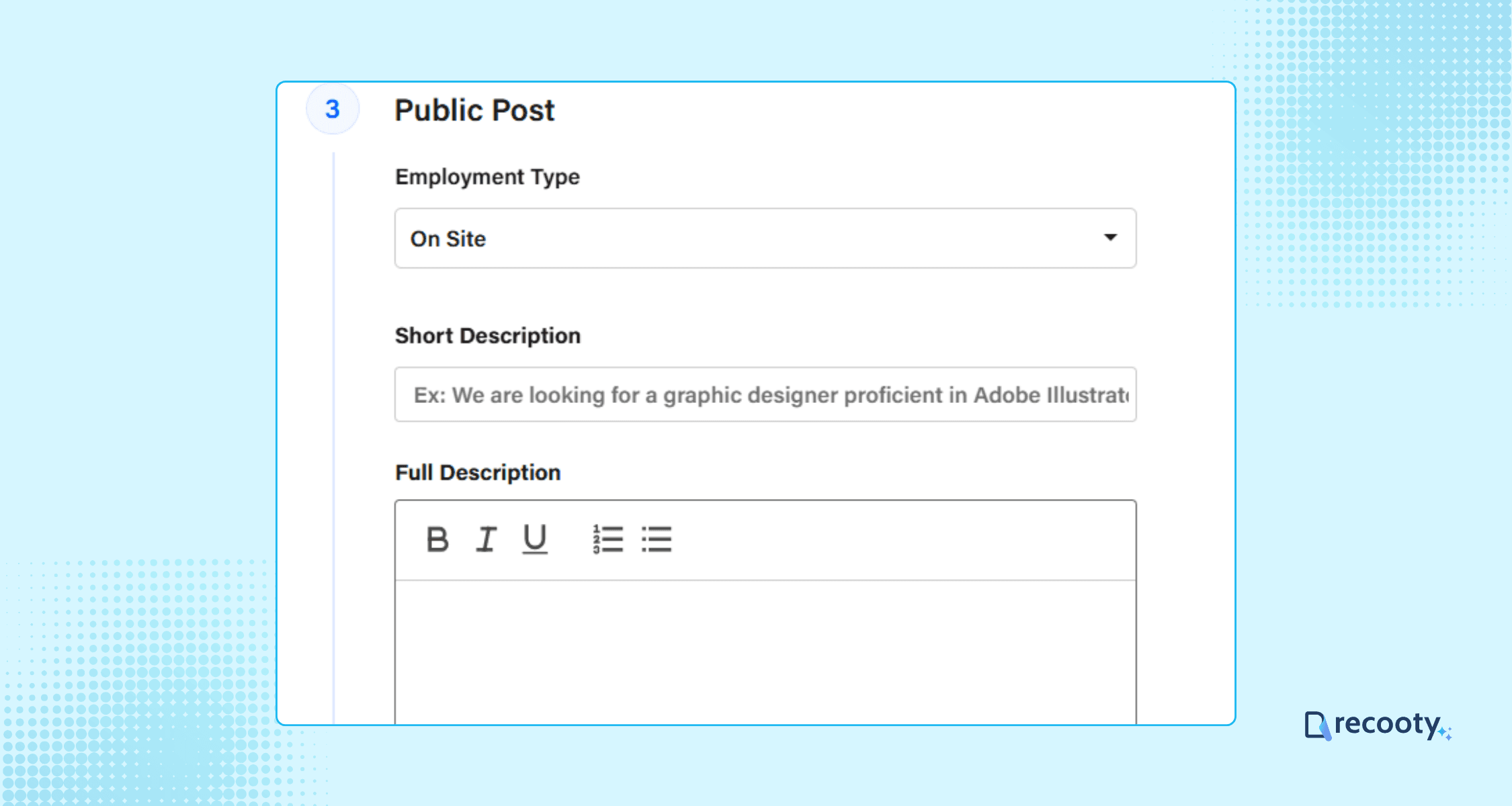
Fill in the employment type (in-office or remote), alongside a brief and detailed job description. For additional guidance on crafting a compelling job description, refer to our article on how to write a job description.
Pro Tip: For an SEO-optimized job description, consider using a free AI job description generator.
Step 6: Set the Application Method and Post the Job
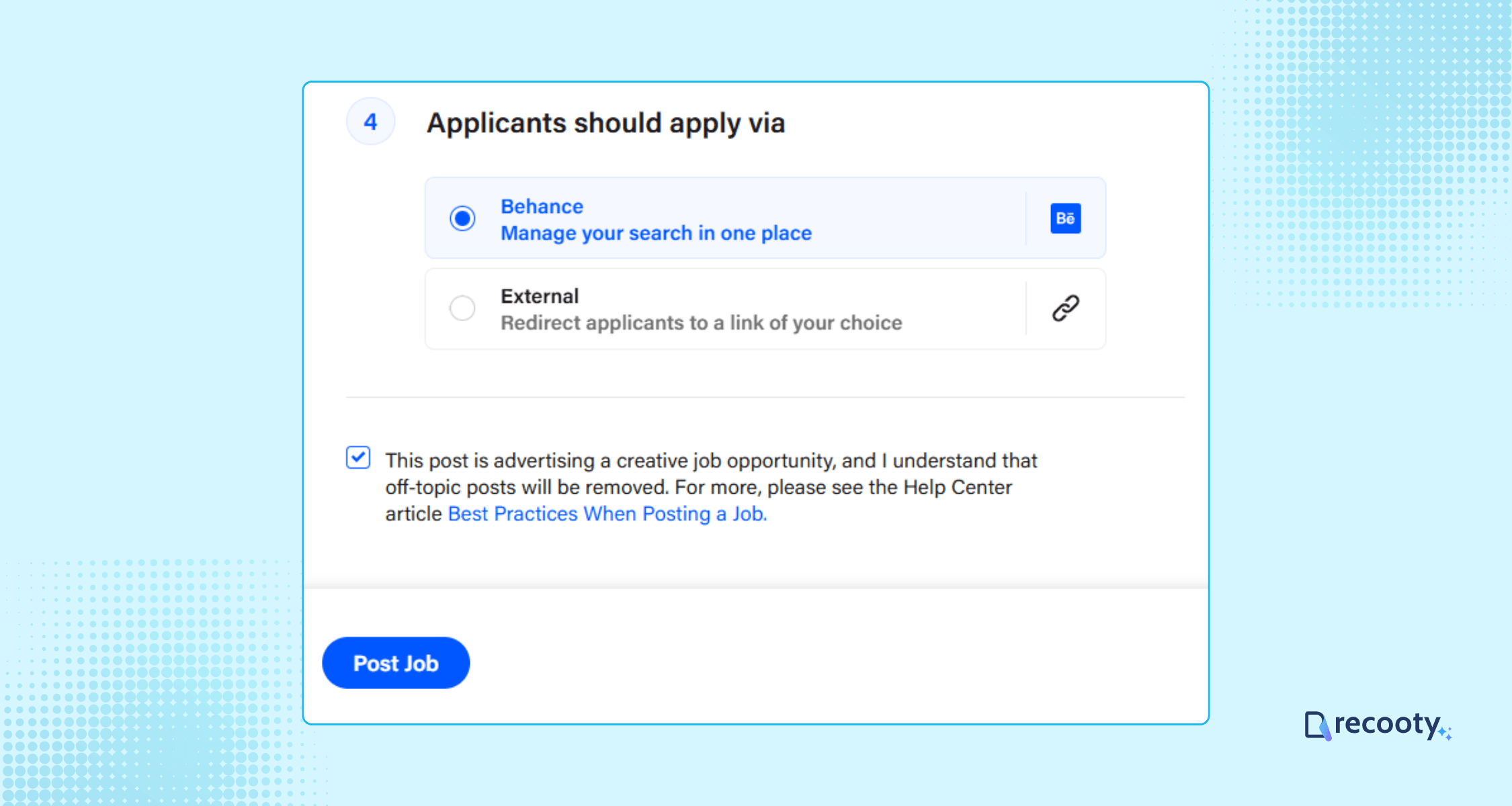
Now, configure how applicants should apply:
- You can choose to manage applications on Behance’s dashboard or redirect them to your own website or careers page.
- Once everything is set correctly, click the Post Job button to submit your job listing.
If your post aligns with Behance’s guidelines, it will be approved and visible on their job board.
How to View Applications on Behance
After posting, you can monitor incoming applications:
- Click the Inbox icon, then select Job Applications from the drop-down menu.
- You’ll see a list of all applications; simply click on each to view the candidate’s details. Here, you can follow, view, or contact the applicant directly.
Cost of Posting a Job on Behance
The great news is that it’s completely free to post jobs for full-time employment on Behance!
All members can access this opportunity.
If you’re hiring freelancers, please note a nominal fee structure, which includes:
- A platform fee of 10% plus a flat fee of $2 for payments under $500.
- For payments between $501 and $2,500, the fee is reduced to 5.5%, and for those over $2,500, it’s just 3%.
Streamline Your Hiring with Recooty
Recooty is an AI-powered Applicant Tracking System that simplifies your recruitment process by helping you create compelling job descriptions, manage applicants seamlessly, and collaborate with your hiring team, all from one easy-to-use platform.
It also boosts your job’s reach by distributing listings over global job boards.
With AI-driven candidate screening and automated communication, Recooty helps you hire faster and smarter.
Ready to take your hiring to the next level?
Start your free 15-day trial with Recooty today: no credit card required, and discover how effortless recruitment can be!
More Resources on Job Posting
- How to post a job on Monster
- How to post a job on CareerBuilder
- How to Post a Job on Google for Jobs Search Engine
- How to Post a Job on LinkedIn
- How to Post a Job On Craigslist
- How to Post a Job on ZipRecruiter
- How to Post a Job on Dice
- How to Post a Job on Indeed
- How to Post a Job on Snagajob
- How to Post a Job on Dribbble
- How to Post a Job on Seek
- How to Post a Job on JobServe
- How to post a job on Glassdoor
- How to Post a Job on Trovit
- How to post a job on Jooble
- How to Post Jobs on Juju.com
- How to Post a Job on TotalJobs
- How to Post A Job on AngelList Talent (now Wellfound)
- How to Post a Job on JobSquare
Frequently asked questions
Yes, posting full-time job listings on Behance is completely free for all members. However, if you are hiring freelancers, Behance charges a platform fee: 10% plus $2 for payments under $500, 5.5% for payments between $501 and $2,500, and 3% for payments over $2,500.
You can post both full-time and freelance positions. Behance caters to a wide range of creative roles, including graphic design, illustration, UI/UX, photography, animation, and more.
Yes, you must create a Behance account and designate yourself as a “Hirer” to access job posting features.
Once you submit your job listing and it aligns with Behance’s guidelines, it will be approved and made visible on the job board, typically within a short period.
A job post on Behance remains visible for 30 days on the job board.
Jump To Section
Author's Profile

Hardik Vishwakarma


Hardik Vishwakarma – AI Recruitment Strategist | HR Automation Expert | Applicant Tracking Software Specialist Hardik Vishwakarma is a recognized leader in HR automation and...
View Full Profile →