



The right recruitment software matches the way your team hires. Start with the work you need to improve, then test job posting, screening, interview coordination, feedback, communication and reporting with real roles. The best choice depends on your hiring volume, team size, candidate experience goals and existing HR tools.

Key takeaways
- Choose software for a hiring problem, not for the longest feature list.
- Decide whether you need an applicant tracking system (ATS), recruitment marketing platform (RMP), candidate relationship management or a combination.
- Test the full workflow with your recruiters, hiring managers and a sample candidate.
- Check job distribution, resume parsing, automation, mobile access, integrations, reporting, security and cost.
- Ask for implementation support and three-year pricing before you compare products.
- Use a weighted scorecard and define the results you expect after launch.
Types of recruitment software
An applicant tracking system (ATS) manages candidates through a hiring workflow. It can help you publish jobs, collect applications, parse resumes, schedule interviews, record feedback and move candidates between stages.
A recruitment marketing platform (RMP) focuses on building awareness and relationships before a person applies. It may support talent pools, campaigns, employer content and candidate relationship management (CRM). Some products combine these functions, while others connect through integrations. Choose the category that matches the work your team actually needs to own.
Features to consider when choosing recruitment software
Job posting and distribution
The platform should help you reach the candidates you need. Check its job board network, including channels such as Indeed, LinkedIn and Glassdoor, and ask whether distribution limits or paid add-ons apply. A large network is useful only when it reaches the people relevant to your roles.
A clear job and careers workflow
Your team should be able to create a role once and show current openings in one place. Look for a careers page, approval steps and automatic removal or status changes when a role closes. This reduces duplicate updates and helps candidates see accurate information.
Customizable stages and ownership
Every organization has a different hiring process. Check whether you can add stages, assign owners, set reminders and create approval rules without asking the vendor to rebuild the workflow. Hiring managers should understand what they need to do when they log in.
Resume parsing
Resume parsing reads a resume and adds details such as skills, work history and education to a candidate profile. Test the feature with the resume formats your candidates use. Read more about how resume parsing works and check what happens when a resume uses different wording from the job description.
AI and automation
AI may help with candidate matching, job-description drafts, communication, scheduling or reminders. Ask what data the system uses, what a recruiter can see, how people override a suggestion and how the vendor checks for errors. See how AI transforms candidate matching and recruitment for related context.
Mobile access and accessibility
Recruiters, managers and candidates may use a phone at different points in the process. Test the application and review screens on a phone, then check keyboard navigation, labels, contrast and error messages. Mobile access should make the process easier, not simply shrink a desktop page.
Integrations
List your calendar, email, HRIS, payroll, assessment, background-check and offer tools. Ask what connects natively, what needs an API or middleware and what costs extra. Test one real data handoff. Repeated copying between systems creates errors and makes the software harder to adopt.
Security and data controls
Candidate records contain personal information. Review permissions, encryption, authentication, audit logs, retention, deletion, backups and export. Ask how the vendor handles a security incident and what happens to your data when the contract ends.
Reporting and analytics
Reports should help the team act. Look for source quality, time to fill, time in stage, application-to-interview conversion, candidate drop-off and hiring-manager completion. The recruiting metrics guide explains why these measures matter. Request a report using sample data and the same workflow you expect after launch.
Cost and total effort
Compare subscription, user, job, hiring-volume and freemium pricing. Add implementation, training, integrations, support and migration. A cheaper plan can cost more if recruiters spend time maintaining workarounds.
Practical tips before you choose
Check whether the platform can grow with you
Ask how the software handles more roles, users, locations and approval steps. Review the vendor’s product updates and its approach to recruiting trends. A tool should support growth without making every change a consulting project.
Involve the people who will use it
Include recruiters, hiring managers, HR operations and finance in demos. Give each person a task to complete and record where they need help. Early input improves adoption because the workflow reflects daily work.
Ask about support and training
Request an implementation plan, documentation, training and response expectations for urgent issues. Ask what your team must provide and who owns data migration. A clear support path matters when a role is open and the process is blocked.
Recruitment software options to consider
These products serve different needs. Verify current features, pricing and limits with each vendor before making a purchase.
For a wider comparison, see the top recruitment software options and use the same workflow tests for each product. The original shortlist is also available under top recruitment software you can consider.
1. Recooty
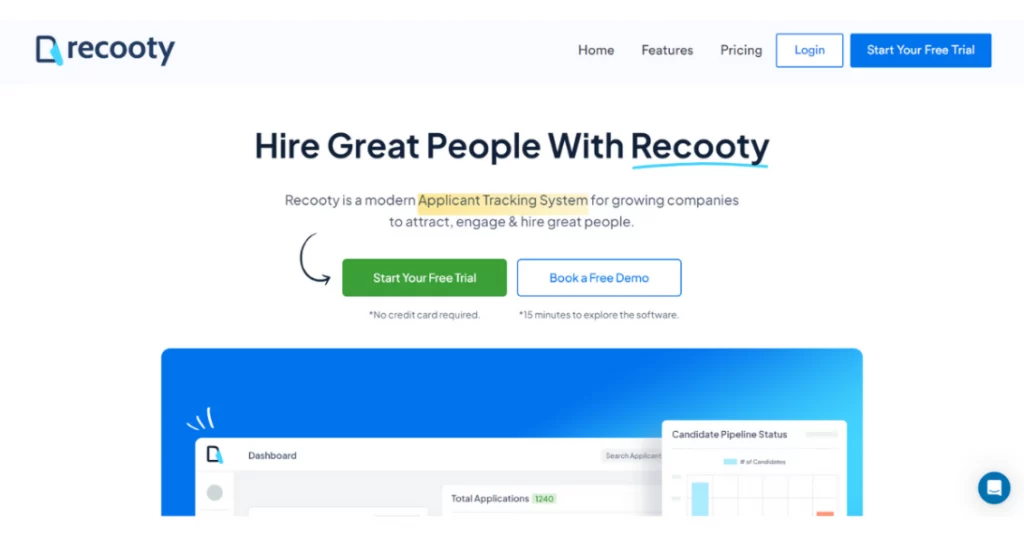
Recooty is an applicant tracking system for growing companies. It supports job-board distribution, customizable workflows, resume parsing and an AI job description generator. Confirm the current company-size guidance, integrations and pricing during a demo.
2. JazzHR

The original guide describes JazzHR as a fit for businesses of different sizes and mentions a free plan with limits on employees and job postings. Check the current plan terms and whether the included features fit your hiring volume.
3. Workable

Workable supports job posting, candidate management, LinkedIn integration, email and calendar sync, HRIS connections, interview kits and job templates. Ask for a workflow using your approval and feedback steps.
4. BreezyHR

The guide describes BreezyHR as offering a free plan, job-board distribution and resume parsing, with additional features in paid plans. Check current limits, background-screening options and workflow controls before comparing its cost.
5. Recruit CRM

Recruit CRM is described as a recruiting platform for high-volume work, with resume parsing, job management and a customizable hiring pipeline. Test how its workflow fits your roles and how reporting handles your source and stage data.
What comparison pages often leave out
Product lists help you discover names, but they rarely show whether recruiters and hiring managers will use the system every day. Dover’s 2026 ATS comparison discusses cost, implementation and core functions. Capterra’s small-business ATS guide summarizes ratings and features. SelectSoftware Reviews’ buyer guide covers sourcing, pipeline, reporting and integrations.
Use those pages for discovery, then collect proof from each finalist. Ask for a role-specific demo, run a mobile application, test a manager review, assign an owner to every requirement and record the measurable pass condition. The comparison table below keeps the decision grounded in your workflow.
| Buying question | Proof to collect | What failure looks like |
|---|---|---|
| Will recruiters use it every day? | Real users complete a role-specific workflow | The demo depends on the vendor or an administrator |
| Will hiring managers participate? | A review, feedback and approval test | Managers stay in email or spreadsheets |
| Will candidates complete applications? | Mobile and desktop test with confirmation and status updates | Long forms, unclear next steps or broken mobile pages |
| Does it fit your hiring model? | Pilot using your roles, stages and approval rules | Your team must redesign a workable process |
| Is automation trustworthy? | Data sources, human review, audit logs and error handling | “AI” is a label with no explainable output |
| Is the investment sustainable? | Three-year cost, implementation and export test | Add-ons and services hide the real price |
The Omni Candidate Experience Report 2026, based on 739 UK respondents, reports concerns about trust in AI-supported recruitment and the importance of human involvement. It also reports that candidates may withdraw when a process takes too long and want clear updates. Use those findings as a reason to test communication and human oversight, not as a universal prediction for your team.
Make your shortlist and define success
Score the finalists against the same criteria, then choose the system that makes a good hiring process easier to repeat. Before launch, set targets for application completion, stage conversion, time to fill, source quality and hiring-manager participation. Review the first month and the first quarter, and fix training or workflow issues before buying more features.
Frequently Asked Questions
Start with your hiring goals, workflow and users. Shortlist products that fit those needs, then test a real role from job posting through offer, data export and candidate communication.
Applicant tracking systems and recruitment marketing platforms are common choices. Some teams use a combined platform, while others connect separate tools for sourcing, candidate relationships, interviews and reporting.
Choose channels based on candidate fit, reach, cost and the role you need to fill. Compare source quality and stage conversion instead of counting applications alone.
An ATS can manage job posting, resume screening, scheduling, feedback and candidate communication. Recruiters still need clear criteria and human review to make a sound hiring decision.
Source: https://recooty.com/blog/how-to-choose-the-right-recruitment-software/
Jump To Section
Author's Profile

Hardik Vishwakarma


Hardik Vishwakarma – AI Recruitment Strategist | HR Automation Expert | Applicant Tracking Software Specialist Hardik Vishwakarma is a recognized leader in HR automation and...
View Full Profile →