15 Best Recruitment Software Platforms (2026)
Compare the 15 best recruiting software platforms for HR teams, with current pricing, honest trade-offs, AI checks, case studies, and a 14-day test plan.

CONTENTS
- 0115 Best Recruitment Software Tools for 2026
- 02Best recruiting software shortlist
- 03Key takeaways
- 04How we tested these recruiting platforms
- What this review can and cannot prove
- 05Best applicant tracking systems and recruiting software compared
- 06What counts as recruiting software?
- 07The 15 best recruiting software platforms reviewed
- Greenhouse: Best for structured hiring and governance
- Recooty: Best overall value from SMB to enterprise
- Workable: Best combined recruiting and HR platform
- Lever: Best ATS and recruitment CRM combination
- Ashby: Best for recruiting analytics and scaling technology teams
- SmartRecruiters: Best for global and high-volume enterprise hiring
- Zoho Recruit: Best low-cost configurable option
- Manatal: Best affordable AI ATS for in-house and agency teams
- JazzHR: Best simple ATS for small businesses
- Recruit CRM: Best for recruitment agencies that need ATS plus CRM
- Pinpoint: Best for candidate experience and in-house control
- Bullhorn: Best for staffing firms with front- and back-office needs
- Recruitee: Best for collaborative hiring across departments
- Teamtailor: Best for employer brand and career sites
- BambooHR: Best for smaller teams that want recruiting inside an HRIS
- 08Specialist recruiting tools we did not rank as full ATS replacements
- 09Best AI recruiting software: useful automation without a black box
- The AI governance questions to ask before purchase
- 10Best recruiting software for small businesses
- 11Best recruiting software for recruitment agencies
- 12Best recruitment software for enterprises
- 13Recruitment software pricing and free-trial comparison
- Three worked cost scenarios
- Costs that commonly appear after the demo
- 14What real customer case studies can and cannot tell you
- 15What recruiters say after the polished demo
- 16How to choose recruitment software
- A fast decision tree
- Write five non-negotiable outcomes
- Separate requirements from preferences
- 17The 14-day live-role pilot
- Reusable recruiting software demo scorecard
- Candidate-experience mystery shop
- 18HR technology procurement checklist
- Security, privacy, and administration
- Integrations and data ownership
- Commercial and service terms
- 19Migration and implementation runbook
- Before configuration
- During build and migration
- Go-live and the first 90 days
- 20Common recruiting software buying mistakes
- 21Frequently Asked Questions
- 22Match AI to the workflow
- 23The next Monday matters more than the demo
15 Best Recruitment Software Tools for 2026
By Shubham Joshi
Strategic HR Business Partner | Talent Recruitment and Management Specialist | People and Culture Architect
Originally published: October 29, 2026 | Last updated and price-checked: September 23, 2026
Greenhouse is a strong fit for structured, governed hiring. Recooty offers a practical balance of ease, AI assistance, public pricing, and room to grow from a small or midsize business (SMB) into a larger operation. Workable suits teams that want recruiting and core HR together, while agencies should start with Recruit CRM or Bullhorn.
The useful test starts after the demo. A hiring manager may answer by email instead of completing a scorecard, a calendar invite may land in the wrong time zone, or a promised integration may require another fee. This guide compares the workflows, pricing, controls, and trade-offs that help you test those details with a live role.
Best recruiting software shortlist
- Greenhouse: Best for structured hiring and governance
- Recooty: Best AI recruitment software for SMBs, growing teams, and enterprises
- Workable: Best combined recruiting and HR platform
- Lever: Best applicant tracking system (ATS) and candidate relationship management (CRM) combination
- Ashby: Best for recruiting analytics and scaling technology teams
- SmartRecruiters: Best for global and high-volume enterprise hiring
- Zoho Recruit: Best low-cost configurable option
- Manatal: Best affordable AI ATS for in-house and agency teams
- JazzHR: Best simple ATS for small businesses
- Recruit CRM: Best for recruitment agencies that need ATS plus CRM
- Pinpoint: Best for candidate experience and in-house control
- Bullhorn: Best for staffing firms with front- and back-office needs
- Recruitee: Best for collaborative hiring across departments
- Teamtailor: Best for employer brand and career sites
- BambooHR: Best for smaller teams that want recruiting inside a human resources information system (HRIS)
Key takeaways
- There is no universal winner. In-house HR, recruitment agencies, high-volume employers, and global enterprises have different core workflows.
- Integration quality beats integration count. Test one complete write-back flow with real data before signing.
- Public price is not total cost. Add implementation, migration, premium job ads, SMS, AI credits, support, and your own team's time.
- AI needs governance, not blind trust. Helpful AI drafts, summarizes, schedules, and explains. Risky AI makes hard-to-audit candidate decisions.
- Hiring-manager adoption decides return on investment (ROI). A powerful platform fails if managers avoid scorecards or give feedback in email.
- Pilot with a live role. A polished vendor demo cannot reproduce your approval rules, time zones, messy resumes, or candidate questions.
How we tested these recruiting platforms
I compared these tools against the work that decides whether an HR system succeeds: setting up a role, moving candidates, collecting manager feedback, scheduling, reporting, exporting data, and handling exceptions. I rechecked current features, trials, and prices against official vendor pages on September 23, 2026. This is a desk-based comparison, so use the live-role pilot below to verify how each finalist behaves with your data and users.
Instead, each review uses the same buying questions:
| Test area | Suggested pilot weight | What I look for |
|---|---|---|
| Core hiring workflow | 25% | Requisitions, applications, stages, approvals, offers, and searchable records |
| Recruiter and manager adoption | 20% | Time to complete common tasks, clear notifications, mobile access, and low training burden |
| Integrations and data | 15% | HRIS write-back, calendar and email sync, application programming interface (API) access, exports, failure handling, and reporting |
| Candidate experience | 15% | Mobile application, communication, scheduling, accessibility, and status clarity |
| Automation and AI controls | 10% | Explainability, review, override, auditability, limits, and extra usage charges |
| Governance and security | 10% | Roles, approvals, single sign-on (SSO), logs, retention, privacy, and enterprise administration |
| Total cost and contract fit | 5% | Subscription, minimum term, add-ons, implementation, migration, and renewal exposure |
The weights above are a reusable pilot framework, not a retrospective mathematical score for this list. The numbered order is editorial. Greenhouse ranks first for structured process and governance across complex teams; Recooty ranks second for adoption, public pricing, automation, and its SMB-to-enterprise path. Workable, Lever, and Ashby follow for combined HR breadth, CRM depth, and analytics. When two products covered the same workflow, I favored lower adoption friction, clearer total cost, and controls appropriate to the buyer. The buyer-specific sections below can reorder the shortlist for your operating model.
What this review can and cannot prove
Hands-on use reveals friction that feature pages miss, but one person's experience cannot represent every configuration or support interaction. Prices and packaging change. Use this guide to make a three-product shortlist, then run the same live-role pilot with each finalist.
I also used official pricing and product documentation, government guidance, named vendor case studies, and public recruiter discussions. Vendor case studies describe possible outcomes and cannot predict every customer's results. Reddit threads reveal recurring concerns, though individual posts are not representative research.
Best applicant tracking systems and recruiting software compared
Greenhouse leads when process consistency and governance matter most. Recooty is the more accessible all-rounder across smaller and larger organizations. Workable combines recruiting with HR operations, while Recruit CRM and Bullhorn fit agencies. Use the table to shortlist by operating model before comparing features.
| Rank | Platform | Primary category | Best for | Public starting price* | Trial or demo | Setup lift** |
|---|---|---|---|---|---|---|
| 1 | Greenhouse | ATS and recruiting platform | Structured, multi-team hiring | Custom quote | Demo | Medium to high |
| 2 | Recooty | AI ATS and recruiting automation | Value for SMBs and enterprises | $79/month, billed annually | Check current terms | Low to medium |
| 3 | Workable | Recruiting plus HR platform | One system for hiring and core HR | $299/month for 1-20 employees, annual billing | 15 days | Medium |
| 4 | Lever | ATS plus recruitment CRM | Nurture-led in-house recruiting | Custom quote | Demo | Medium |
| 5 | Ashby | All-in-one recruiting platform | Analytics-led scaling teams | $400/month for up to 100 employees | Demo | Medium to high |
| 6 | SmartRecruiters | Enterprise talent acquisition suite | Global and high-volume hiring | Starts at $14,995; period not stated | Demo | High |
| 7 | Zoho Recruit | ATS | Cost-conscious, configurable HR teams | Free; paid from $25/recruiter/month annually | 15 days | Medium |
| 8 | Manatal | ATS plus CRM | Lean in-house teams and agencies | $15/user/month annually | 14 days | Low to medium |
| 9 | JazzHR | SMB ATS | Small teams that need dependable basics | $1,000/year | 14 days | Low |
| 10 | Recruit CRM | Agency ATS plus CRM | Staffing and executive search | Dynamic pricing; request a quote | 30 days | Medium |
| 11 | Pinpoint | In-house ATS | Candidate experience and employer brand | Custom quote | Demo | Medium |
| 12 | Bullhorn | Staffing ATS plus CRM | Agencies needing broader operations | $99/user/month | No public trial | High |
| 13 | Recruitee | Collaborative ATS | Distributed hiring teams | Dynamic quote; annual minimum | 18 days | Low to medium |
| 14 | Teamtailor | ATS and employer-brand platform | Career-site-led recruiting | Custom annual quote | Demo | Low to medium |
| 15 | BambooHR | HRIS with ATS | Smaller teams consolidating HR records | $10 per employee per month above 25 employees; smaller plans from $250/month | Free trial | Medium |
*Prices shown in USD and checked September 23, 2026. Taxes, add-ons, regional terms, and minimum commitments may apply. SmartRecruiters does not label the billing period beside its public starting figure.
**Setup lift is my qualitative assessment from use, not a vendor guarantee. Complexity rises with integrations, historical data, locations, permissions, and custom workflows.
Every ranked product can manage an applicant through a complete hiring process. Sourcing-only tools appear later because they do not replace an ATS. The products also differ in contracts, pricing models, and administration needs.
What counts as recruiting software?
Recruiting software is an umbrella category. An ATS manages applicants through a hiring process; a recruitment CRM nurtures prospects; sourcing tools find people; assessment tools test them; and an HRIS manages employees after hire. A fair comparison starts by deciding which job the system must own.
| Category | Workflow it should own | Typical buyer question | Examples in this guide |
|---|---|---|---|
| Applicant tracking system | Application through offer or handoff | Can we run a consistent, searchable hiring process? | Recooty, Greenhouse, JazzHR, Pinpoint |
| ATS plus recruitment CRM | Prospecting, nurture, application, and hire | Can we keep passive talent warm without switching tools? | Lever, Recruit CRM, Bullhorn, Manatal |
| Talent acquisition suite | Multi-brand, multi-region, high-volume operations | Can IT and talent acquisition (TA) govern hiring at enterprise scale? | SmartRecruiters, Greenhouse |
| Recruiting plus HR platform | Hiring, employee records, and core HR tasks | Can we reduce the number of HR systems? | Workable, BambooHR |
| Sourcing companion | Finding and contacting prospects | Can we add better candidates to our existing ATS? | Recooty, Fetcher, listed later as a specialist tool |
This distinction matters. A sourcing product may be excellent at outreach and still be the wrong replacement for an ATS. An HRIS may hold employee records well while offering fewer recruiting controls than a dedicated talent acquisition platform. In practice, the best hiring software owns your required workflow without creating more administration than the team can sustain. For a deeper foundation, see Recooty's guide to an applicant tracking system.
A platform also needs a plan for people who are promising but not right for today's vacancy. Recooty's guide to building an effective talent pool explains how to organize and re-engage those candidates without turning the ATS into an archive.
The ranking reflects buyer fit, workflow coverage, adoption, controls, and total cost, not feature count alone. Current prices and selected product facts were checked against the linked vendor sources. Vendor case studies are labeled as vendor-reported, and Reddit comments are treated as anecdotes, not proof.
The 15 best recruiting software platforms reviewed
The ranking starts with Greenhouse for structured hiring and Recooty for value across company sizes, then branches by operating model. Each review covers the same evidence: scope, current price, best fit, and limitations. No platform wins every category, so treat rank as a shortlist aid and verify fit with the live-role test below.
01Greenhouse: Best for structured hiring and governance
Greenhouse is the strongest first choice when your main problem is inconsistent interviewing, scattered scorecards, or weak process control across teams. Its mature structured-hiring model includes recruiting CRM, approvals, reporting, and higher-tier governance, but buyers should expect custom pricing rather than a low-cost self-service plan.
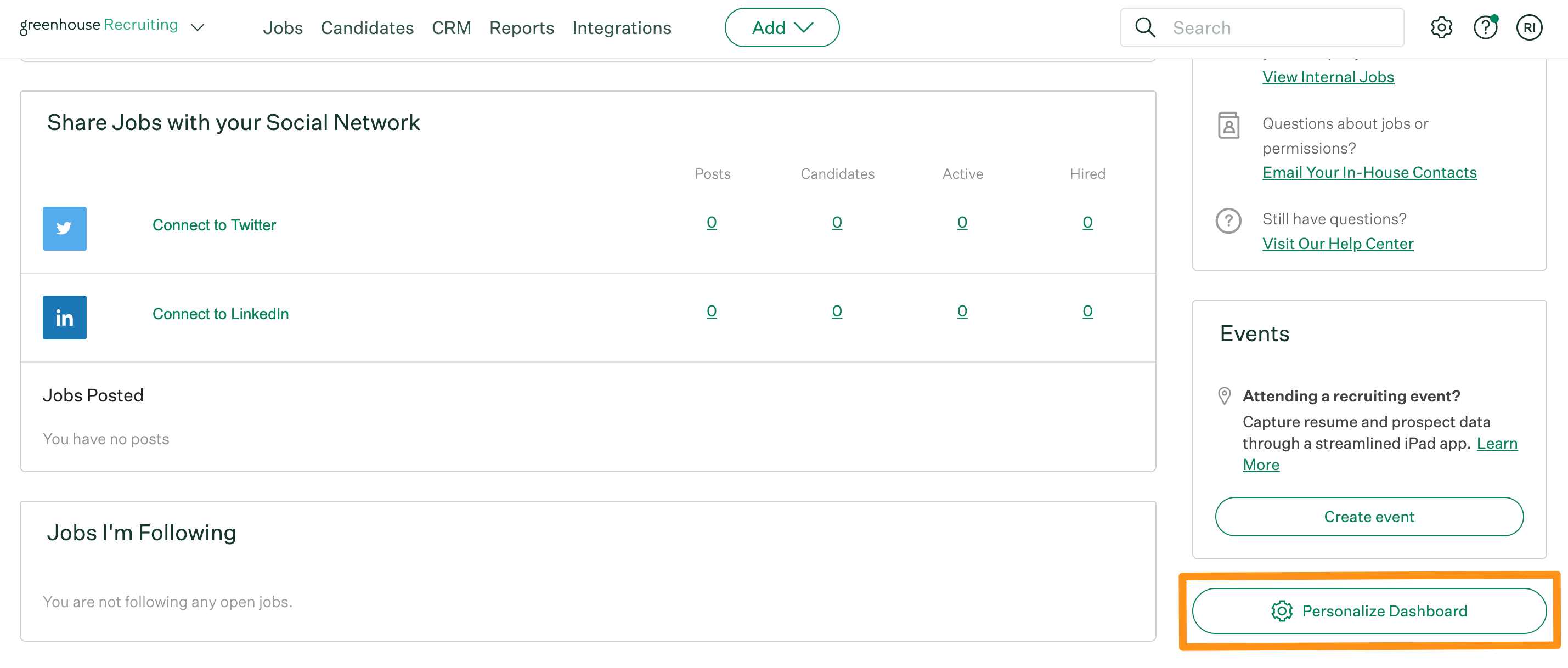
Key features of Greenhouse
- Structured interview plans, interview kits, and scorecards
- Candidate self-scheduling and scheduling rules
- Sourcing CRM, prospect pools, bulk import, and automation
- Job and offer approvals, e-signatures, reports, and analytics
- AI-assisted job posts, interview questions, notes, filters, and candidate review
- Pro-tier audit logs, developer sandbox, data controls, and enterprise security
Greenhouse pricing
Greenhouse offers Core, Plus, and Pro plans, but publishes no numeric price. Cost depends on hiring volume, complexity, and selected capabilities. There is a demo rather than a public self-serve trial.
Best fit and trade-offs
Choose Greenhouse when repeatable evaluation, recruiter operations, and governance matter more than the lowest subscription cost. It is particularly strong for scaling, mid-market, and enterprise teams willing to invest in configuration and interviewer discipline.
Do not choose it only because it is a familiar name. A small team with a simple pipeline may pay for operating depth it will not use. Greenhouse works best when someone owns templates, permissions, reporting, and manager adoption.
02Recooty: Best overall value from SMB to enterprise
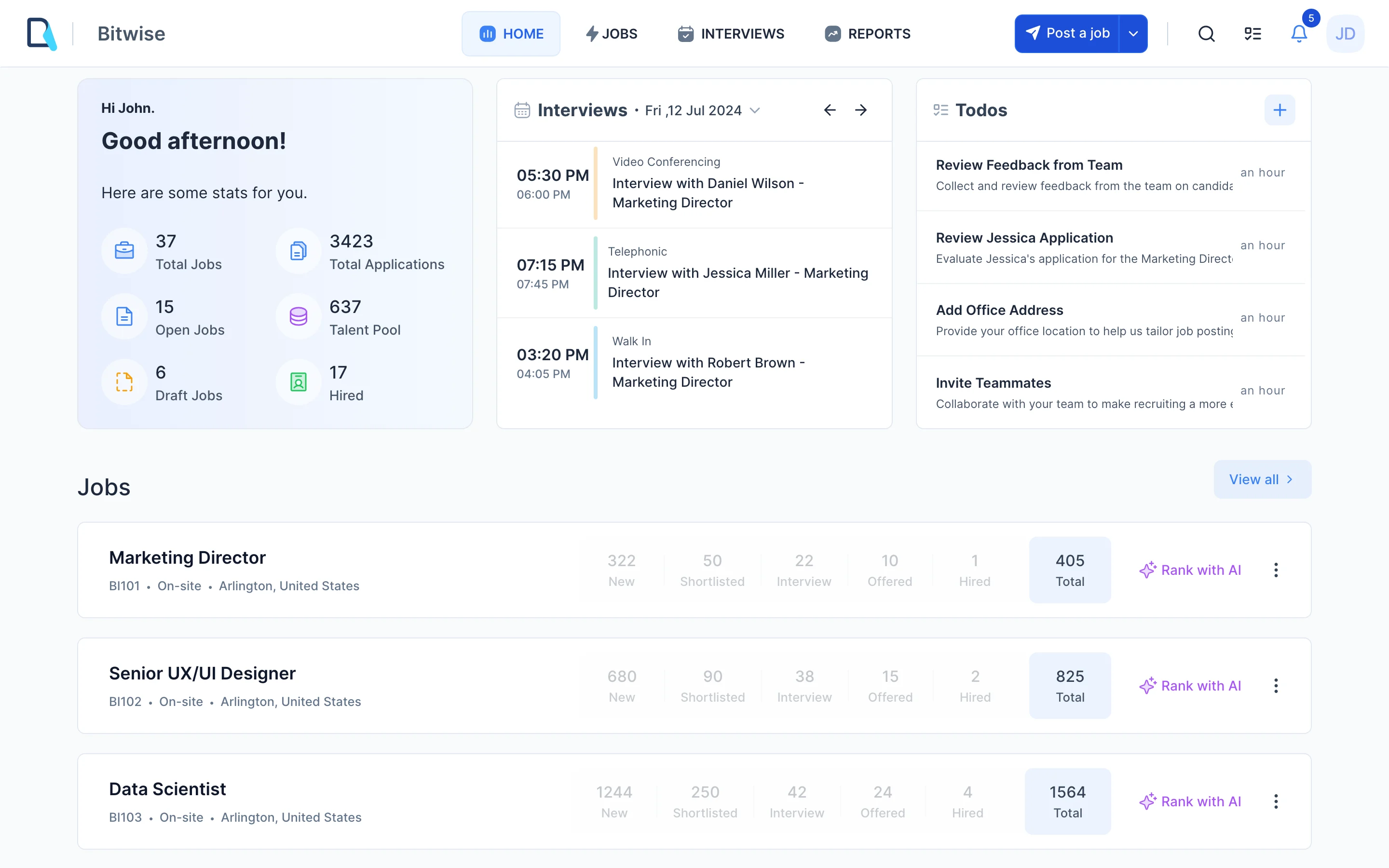
Recooty is my second overall choice and the best value when you want fast adoption without giving up serious recruiting controls. It supports lean teams and larger organizations through higher tiers that add unlimited jobs, approvals, analytics, SSO, advanced reporting, and dedicated support.
Key features of Recooty
- AI candidate matching and explainable resume scoring with reasons
- Job description, interview question, email, and salary-assistant tools
- Distribution to 200+ job boards plus a no-code career page and site widget
- Custom pipelines, job approvals, scorecards, comments, and team collaboration
- Calendar sync and interview scheduling with Google, Outlook, Zoom, and Meet workflows
- Talent pools, pre-hire checks, bulk import, reporting, integrations, two-factor authentication (2FA), and role controls
- Premier-tier SSO, advanced reports, priority support, custom domain, and dedicated account management
Recooty pricing
Recooty pricing starts at $79 per month for Starter and $149 per month for Standard, both billed annually. Premier is a custom quote for enterprises and agencies. Confirm current AI-credit and job limits during purchase because the live page presents some limits dynamically.
Best fit and trade-offs
Choose Recooty if your team wants a quick launch, more automation without a heavy rollout, or enterprise controls with a more approachable interface. Test the exact permissions, reports, identity controls, and integrations you need on Premier.
Recooty publishes this article, so you should hold this review to a higher evidence standard. Compare its live workflow against two finalists, ask for a written implementation scope, and make the same hiring managers complete the same tasks in every system.
03Workable: Best combined recruiting and HR platform
Workable is a sensible choice when you want candidate sourcing, ATS workflows, onboarding, employee records, time off, and related HR work in one product. It is easier to justify when consolidating tools has real value. Buyers focused only on an ATS should compare the bundled price against a dedicated system.
Key features of Workable
- Candidate sourcing, ATS, careers pages, and distribution to 200+ job boards
- Custom pipelines, interview tools, approvals, and reporting
- Built-in HRIS, onboarding, documents, time off, and time tracking
- AI agent for candidate evaluation, sourcing, and chat
- Add-ons for texting, video interviews, assessments, referrals, and performance
- Mobile access and a broad integration catalog
Workable pricing
For companies with 1-20 employees, Workable's annual-billed plans are $299 per month for Standard, $599 for Premier, and $719 for Enterprise. Pricing rises by employee band. The 15-day trial includes Standard features but excludes Workable Agent. Extra AI credits and some communication or assessment features cost more.
Best fit and trade-offs
Choose Workable when tool consolidation matters and your team will use both its recruiting and HR modules. Check the price at your actual employee count, not the smallest displayed band. Model AI credits, texting, assessments, and video as usage costs rather than assuming the headline subscription covers them.
04Lever: Best ATS and recruitment CRM combination
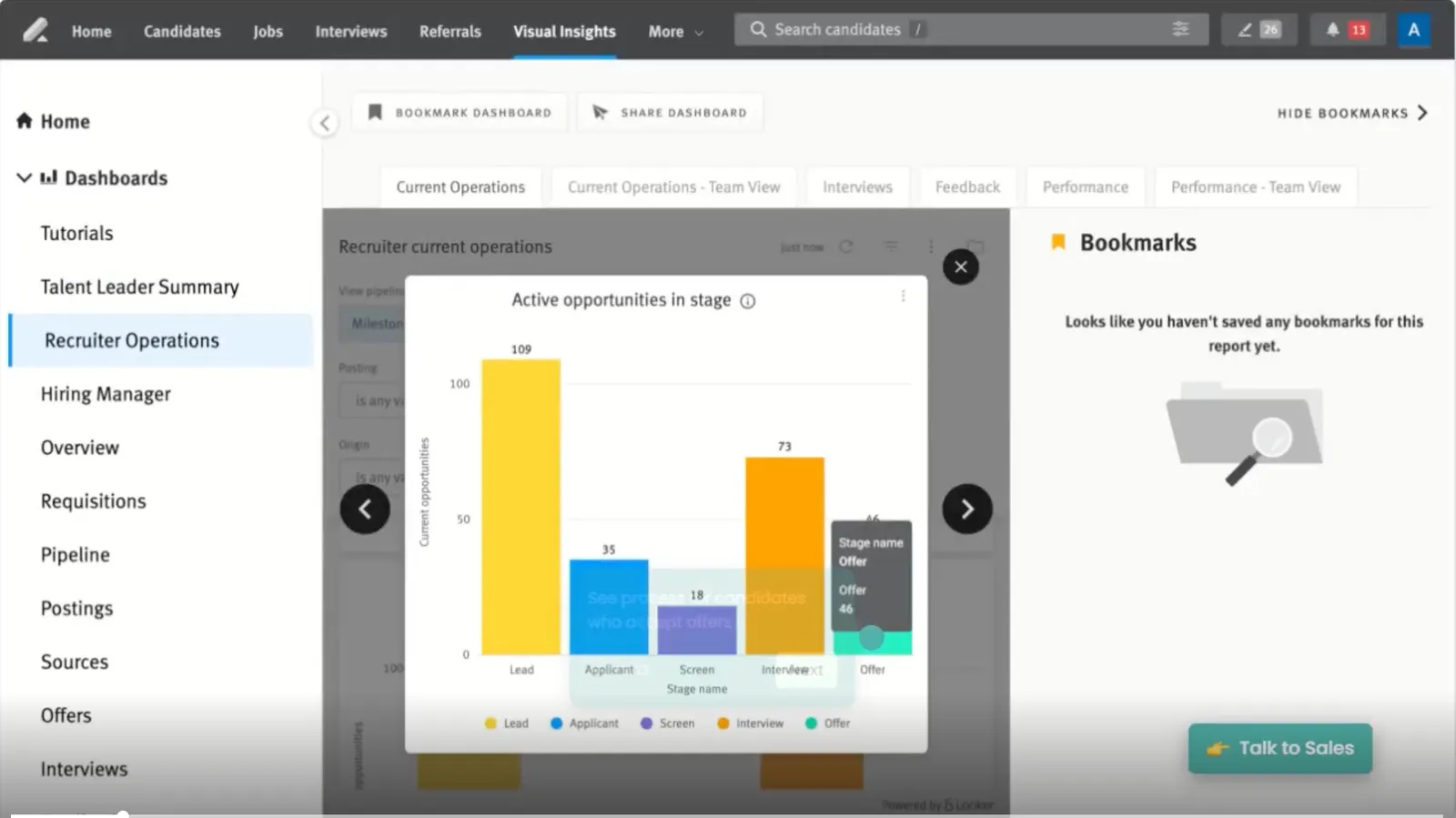
Lever is strongest when your recruiting process begins before a person applies. The combined ATS and CRM lets recruiters source, nurture, and move prospects into active hiring without breaking the history across separate systems.
Key features of Lever
- ATS and candidate relationship management in one record
- Outreach, nurture, sourcing, and pipeline management
- Interview scheduling, feedback, and team collaboration
- AI-powered matching, screening signals, and candidate prioritization
- Standard and configurable reports for pipeline health and hiring performance
- Integrations for HR, assessment, sourcing, background checks, and communication
Lever pricing
Lever pricing is custom and scales with team size and hiring needs. The vendor offers a tailored quote and demo; it does not list a public self-serve trial.
Best fit and trade-offs
Choose Lever if passive-candidate nurture is central to your plan and you want ATS activity and CRM history in one place. During the demo, make the team build a prospect sequence, convert a prospect to an applicant, and report on the whole journey. A quote-only model also means you should document renewal terms and optional modules before comparing total cost.
05Ashby: Best for recruiting analytics and scaling technology teams
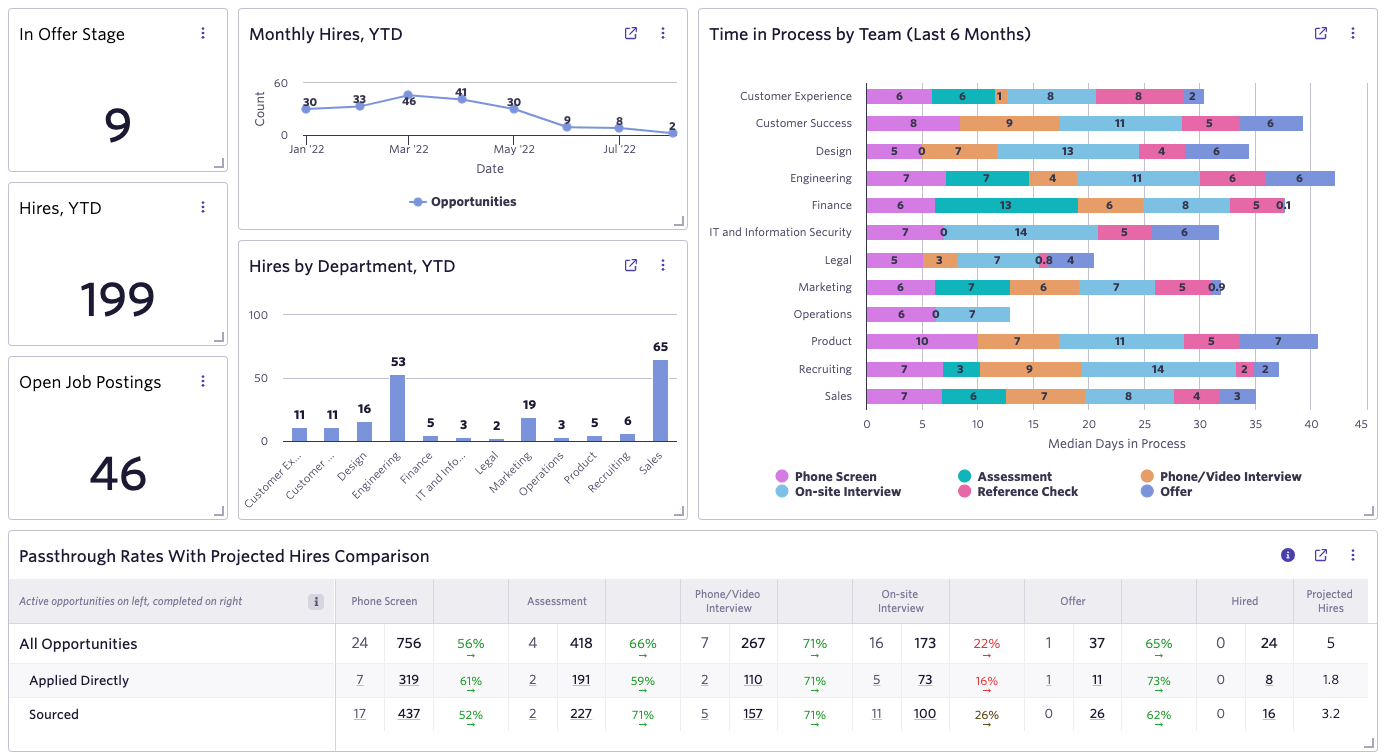
Ashby is the clearest fit for a data-minded recruiting team that wants ATS, CRM, sourcing, scheduling, and advanced recruiting analytics under one roof. Its reporting flexibility can replace fragile spreadsheets, but it rewards teams that have someone willing to define metrics and maintain the operating model.
Key features of Ashby
- ATS, sourcing CRM, sequences, scheduling, offers, and analytics
- Custom dashboards, pipeline analysis, forecasting, and report templates
- Workflow automation, approvals, surveys, and recruiting events on higher plans
- AI-assisted recruiting features with usage and credit considerations
- 250+ integrations and public API access
- Enterprise roles, System for Cross-domain Identity Management (SCIM), SSO, Workday integration, and diversity analytics on relevant tiers
Ashby pricing
Ashby Foundations costs $400 per month for companies with up to 100 employees, with a stated 10% discount for annual commitments. Ashby provides custom quotes for Plus, which covers 101 to 1,000 employees, and Enterprise, which covers organizations with more than 1,000 employees. Confirm paid seats, AI credits, email lookups, SSO, and implementation in writing.
Best fit and trade-offs
Choose Ashby when recruiting operations and analytics are core capabilities, not occasional reports. A simpler HR team may find the depth unnecessary. Test whether hiring managers can complete their work without seeing the complexity that recruiters value.
06SmartRecruiters: Best for global and high-volume enterprise hiring
SmartRecruiters belongs on an enterprise shortlist when multiple regions, brands, languages, volumes, and technology partners must operate under one talent acquisition program. That breadth makes procurement and implementation more demanding.
Key features of SmartRecruiters
- Applicant tracking, recruitment CRM, onboarding, scheduling, and job distribution
- Career experiences, SMS, offers, approvals, and collaboration
- Higher-tier AI matching, screening, recruiting chat, and agent capabilities
- Analytics, marketplace integrations, APIs, and enterprise services
- Packages designed for professional, high-volume, and broader enterprise use cases
SmartRecruiters pricing
SmartRecruiters pricing says Essential starts at $14,995, but the page does not state whether that amount is monthly, annual, or another billing unit beside the figure. Professional, High Volume, and Complete require quotes. Treat the public number as incomplete until the vendor confirms its period and included usage.
Best fit and trade-offs
Choose SmartRecruiters when you need to orchestrate hiring at scale. Teams with straightforward applicant tracking needs can usually buy less. Bring IT, security, procurement, recruiting operations, and regional owners into discovery early.
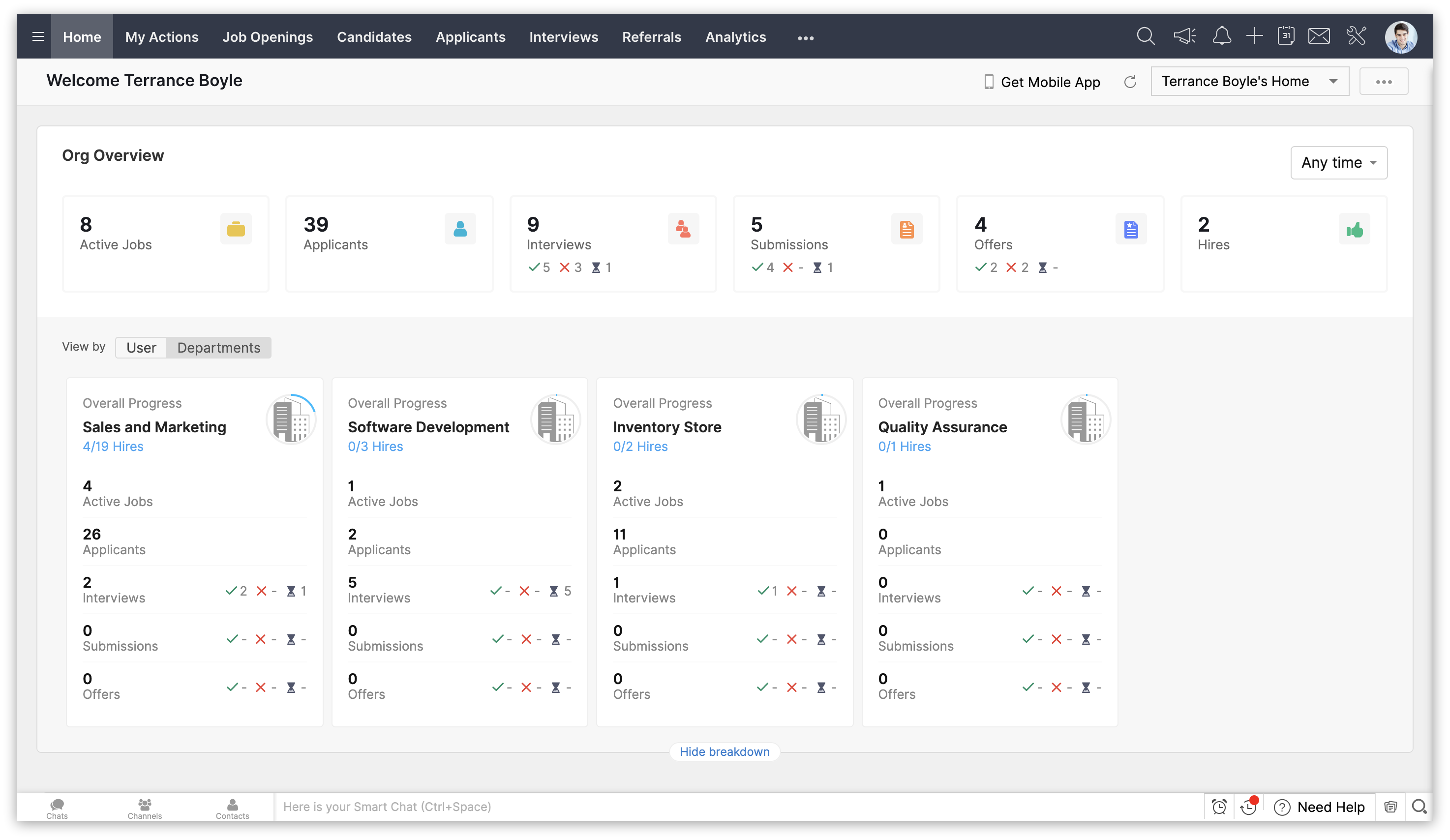
07Zoho Recruit: Best low-cost configurable option
Zoho Recruit offers an unusually low entry price and a separate path for corporate HR and staffing agencies. It fits buyers comfortable configuring a system and managing a wider Zoho ecosystem. The low license price can be offset by active-job limits, paid support, add-ons, and hiring-manager license packs.
Key features of Zoho Recruit
- Candidate, resume, interview, email, and pipeline management
- Career sites, job boards, referrals, social recruiting, and assessments
- AI candidate matching and automation on Enterprise
- Custom fields, layouts, rules, analytics, and role-based security
- Separate corporate HR and staffing-agency editions
- Connections across Zoho apps plus third-party integrations
Zoho Recruit pricing
For the Corporate HR edition, Zoho Recruit offers a free plan, Standard at $25 per recruiter per month billed annually, and Enterprise at $50 per recruiter per month annually. With monthly billing, Standard costs $30 and Enterprise costs $60 per recruiter per month. Its 15-day Enterprise trial falls back to Free, and the vendor states a 45-day money-back period for paid editions. Agency pricing is separate.
Best fit and trade-offs
Choose Zoho Recruit when price, customization, and ecosystem connections outweigh a desire for the most guided experience. Build a realistic license count that includes recruiters and packs of hiring-manager or employee users. Premium support and data migration can carry separate costs.
08Manatal: Best affordable AI ATS for in-house and agency teams
Manatal gives small recruiting teams a broad ATS and CRM feature set at a transparent per-user price. It is a useful middle ground for an agency or in-house team that wants AI matching and automation without an enterprise contract.
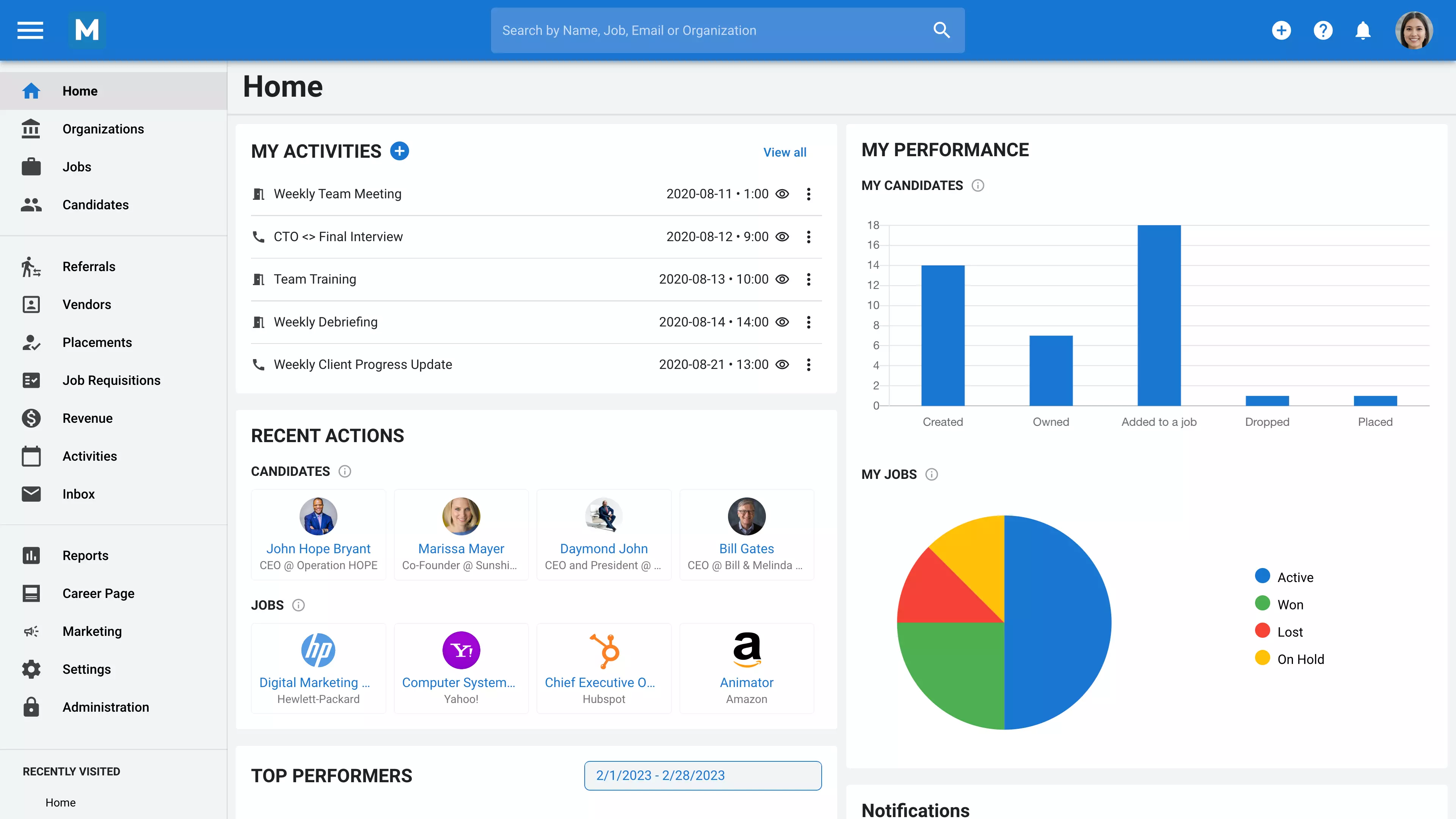
Key features of Manatal
- Custom pipelines, resume parsing, search, scorecards, and candidate profiles
- Recruitment CRM, client records, branded resumes, and guest portals
- AI recommendations, profile enrichment, summaries, and fit-gap analysis
- Email, calendar, job-board, Zapier, and n8n connections
- Workflow automation on Enterprise and above
- API, SSO, custom permissions, advanced reports, and large language model (LLM) integrations on Enterprise Plus
Manatal pricing
Manatal's annual prices are $15 per user per month for Professional, $35 for Enterprise, and $55 for Enterprise Plus. Professional includes up to 15 jobs and 10,000 candidates. Enterprise adds unlimited jobs and candidates plus automation. The trial lasts 14 days, though some features remain restricted until payment and account verification.
Best fit and trade-offs
Choose Manatal when you need an affordable recruiting management system with agency and corporate workflows. Check which integrations, automations, portals, AI interviewer features, API access, and SSO are native, restricted to higher plans, or sold as add-ons. A low seat price can rise once the team needs Enterprise Plus controls.
09JazzHR: Best simple ATS for small businesses
JazzHR does the unglamorous basics well for a small hiring team: organize applicants, share work with managers, automate routine steps, and keep costs understandable. Unlimited users make it easier to invite managers without treating every occasional interviewer as a costly full license.
Key features of JazzHR
- Job posting, applicant tracking, resume parsing, and candidate search
- Custom stages, hiring teams, permissions, tasks, and email templates
- Interview guides, candidate evaluation templates, and calendar sync
- AI candidate matching and structured interviews on Plus
- Offers, e-signatures, and advanced reports on Pro
- Integrations with payroll, onboarding, background-check, and HR tools
JazzHR pricing
JazzHR pricing is $1,000 per year for Hero, $3,480 for Plus, and $5,508 for Pro. Hero allows three job postings per month. The 14-day trial includes unlimited users. Some features and consumption-based add-ons may add cost.
Best fit and trade-offs
Choose JazzHR if a small business needs an approachable ATS and broad manager access without per-seat pricing. Check job-posting limits, offer tools, reporting, texting, and migration at the tier you intend to buy. Teams expecting complex regional approvals or deep workforce planning should look higher in the market.
10Recruit CRM: Best for recruitment agencies that need ATS plus CRM
Recruit CRM organizes agency work around candidates, jobs, clients, contacts, and deals. That makes it a better agency fit than an in-house ATS with a few client fields added later. The platform also connects sourcing, outreach, submissions, calling, and reporting.
Key features of Recruit CRM
- Agency ATS and sales CRM with candidate, client, job, and deal pipelines
- Chrome sourcing, resume parsing, AI sourcing, and candidate matching
- Email sequences, mailbox and calendar sync, texting, and calling
- Candidate submission, executive-search reports, and resume formatting
- Timesheets, invoicing, website builder, and contractor workflows
- API, workflow automation, audit logs, SSO, and advanced analytics on higher plans
Recruit CRM pricing
Recruit CRM has Pro, Business, and Enterprise plans. The live page renders prices dynamically, so this update does not quote figures that could not be confirmed from the page. Its current homepage advertises a 30-day trial. Get a written quote that covers data enrichment, calling, texting, job multiposting, automation, and migration.
Best fit and trade-offs
Choose Recruit CRM for permanent placement, executive search, or staffing teams that need to submit candidates to clients and track placements and revenue in the same system. An internal HR department may find the sales pipeline unnecessary. An agency should test client submissions, duplicate handling, ownership rules, placement reporting, and invoice handoff before signing.
11Pinpoint: Best for candidate experience and in-house control
Pinpoint is a strong in-house option when career presentation and candidate communication matter as much as recruiter workflow. It combines employer-brand tools with structured hiring, automation, reporting, and AI assistance.
Key features of Pinpoint
- Branded career sites, recruitment marketing, referrals, and talent pools
- Custom workflows, requisitions, approvals, scorecards, and scheduling
- AI matching, filters, Copilot assistance, and interview notes
- Candidate communication, offer management, and onboarding handoff
- Reporting, source tracking, permissions, and integrations
- Hiring managers can participate without a separate per-seat charge, according to Pinpoint's US ATS page
Pinpoint pricing
Pinpoint pricing is quote-only and based on the organization and hiring complexity. The vendor offers a tailored demo rather than a public self-serve trial.
Best fit and trade-offs
Choose Pinpoint when your team prioritizes clear candidate communication and consistent in-house workflows. Ask the vendor to demonstrate a career-site change, a multi-location requisition, a manager's mobile task, an export, and the exact AI audit trail. Because pricing is quote-only, define the included scope before comparing costs.
12Bullhorn: Best for staffing firms with front- and back-office needs
Bullhorn combines staffing ATS and CRM functions with sales, automation, and placement workflows. That wider scope requires more implementation and administration, so it may be excessive for a buyer that only needs a lightweight ATS.
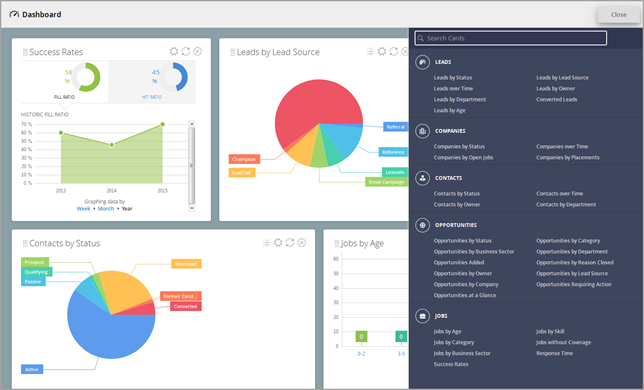
Key features of Bullhorn
- Staffing-focused ATS and CRM for jobs, candidates, contacts, and clients
- Search, parsing, submissions, placements, notes, tasks, and communication
- Sales pipeline, automation, analytics, and reporting options
- Marketplace integrations and broader staffing ecosystem
- Back-office capabilities available across the Bullhorn product family
- Higher-tier controls and services for larger agencies
Bullhorn pricing
For small agencies, Bullhorn pricing starts at $99 per user per month for Starter and $165 for Core. Pro, Max, and plans for larger firms require a quote. Bullhorn does not advertise a public free trial.
Best fit and trade-offs
Choose Bullhorn if staffing operations, client relationships, and placement activity need a mature shared system. Expect more implementation and administration than a lightweight ATS. Test search speed on your own data, duplicate rules, automation, recruiter activity capture, finance handoff, and the cost of every required module.
13Recruitee: Best for collaborative hiring across departments
Recruitee makes it easier for distributed teams to take part in hiring without turning every manager into an ATS expert. Its visual pipelines, templates, scheduling, careers pages, referrals, and team tools suit organizations where hiring is shared across departments.
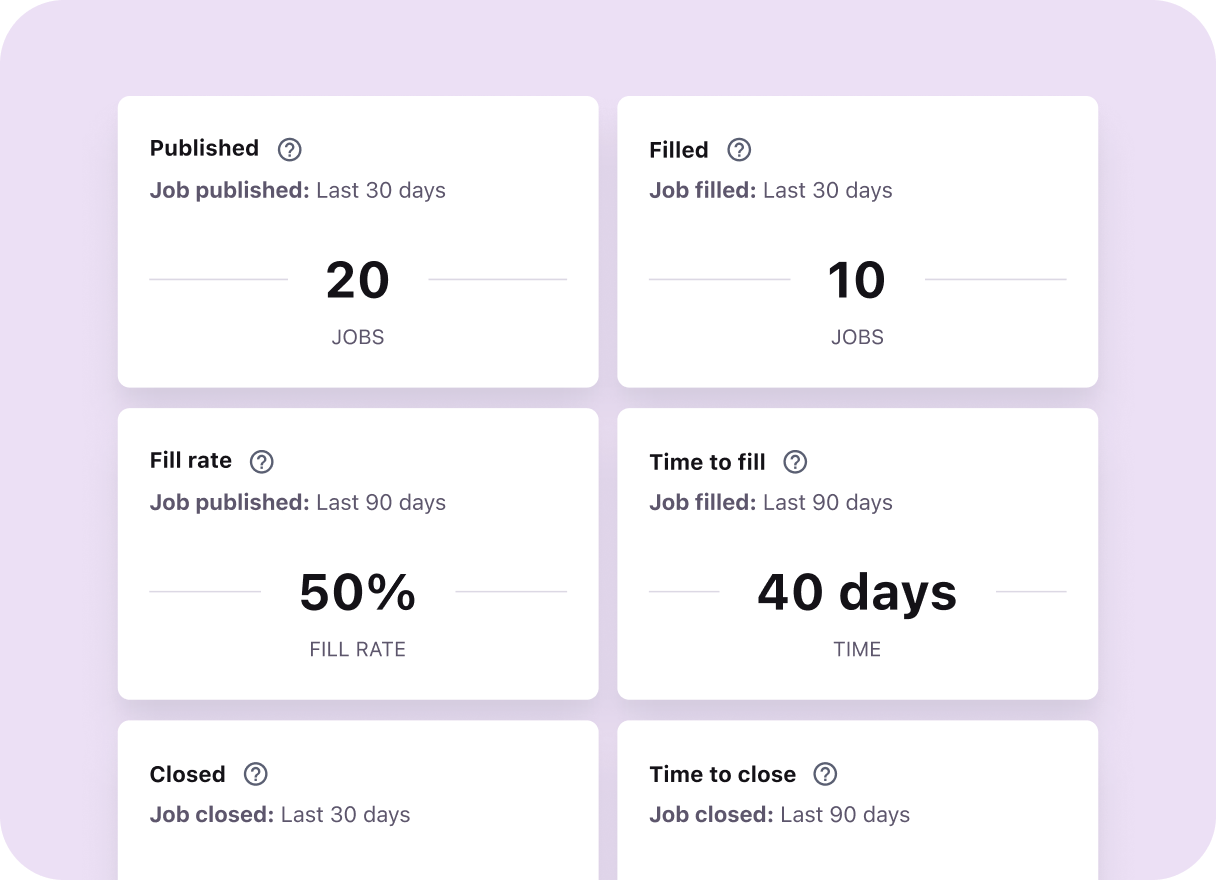
Key features of Recruitee
- Careers sites, job distribution, referrals, and talent pools
- Visual pipelines, templates, automation, and team notes
- Scheduling, evaluations, approval flows, and offer tools
- Reporting, dashboards, API, and integrations
- AI-assisted matching and recruiting work on relevant plans
- Start, Advance, and Optimize tiers for different operating depth
Recruitee pricing
Recruitee prices vary by company employee count, plan, and billing term. The vendor advertises a 20% annual discount and a one-year minimum commitment on its pricing page, while its billing FAQ says the Advance trial lasts 18 days. Use the calculator or quote for your actual headcount rather than copying an example price.
Best fit and trade-offs
Choose Recruitee when many occasional hiring participants need a clear experience and the talent team needs flexible ways to share hiring work. Confirm the annual commitment, employee band, AI allowance, reporting depth, data migration, SSO, and support tier. A monthly price can mask a larger annual minimum.
14Teamtailor: Best for employer brand and career sites
Teamtailor is a strong choice when the career site and candidate relationship are central to recruiting strategy. It combines employer-brand publishing, candidate communication, events, referrals, workflows, and applicant tracking in one visual platform.
Key features of Teamtailor
- Branded career sites with content and localization options
- Applicant tracking, customizable stages, automation, and scheduling
- Candidate relationship tools, talent pools, events, and referrals
- Team collaboration, evaluations, analytics, and reporting
- Job distribution and integration marketplace
- Unlimited jobs and users under its current pricing model
Teamtailor pricing
Teamtailor sells a custom annual subscription and says jobs and users are unlimited. Pricing depends on company size and requirements. No public self-serve trial is shown, so ask for a sandbox or guided proof of concept.
Best fit and trade-offs
Choose Teamtailor when attracting and engaging candidates through a distinctive career experience is a priority. Test reporting, permissions, approvals, data exports, and complex requisitions with the same care you give the front end. A beautiful career site does not remove the need for dependable recruiting operations.
Use Recooty's guide to creating a career page that converts to turn the vendor demo into a concrete content, brand, mobile, and application test.
15BambooHR: Best for smaller teams that want recruiting inside an HRIS
BambooHR fits a smaller organization that wants applicant tracking beside employee records, onboarding, time, performance, and payroll-related workflows. The main benefit is consolidation. The trade-off is that a dedicated recruiting team may outgrow its talent-acquisition depth before the wider HR team outgrows the HRIS.
Key features of BambooHR
- Applicant tracking, job posting, candidate records, and hiring collaboration
- Offer letters, e-signatures, onboarding, and employee records
- HR reporting, time off, performance, and broader employee workflows by plan
- Mobile access and an integration marketplace
- Core, Pro, and Elite packages with plan-specific ATS job limits
- One employee system from candidate handoff through ongoing HR
BambooHR pricing
For organizations with more than 25 employees, BambooHR pricing is $10 per employee per month for Core, $17 for Pro, and $25 for Elite. Organizations with up to 25 employees start at a flat $250 per month. Plan-specific ATS job limits apply; confirm the current limit for your package. A trial is available, though the signup page does not state its length.
Best fit and trade-offs
Choose BambooHR when HR consolidation matters more than specialist recruiting depth. Calculate the price across the full employee population. If you run high hiring volume, multiple brands, complex approvals, or agency-style sourcing, compare its ATS closely with a dedicated platform before accepting the convenience of one system.
Specialist recruiting tools we did not rank as full ATS replacements
Fetcher, Transformify, iSmartRecruit, Recruiterflow, and iCIMS can all be useful. We excluded these products to keep the main ranking focused on full ATS replacements.
| Product | What it is best at | Why it is outside the main 15 | Current price signal |
|---|---|---|---|
| Fetcher | AI-assisted sourcing and outreach | A sourcing companion, not a full application-to-hire ATS | $115 monthly or $99/month annual equivalent |
| Transformify | ATS plus contractor, employer of record (EOR), and payment workflows | Much of its value sits outside core ATS needs | GBP 50/job or GBP 350/month |
| iSmartRecruit | Agency and executive-search ATS plus CRM | Overlaps Recruit CRM and Bullhorn in this comparison | Quote-only; seven-day trial |
| Recruiterflow | Boutique agency ATS, CRM, and outreach | Overlaps with the agency tools already covered | $149/user/month for Platform; AIRA custom |
| iCIMS | Complex, global, high-volume talent acquisition | A credible enterprise alternative to Greenhouse or SmartRecruiters | Quote-only |
Best AI recruiting software: useful automation without a black box
The best AI recruiting software keeps a person responsible for the decision. Greenhouse is strongest for governed, structured AI; Recooty combines explainable matching with automation that lean teams can adopt without a heavy rollout; Ashby suits analytics-led teams; Workable adds usage-based AI agents; and Manatal brings matching and summaries to a lower-priced product.
AI creates the most value when it removes waiting and clerical work. Drafting a job description, summarizing a profile, suggesting interview questions, finding scheduling options, and explaining a match can give a recruiter time back without making a hidden decision about a person's future.
The risk rises when a score changes who is seen, advanced, or rejected. A vendor saying its model is "bias-free" is not evidence. Models inherit choices about data, criteria, thresholds, missing information, and who gets to override the result.
| AI use | Practical value | Main HR risk | Minimum control to request |
|---|---|---|---|
| Job and message drafting | Faster first drafts | Generic, exclusionary, or inaccurate wording | Human approval and saved versions |
| Resume summaries | Faster review of large applicant volumes | Omitted context or unsupported inference | Link every summary to source data |
| Candidate matching or ranking | Triage and prioritization | Disparate impact and hidden criteria | Explainable factors, override, audit log, and outcome monitoring |
| Interview notes | Better interviewer focus | Consent, recording, accuracy, and retention | Notice, correction, access, and deletion controls |
| Conversational scheduling | Less coordination work | Accessibility and time-zone failures | Human fallback and accommodation path |
| Automated rejection | Faster disposition | Wrongful exclusion at scale | Avoid unattended rejection; require review and appeal route |
The AI governance questions to ask before purchase
- What exact hiring decision does each model inform, and can we disable it?
- Which data fields and inferred signals affect a score or recommendation?
- Can recruiters see the reasons, correct input data, and override the output?
- Does the vendor train on our applicant or employee data? If so, under what terms?
- What validation and adverse-impact testing exists for our use case and population?
- What is logged, how long is it retained, and can we export it for an audit?
- How are candidates notified, and how can they request an accommodation or human review?
- Which subprocessors, model providers, and data locations are involved?
AI governance already belongs in procurement. New York City's automated employment decision tool (AEDT) rules require covered tools to meet bias-audit and notice conditions. The EU AI Act classifies certain employment AI uses as high risk. The U.S. Equal Employment Opportunity Commission (EEOC) resources on AI and the Americans with Disabilities Act (ADA) explain accessibility and accommodation concerns.
For a practical internal control model, start with the National Institute of Standards and Technology (NIST) AI Risk Management Framework and the U.S. Department of Labor's AI and Inclusive Hiring Framework. Then have qualified counsel review the rules that apply to your locations and workflow. This section is a buyer checklist, not legal advice.
If you need a broader primer before comparing vendors, read Recooty's guide to AI recruiting tools and its practical guide to recruitment automation.
For a product-level comparison focused only on AI systems, use the companion guide to the best AI applicant tracking systems.
Best recruiting software for small businesses
Recooty is the best overall small-business choice when ease, automation, and room to grow matter. JazzHR is strong for dependable ATS basics and unlimited users. Zoho Recruit wins on low entry price and configuration. Manatal offers broad AI and CRM features per seat, while BambooHR fits companies that also need an HRIS.
The small-business trap is buying for an imagined 500-person future while five current hiring managers still send resumes through email. Start with the next 12 months: active roles, application volume, manager count, required job boards, and who will administer the system.
| Small-business need | Start with | Why |
|---|---|---|
| Best balance of ease, AI, and growth | Recooty | Low-friction launch, public price, automation, and higher-tier controls |
| Simple ATS with broad manager access | JazzHR | Unlimited users and clear annual packages |
| Lowest entry price and customization | Zoho Recruit | Free option and low per-recruiter paid tiers |
| Low-cost ATS plus CRM | Manatal | Transparent per-user pricing and both agency/in-house workflows |
| Recruiting inside a wider HR system | BambooHR | ATS handoff into employee records and onboarding |
Do not judge affordability by the first number on a pricing page. Workable starts at a public price for 1-20 employees and rises by headcount. BambooHR charges across the employee population. Zoho may require manager-license packs. JazzHR and Recooty use different job limits. Your real unit of cost could be an employee, recruiter, job, account, or feature.
Best recruiting software for recruitment agencies
Recruit CRM is the best first demo for many placement and executive-search firms because its ATS and client CRM share one workflow. Bullhorn suits staffing firms that need a mature operations ecosystem. Manatal offers an affordable alternative, while Zoho Recruit provides a separate agency edition for teams already comfortable with Zoho.
An agency's work does not stop when a candidate is hired. It wins a client, opens a job order, sources and owns candidate relationships, submits a shortlist, records feedback, makes a placement, and may manage time, invoices, or contractors. A corporate ATS can track applicants yet still break that commercial chain.
In an agency pilot, require the vendor to show these five actions without slides:
- Create a client, contact, job order, and ownership rule.
- Find duplicate candidates and preserve the correct history.
- Send a branded shortlist and capture client feedback.
- Report recruiter activity, submissions, placements, and deal value.
- Hand a placement into timesheets, invoicing, or the finance system.
Best recruitment software for enterprises
Greenhouse is my first enterprise choice for structured hiring and governance. SmartRecruiters fits global or high-volume orchestration, and Ashby stands out for analytics-led operations. Recooty Premier is now a credible enterprise option with SSO, advanced reports, custom access, and dedicated support, provided it passes your exact security and integration tests.
Enterprise depth should be proven in workflows, not assumed from a logo wall. Ask each finalist to configure a regional approval, show delegated administration, export an audit trail, isolate brands or business units, apply retention rules, and demonstrate a failed HRIS write-back. The error path often reveals more than the successful demo.
If a sudden application spike is the main enterprise problem, test each platform against the workflow in Recooty's guide to handling a 10x increase in applications.
Recooty Premier targets enterprises and agencies, but its fit still depends on your security, integration, reporting, and regional requirements. Test it beside established enterprise platforms with the same workflow and evidence requirements.
Recruitment software pricing and free-trial comparison
A public subscription price is only one line in an HR technology budget. Year-one cost also includes implementation, migration, integrations, premium job media, communications, AI usage, support, and paid staff time. Ask for a three-year cost schedule and the renewal formula before comparing vendors.
Use this equation:
Year-one total cost = subscription + implementation + migration + integrations + add-ons + job media + internal setup and training time
Three worked cost scenarios
These examples are planning models, not vendor quotes or promised ROI. Replace every assumption with your actual contract and loaded labor cost.
| Scenario | Transparent assumptions | Illustrative year-one total |
|---|---|---|
| 40-person SMB | Recooty Standard $149 x 12 = $1,788; 12 setup hours x $50 = $600; six managers x one training hour x $50 = $300; job ads $200 x 12 = $2,400 | $5,088 |
| 90-person scaling company | Ashby Foundations $400 x 12 less stated 10% annual discount = $4,320; 40 setup hours x $75 = $3,000; 12 managers x 1.5 hours x $75 = $1,350; job ads $500 x 12 = $6,000 | $14,670 |
| Six-recruiter agency | Manatal Enterprise $35 x 6 x 12 = $2,520; 24 configuration hours x $60 = $1,440; six users x two training hours x $60 = $720; sourcing, data, and ads $1,000 x 12 = $12,000 | $16,680 |
Job media, sourcing data, and internal time can exceed the software fee. A cheaper system can also cost more if it creates manual cleanup.
For a fuller payback model, use the AI ATS ROI calculation guide to set baselines before rollout and measure them again after adoption.
Costs that commonly appear after the demo
- Minimum annual or multi-year commitments
- Implementation, configuration, or named customer success packages
- Historical data migration and attachment transfer
- Paid recruiter, manager, employee, or admin seats
- Active-job or posting limits
- Premium job-board media and programmatic ads
- SMS, calling, video, assessments, and background checks
- AI credits, email lookups, enrichment, and sourcing data
- API, SSO, audit logs, sandbox, or advanced-reporting tiers
- Extra brands, locations, languages, and career sites
- Premium support, training, and renewal increases
What real customer case studies can and cannot tell you
Case studies can reveal credible workflows and possible outcomes, but they cannot predict your result. The five examples below were published by the vendors, not independently audited for this review. Use their baselines and interventions to form pilot questions, then measure the same outcome in your own environment.
| Customer and platform | Baseline or problem | Vendor-reported result | What an HR buyer should test |
|---|---|---|---|
| hipages with Greenhouse | Time-to-hire of 49 days and agency dependence | Time-to-hire fell to 31 days, about 37% from the stated endpoints; the vendor headline reports 38%. $1.9 million in agency fees was reportedly saved over two fiscal years | Whether your process and sourcing mix can reproduce the reduced agency use |
| Hugging Face with Workable | Fast global growth from roughly 50 employees | The vendor reports a 300% increase in hires, more than two recruiter hours saved each week, and the elimination of external recruiter spend | Which automations created the savings and whether your role mix is comparable |
| KPMG New Zealand with Lever | Slower hiring and screening | Time-to-hire fell from 61 to 40 days, about 34% from the stated endpoints; the vendor reports 35%. Screening became 50% faster, and applicants rose 17% | Whether CRM nurture, process changes, or other factors drove each result |
| citizenM with Pinpoint | Multi-location hotel hiring across 36 properties | Up to 65% lower time-to-hire while managing about 600 hires per year | A real multi-location event or hourly-hiring workflow in your pilot |
| Monte Carlo with Ashby | Manual sourcing and scheduling work | 30-day implementation and more than 20 team hours reportedly saved each week | Setup ownership, automation boundaries, and measured time before versus after |
Software is only part of the intervention. Process design, adoption, sourcing mix, and operating discipline usually change at the same time. Ask for a reference customer with your size, industry, geography, and integration stack rather than relying on the largest logo in a sales deck.
What recruiters say after the polished demo
Recent Reddit discussions do not identify one universal winner. They expose three recurring buying problems: small teams want dependable basics without bloat, agencies need client and candidate workflows together, and enterprises pay for integrations, permissions, reporting, and governance. Over time, adoption and total cost matter more than flashy AI features.
These discussions are anecdotal and sometimes promotional. Their value is in recurring questions, not vote counts or isolated praise.
- Small HR teams repeatedly ask for affordable basics and low admin burden in discussions about an affordable ATS and systems for a growing startup.
- Agency recruiters focus on CRM, automation, ownership, and client delivery in threads about leaving Bullhorn and Recruiterflow versus Manatal.
- Enterprise buyers worry about implementation and ecosystem fit in discussions about replacing Jobvite and Workday versus iCIMS.
- One thread on AI-powered ATS choices shows more comfort with AI that drafts, summarizes, or schedules than with opaque screening or automatic rejection.
- Employer-brand tools still need operational proof. A Teamtailor discussion includes both enthusiasm and practical questions worth adding to a demo.
Use public opinions to expand your test list, never to replace the test.
How to choose recruitment software
Choose by operating model first, workflow second, and features third. Decide whether the system must serve an in-house team, an agency, or a global enterprise. Then define the hiring journey it must own. Only after that should you compare AI, integrations, analytics, and price.
A fast decision tree
- Are you a recruitment or staffing agency? Start with Recruit CRM or Bullhorn. Add Manatal or Zoho Recruit to the shortlist if price is the main constraint.
- Do you want recruiting and core HR in one platform? Compare Workable and BambooHR.
- Do you need global governance, complex permissions, or high-volume operations? Compare Greenhouse and SmartRecruiters. Add Recooty Premier, Ashby, or iCIMS based on your integration and reporting needs.
- Is recruiting analytics the center of your operating model? Start with Ashby, then compare Greenhouse and Lever.
- Is employer brand the urgent problem? Compare Teamtailor and Pinpoint.
- Does passive-talent nurture drive hiring? Compare Lever, Ashby, and Greenhouse CRM.
- Do you need an affordable system that can launch quickly? Compare Recooty, JazzHR, Zoho Recruit, and Manatal.
That tree should leave three finalists, not 15. If you still have seven, your requirements are too broad or unranked. Recooty's guide on how to choose recruitment software can help turn needs into a tighter shortlist.
Write five non-negotiable outcomes
Replace a feature wish list with outcomes that can be observed. For example:
- A hiring manager can review a profile and submit a scorecard in under five minutes.
- A candidate can complete the application on a phone without creating an account.
- A recruiter can find every person contacted for a role and explain their current status.
- HR can trace who approved a requisition, changed a score, and sent an offer.
- A new hire reaches the HRIS once, with the correct fields and an error alert if the sync fails.
Separate requirements from preferences
| Level | Definition | Example |
|---|---|---|
| Must-have | A requirement the product must meet | SSO, data residency, agency client submissions, or a specific HRIS write-back |
| Should-have | Helpful, though a workaround exists | Custom dashboards, SMS, or advanced nurture sequences |
| Nice-to-have | Useful only after adoption | A novel AI assistant or extra dashboard animation |
| Exclusion | A reason to remove a vendor | No export, no accommodation path, missing audit logs, or an unacceptable contract term |
The 14-day live-role pilot
Run one real or safely anonymized role through every finalist for 14 days. Use the same job, resumes, managers, calendars, criteria, and test script. Score completed work and exceptions, not how impressive the salesperson makes the home screen look. Track failures as carefully as successes.
On the first Monday, the system feels new. By the second, people start taking shortcuts. Observe whether the tool pulls work back into a reliable process or whether hiring returns to email, chat, and spreadsheets.
Reusable recruiting software demo scorecard
Score each task from 0 to 3: 0 = cannot complete; 1 = major workaround; 2 = works with friction; 3 = clear and dependable. Multiply by the weight and compare the evidence, not the sales narrative.
| Pilot task | Weight | Pass condition | Evidence to save |
|---|---|---|---|
| Build and approve a requisition | 10 | Correct fields, owners, budget, and approval history | Screen recording and audit entry |
| Publish a job and career page | 8 | Brand, tracking, consent, location, and accessibility remain intact | Live preview and source tags |
| Import 20 varied resumes | 8 | Core fields parse correctly; duplicates are caught without data loss | Error log and exception list |
| Review and move candidates | 12 | Recruiter can explain each status and bulk action | Stage history and reason codes |
| Complete a manager scorecard | 12 | Manager finishes on desktop or mobile in under five minutes | Timed observation and feedback |
| Schedule across time zones | 8 | Correct zones, calendars, changes, and reminders | Invite trail and reschedule test |
| Send candidate communications | 8 | Branded, personalized, accessible, and logged | Message copy and candidate record |
| Inspect an AI recommendation | 10 | Factors are visible; user can correct or override; action is logged | Explanation and audit record |
| Produce a decision report | 10 | HR can answer a live pipeline or source question without exporting and manually cleaning the data | Saved report and definitions |
| Complete HRIS write-back | 8 | Correct fields arrive once; a forced error produces a useful alert | Success and failure logs |
| Export and delete records | 6 | Usable export and policy-based deletion are possible | Export sample and deletion proof |
Maximum weighted score: 300. A high total does not override a failed must-have. Keep screenshots, timestamps, exceptions, and vendor answers in one evidence folder so procurement can trace the decision.
For consistent interviews, adapt Recooty's candidate scorecard guide. For the reports you should expect after go-live, review its data-driven hiring reports.
Candidate-experience mystery shop
Recruiting teams spend hours in the admin view and can miss what applicants see. Ask someone outside HR to apply from a phone and record:
- Number of screens, fields, and required account steps
- Time to complete with a resume already available
- Whether the parser creates incorrect or duplicate data
- Accessibility with keyboard navigation and zoom
- Consent wording and the ability to request an accommodation
- Quality and timing of confirmation, scheduling, reminders, and rejection
- Ease of withdrawing or requesting deletion
Do not treat application length as the only measure. A short form that gives no confirmation or asks inaccessible screening questions is not a good candidate experience.
The candidate-side test should continue after the application is submitted. Recooty's guide to improving candidate experience covers communication, interviews, feedback, and onboarding signals that software alone cannot fix.
HR technology procurement checklist
A recruiting platform stores sensitive personal data and influences employment decisions. HR should own the process, but IT, security, privacy, legal, finance, and procurement should review the parts they understand best. Put every promise that affects risk, cost, or implementation into the order form or statement of work.
Security, privacy, and administration
- SSO, multi-factor authentication (MFA), including two-factor authentication (2FA), SCIM, role design, and least-privilege access
- Audit logs for data access, configuration, approvals, AI outputs, and decisions
- Encryption, backups, incident notification, uptime, and business continuity
- Data residency, cross-border transfers, subprocessors, and model providers
- Retention schedules, legal holds, deletion, candidate requests, and consent records
- Separate controls for agencies, hiring managers, interviewers, and administrators
Use Recooty's General Data Protection Regulation (GDPR) and recruitment guide to turn privacy terms into candidate-data questions for the vendor and your own process owner.
Integrations and data ownership
- Native integration versus connector, middleware, custom work, or flat-file transfer
- Direction of sync, field mapping, frequency, retry logic, and named failure owner
- API limits, webhooks, sandbox access, documentation, and version policy
- Full export format for candidates, jobs, notes, attachments, messages, and audit history
- Costs for HRIS, background check, assessment, calendar, email, and job-board connections
Check a vendor's actual catalog, such as the Recooty integrations directory, before accepting an integration-count claim. Then test the one connection your team cannot operate without.
Commercial and service terms
- Contract length, minimum spend, implementation fee, and renewal increase
- Definition of an employee, user, recruiter, manager, active job, and AI credit
- Support hours, response targets, escalation path, and named customer success contacts
- Data-migration scope, validation duties, acceptance criteria, and rollback support
- Termination assistance, export window, deletion confirmation, and post-contract access
Migration and implementation runbook
A good implementation protects active hiring before it tries to perfect historical data. Name one business owner, freeze configuration decisions, clean records before migration, test a full hiring path in a sandbox, and keep a rollback plan. Launch by cohort if the organization is complex.
Teams moving from an older system can use Recooty's guide to avoiding common legacy ATS migration problems alongside the vendor-neutral runbook below.
Before configuration
- Map the current recruitment process, including exceptions that live in email or spreadsheets.
- Name a business owner, technical owner, vendor owner, privacy owner, and decision maker.
- Inventory jobs, candidates, attachments, notes, emails, consent, retention dates, templates, integrations, and reports.
- Remove duplicates and data that should not be moved under your retention policy.
- Define the future stages, reasons, fields, roles, approvals, notifications, and reporting terms.
During build and migration
- Configure the simplest viable workflow before adding automation.
- Map every source field to a destination, including blanks, custom values, attachments, and owners.
- Move a representative sample first and reconcile record counts and high-risk fields.
- Test permissions with real user roles as well as administrator accounts.
- Run successful and failed versions of email, calendar, HRIS, and assessment integrations.
- Give managers role-based practice using a real hiring task.
Go-live and the first 90 days
| Checkpoint | What to inspect | Practical success signal |
|---|---|---|
| Day 0-30 | Login, adoption, sync errors, candidate messages, support tickets | Active hiring stays inside the platform and critical errors have named owners |
| Day 31-60 | Stage aging, scorecard completion, source data, manager behavior | Teams follow one process and reports reconcile with operating reality |
| Day 61-90 | Time-to-hire, conversion, candidate experience, cost, automation exceptions | The team can identify one measured improvement and one controlled next change |
Track definitions before targets. A beautiful time-to-hire chart is useless if departments start the clock at different events. Recooty's guide to recruiting metrics helps standardize the measures before you compare trends.
Common recruiting software buying mistakes
Teams make the costliest mistakes when they choose a tool based on the demo and fail to test day-to-day use. Feature-count scoring, ignored manager behavior, incomplete quotes, untested integrations, dirty migrations, and automatic trust in AI can each erase the time the software was meant to save.
- Ranking every feature equally: An obscure feature can outvote a broken HRIS sync. Weight real workflows.
- Letting only recruiters test: Hiring managers, candidates, IT, and reporting users experience different failure points.
- Using a perfect resume set: Include unusual layouts, gaps, non-US formats, career changes, and accessibility needs.
- Testing only the happy path: Force a duplicate, reschedule, declined offer, failed sync, deletion request, and recruiter departure.
- Ignoring exit cost: Request a full sample export before the contract, not after cancellation.
- Assuming AI reduces bias: Test outcomes and controls. Automation can repeat a bad rule faster.
- Counting integrations, not testing them: One dependable write-back is worth more than 100 marketplace logos.
- Buying for distant scale: Solve the current operating problem while preserving a believable upgrade path.
Frequently Asked Questions
What is the best recruiting software for small businesses?
Recooty is the best overall choice for many small businesses because it combines a quick start, public pricing, AI assistance, job distribution, collaboration, and an enterprise upgrade path. JazzHR is strong for simple ATS work and unlimited users. Zoho Recruit and Manatal are compelling when the lowest entry price matters most.
What is the best AI recruitment software?
Greenhouse is the best fit for structured, governed AI in more complex hiring. Recooty offers explainable candidate matching and automation that smaller teams can adopt without a heavy rollout. Ashby suits data-heavy operations, Workable offers action-based AI agents, and Manatal provides lower-cost AI matching. The safest choice is the platform whose recommendations your team can inspect and override.
Which recruiting software is best for agencies?
Recruit CRM is the best first demo for many recruitment agencies because candidate, job, client, communication, and deal activity share one system. Bullhorn is stronger for staffing businesses needing broader operational depth. Manatal and Zoho Recruit are lower-priced alternatives. Test submissions, duplicate ownership, placement reporting, and finance handoff before deciding.
Is there any free recruitment software?
Zoho Recruit offers a free Corporate HR edition with one active job per recruiter license. Many other products offer time-limited trials rather than permanent free plans. A free product can work for occasional hiring, but check job limits, exports, support, data retention, collaboration, and upgrade cost before storing years of candidate records in it.
What is the difference between recruiting software and an ATS?
An applicant tracking system manages candidates from application through selection and offer. Recruiting software is the broader category and may include sourcing, recruitment CRM, marketing, scheduling, assessment, analytics, onboarding, or HRIS functions. Every ATS is recruiting software, but a sourcing tool or recruitment CRM is not automatically a complete ATS.
How much does recruitment software cost?
Public prices in this guide range from free plans to several hundred dollars per month, while many enterprise products require a quote. SmartRecruiters shows a $14,995 starting figure without labeling the billing period. Compare three-year total cost across subscription, usage, implementation, migration, integrations, job media, support, training, and renewal increases.
How long does recruitment software implementation take?
A lean self-service setup can take days, while a multi-region enterprise rollout can take months. The timeline depends more on workflow decisions, data quality, integrations, security review, and manager training than on account creation. Ask the vendor for a dated responsibility plan, sample migration, acceptance test, rollback approach, and post-launch support window.
How many recruiting platforms should I demo?
Demo three serious finalists. A larger list consumes time without improving the decision. Pick finalists that represent distinct approaches, give each the same workflow script and data, and include an exclusion rule for failed must-haves. Save the evidence so the final choice can survive finance, security, leadership, and renewal discussions.
What should I ask during a recruitment software demo?
Ask the vendor to run one complete role from approval to offer using your own workflow. Include a duplicate candidate, a rescheduled interview, a failed integration, a withdrawn consent request, and a manager who misses a feedback deadline. The point is to see how the system records exceptions, assigns ownership, and helps the team recover.
Ask for written answers to these questions before you compare quotes:
- Which features in the demo require a higher plan, paid add-on, usage credits, or implementation work?
- Can the vendor export candidates, notes, scorecards, audit history, and attachments in a usable format?
- Which AI outputs can a recruiter inspect, correct, override, and explain to a candidate?
- What support, response times, training, and data-retention terms are included in the quoted plan?
How should I compare recruiting software pricing?
Convert every quote into a first-year and three-year cost for the same hiring volume. Record the billing unit because a per-user plan, employee-count plan, job-slot plan, and usage-based plan can produce very different totals for the same team.
| Cost line | What to record | Why it changes the decision |
|---|---|---|
| Subscription | Plan, billing term, users, employees, active jobs, or credits | The headline monthly price may cover a smaller scope than your workflow needs |
| Implementation | Vendor hours, configuration, migration, training, and project management | A low subscription can carry a large first-year setup cost |
| Usage and add-ons | Job advertising, SMS, assessments, background checks, AI credits, and extra storage | These costs often rise with hiring volume |
| Exit and renewal | Export format, data-retention period, price increase, minimum term, and cancellation notice | Leaving can be expensive when data or contract terms are unclear |
This approach also gives the phrase recruiting software pricing a useful meaning. You are comparing the cost of the operating model, not copying the lowest number shown on a pricing page.
Can AI recruiting software make hiring decisions?
Treat AI recruiting software as decision support unless your legal, privacy, and HR governance teams have approved a more specific use. The UK's Department for Science, Innovation and Technology recommends checking purpose, functionality, human oversight, accessibility, transparency, bias testing, and routes for contesting an output before and during deployment. Read its Responsible AI in Recruitment guidance alongside local requirements.
Use a simple pass or fail test before enabling an AI feature:
- Purpose: Can the vendor state the exact task the model performs and the task it must not perform?
- Evidence: Will the vendor provide performance, bias, security, and data-use documentation for the version you are buying?
- Human review: Can a trained recruiter inspect the output, correct it, and record the reason for an override?
- Candidate notice: Can you tell applicants when AI is used and provide an accessible alternative or accommodation route?
- Monitoring: Can you compare outcomes by role, location, and relevant protected-group measures where lawful and appropriate?
- Redress: Is there a clear owner and response process when a candidate or recruiter challenges an output?
Match AI to the workflow
AI is already part of many recruiting teams' software decisions, but the most common uses are still practical tasks. Employ's 2026 Recruiter Nation Report says 65% of surveyed recruiters use AI to augment recruiting technology; the report lists job-description recommendations and candidate communication among the leading uses, while candidate matching fell from 55% in 2026 to 40% in 2026. The survey covered more than 1,200 recruiting professionals, so treat it as an industry snapshot rather than a forecast for your team. See the report announcement from Employ for the methodology and limitations.
That pattern supports a practical buying rule: start with drafting, scheduling, summaries, and reporting when the team is still building its controls. Test screening or ranking only after you can explain the inputs, review the output, measure disparate outcomes, and keep a human decision-maker accountable.
A practical buying preference is to choose the smaller recruiting platform that every hiring manager uses over a larger one that needs a specialist to keep it alive. Test whether a manager can open one role, submit a useful scorecard, and see the next action without a recruiter repairing the process in email.
For the selection criteria behind that test, compare this guide with Recooty's structured interview guide and recruiting metrics guide. The software matters only when the team can measure and repeat the process it supports.
The next Monday matters more than the demo
The right system leaves less hiring work hiding in inboxes. Managers know what to do, candidates know what happens next, recruiters can explain every status, and HR can trust the report without repairing it in a spreadsheet.
Shortlist three platforms, run the 14-day script, and choose the one that survives real work with the fewest hidden compromises.
If Recooty fits your shortlist, review the current plans. Test it beside your other finalists with the same role, same managers, and same pass conditions.
Practical recruiting playbooks, HR tutorials and hiring trends from the team behind Recooty — hiring software for growing teams.