All Recooty Articles, HR Tutorials and Tips
How to Post a Job on Indeed for Free [Indeed free job posting Guide 2026]


 All Recooty Articles, HR Tutorials and Tips
![- How To Post A Job On Indeed For Free [Indeed Free Job Posting Guide 2026]](https://recooty.com/blog/wp-content/uploads/2023/12/Group-69272.svg "Group 69272 - How To Post A Job On Indeed For Free [Indeed Free Job Posting Guide 2026]")
![- How To Post A Job On Indeed For Free [Indeed Free Job Posting Guide 2026]](https://recooty.com/blog/wp-content/uploads/2023/12/Group-69273-1.svg "Group 69273 1 - How To Post A Job On Indeed For Free [Indeed Free Job Posting Guide 2026]")
![- How To Post A Job On Indeed For Free [Indeed Free Job Posting Guide 2026]](https://recooty.com/blog/wp-content/uploads/2023/12/Group-69274.svg "Group 69274 - How To Post A Job On Indeed For Free [Indeed Free Job Posting Guide 2026]")
![- How To Post A Job On Indeed For Free [Indeed Free Job Posting Guide 2026]](https://wa.me/?text=How+to+Post+a+Job+on+Indeed+for+Free+%5BIndeed+free+job+posting+Guide+2026%5D%20https%3A%2F%2Frecooty.com%2Fblog%2Fhow-to-post-a-job-on-indeed-free-job-posting%2F&image=https%3A%2F%2Frecooty.com%2Fblog%2Fwp-content%2Fuploads%2F2024%2F02%2FHow-to-Post-a-Job-on-Indeed-_-Indeed-For-Employers-2024.png "Group 69278 - How To Post A Job On Indeed For Free [Indeed Free Job Posting Guide 2026]")
![- How To Post A Job On Indeed For Free [Indeed Free Job Posting Guide 2026]](https://recooty.com/blog/wp-content/uploads/2023/12/Group-69226.svg "Group 69226 - How To Post A Job On Indeed For Free [Indeed Free Job Posting Guide 2026]")
Indeed allows eligible employers to publish direct job posts without sponsorship, but the number of free posts and their visibility depend on the market and the job. To start, create or sign in to an employer account, enter the role details, add screening questions, choose free or sponsored visibility, and publish. The steps below also show how to keep the application process organized after the listing is live.

Go to the Indeed employer site or sign in through the employer dashboard. Add the company name, work email, and basic business details. Verify the account before you begin so the listing can be associated with the correct employer profile.
Select Post a Job and enter a standard title that candidates search for. Add the work location, remote or hybrid arrangement, employment type, schedule, salary or hourly range, and expected start date.


Use the opening lines to answer three questions: What will the person do? Where and when will they work? What does the employer offer? Do not use an internal code or an attention-grabbing title that hides the actual role.
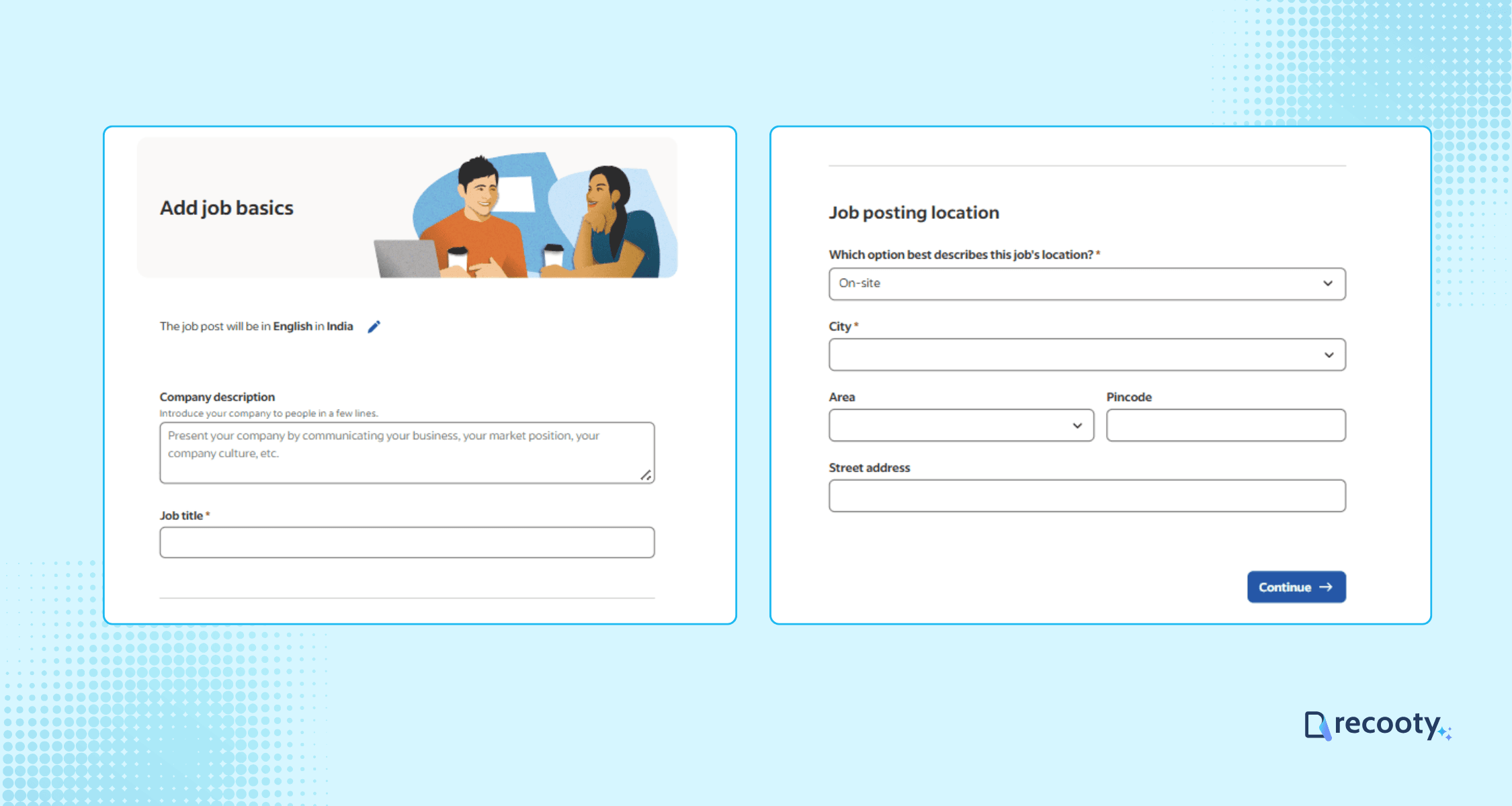
Describe the outcome the person will own, the main responsibilities, the skills required on day one, and the support or training available. Separate must-have qualifications from useful experience so candidates can assess themselves accurately.
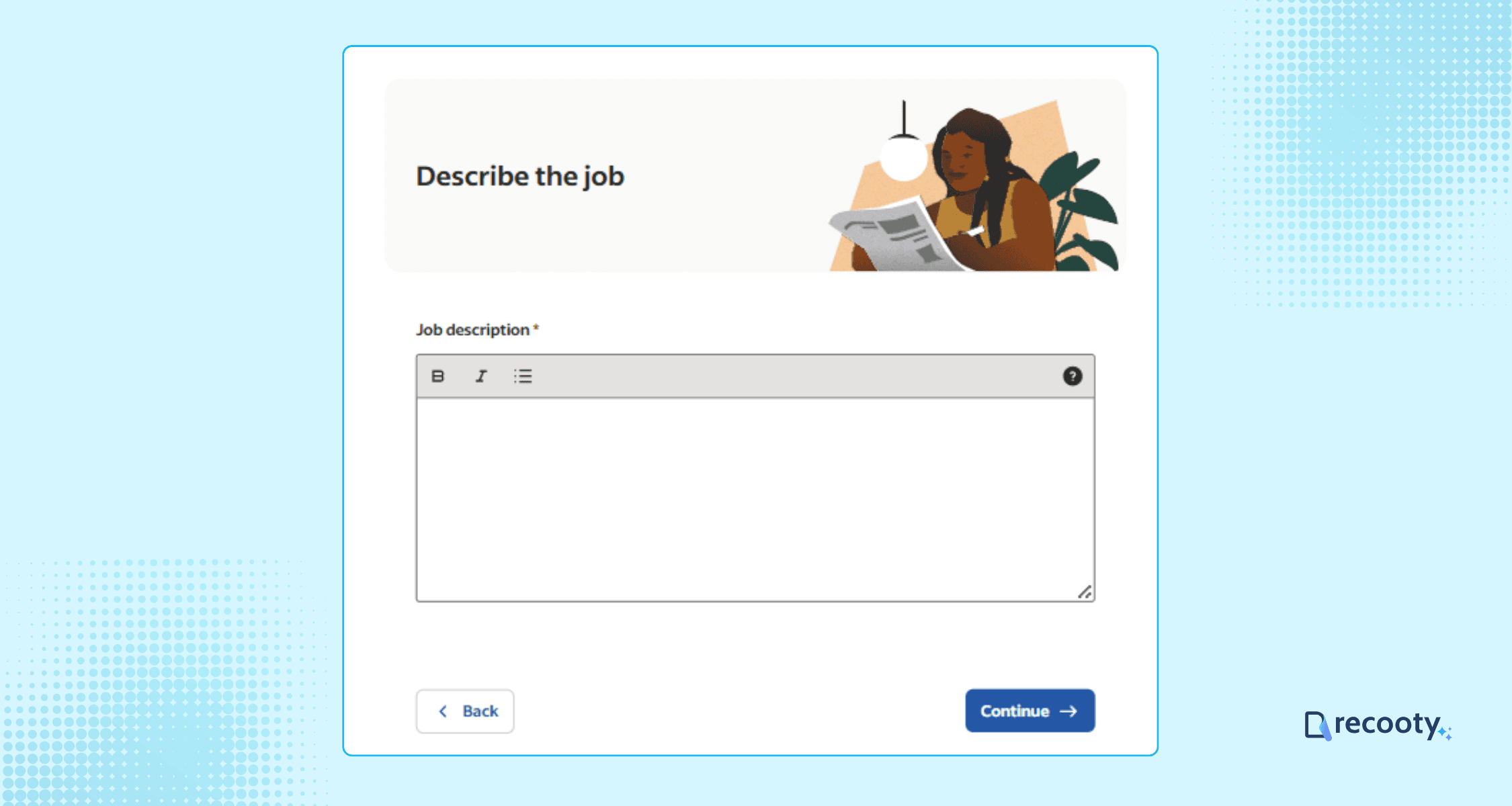
Keep the language specific and inclusive. Add pay, benefits, work hours, travel, equipment, and application expectations where they apply. If you need help structuring a draft, Recooty’s job description templates can save time, but the hiring manager should review every requirement.
Ask a small set of questions that help the team assess the role’s real constraints. Examples include a required certification, a work schedule, a job-related skill, or the candidate’s ability to work in a stated location.
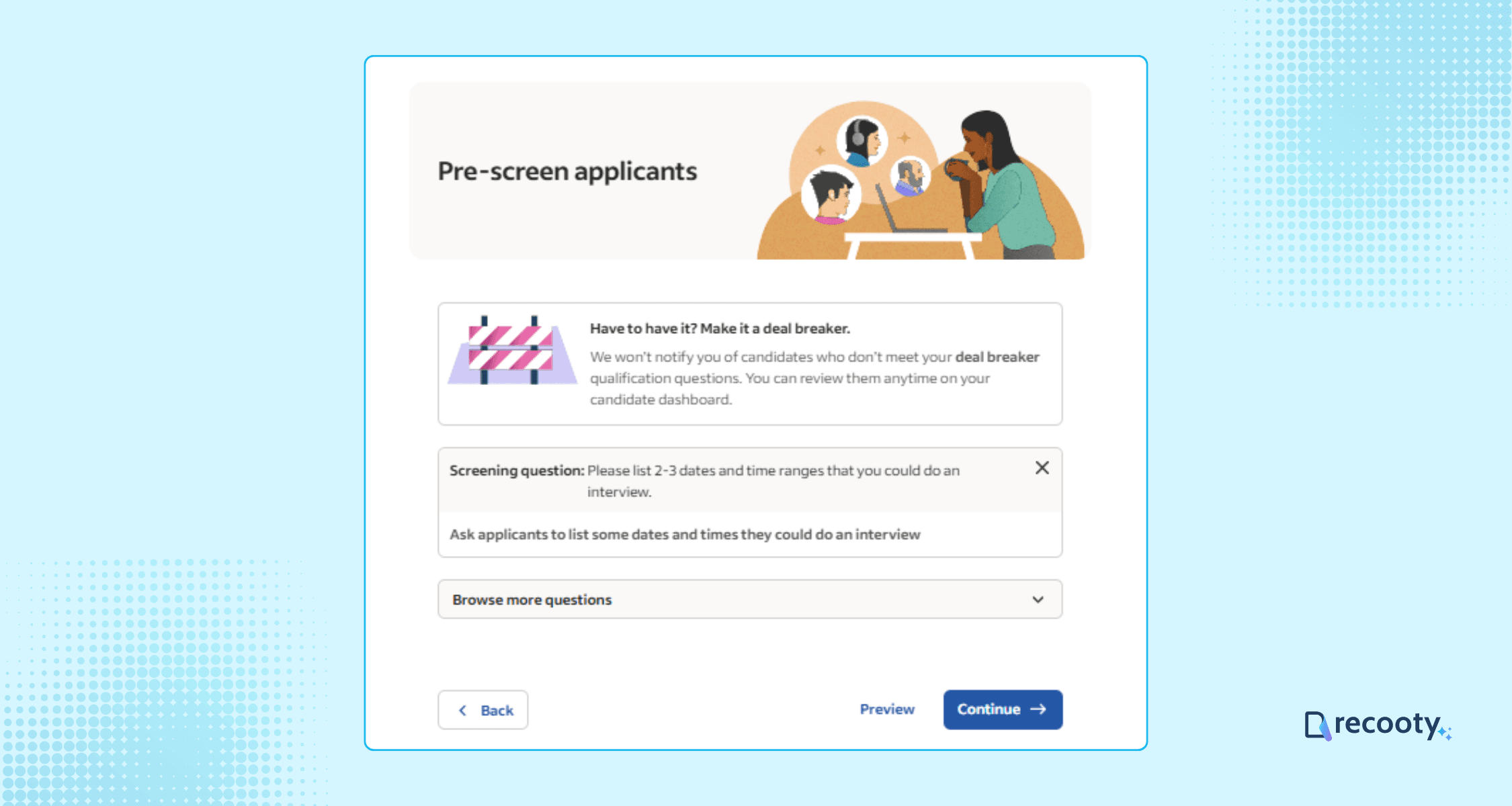
Avoid questions about protected characteristics or unrelated personal information. Explain why a requirement matters when it may not be obvious, such as a shift, license, or travel expectation.
Indeed’s current free job post policy says the allowance and visibility period depend on location. In several markets it currently describes up to three free direct posts per calendar month, each showing for up to 30 days. ATS-posted jobs may be treated separately under the policy.
Choose a free post when the role has steady demand or you are testing the application flow. Consider sponsorship when qualified volume is too low, the role is urgent, or the market is highly competitive. Indeed’s pricing page presents Free, Standard, Premium, and Premium Plus beta options; budgets vary by role and market.
Review spelling, compensation, location, employment type, screening questions, and the application route before publishing. Test the apply link on a phone. When the role is filled, close the listing promptly and update the candidate record.
Track impressions, clicks, apply starts, completed applications, qualified applicants, interviews, offers, hires, response time, and spend. Views show reach; qualified applications and later stages show whether the channel fits the role.
Use the title candidates search for and put the most important details near the top. A “Customer Support Specialist” title is easier to match than a creative label such as “Customer Happiness Hero.”
Make the description scannable with short paragraphs and bullets for responsibilities, requirements, benefits, and schedule. State whether the job is remote, hybrid, or on-site and identify the location or time-zone requirement. Include compensation when the employer can disclose it.
Keep screening questions short and job-related. If every applicant must answer a long form before seeing the team or role, completion may suffer. An ATS can provide a more structured application when you need scorecards, document collection, or shared review.
If the job is not visible, check the employer account, the listing status, location, content quality, and any policy message in the dashboard. A rejected post often needs a clearer role, accurate employer information, or removal of misleading claims.
If applications are poor, review the title, salary, location, requirements, and screening questions before buying more reach. If the listing closes unexpectedly, check its visibility period and whether the role was marked filled. For account access, use the Indeed Employer Help Center and use two-factor authentication. Domain verification support may also use the email-protection endpoint shown in the original resource.
Use Indeed directly when you have one occasional vacancy and can manage replies in its employer tools. Use an ATS when several people need to screen, interview, schedule, or report on applicants from multiple sources. Recooty and its free job posting workflow can support distribution, while an ATS stores the candidate record, scorecard, messages, status changes, and hiring outcome. Teams that need to sign in directly can use Indeed authentication, and Indeed’s employer help center covers account questions.
The Recooty applicant tracking system can support that workflow, while how to choose the right recruitment software helps define requirements before selecting a platform. Check that the tool preserves the approved job details, identifies the canonical application path, reports the source correctly, and closes or updates listings when the role changes.
Indeed can be a practical free channel when your role is eligible and the listing gives candidates enough information to decide. Start with an accurate job record, use screening questions carefully, choose sponsorship only when it addresses a real reach problem, and measure qualified progress through the hiring funnel.
Source: https://recooty.com/blog/how-to-post-a-job-on-indeed-free-job-posting/
Often, yes, for eligible direct posts. The current free-post policy says the allowance and visibility period depend on location and describes up to three free direct posts per calendar month in several markets, each visible for up to 30 days. Check your employer dashboard because limits and eligibility can change.
There is no single price that applies to every sponsored job. Indeed’s pricing page presents plan options and recommends budgets using role and market factors. The live budget in your employer dashboard is more reliable than an older daily figure.
Sponsor when a genuine reach problem remains after you improve the title, pay, location, requirements, and application route. Urgent or hard-to-fill roles may benefit from additional visibility. See Indeed’s guide to sponsoring a job for the current controls. Sponsorship cannot correct an inaccurate or unclear job post.
Direct posting is enough for one occasional role when one person can manage applications. An ATS is useful when you publish on several channels, need structured screening and interview feedback, or want source and funnel reporting in one system.
The current policy describes up to 30 days for eligible free direct posts in several markets, but other locations and job types may differ. Check the listing status and the official free job post policy.
Track completed and qualified applications, screen-to-interview rate, interview-to-offer rate, hires, response time, and cost per qualified applicant. Keep impressions and clicks as reach measures, not as a substitute for hiring quality.
![- How To Post A Job On Indeed For Free [Indeed Free Job Posting Guide 2026]](https://recooty.com/blog/wp-content/uploads/2026/08/Momentum-Leader.jpg "Momentum Leader - How To Post A Job On Indeed For Free [Indeed Free Job Posting Guide 2026]")

Hardik Vishwakarma – AI Recruitment Strategist | HR Automation Expert | Applicant Tracking Software Specialist Hardik Vishwakarma is a recognized leader in HR automation and...
View Full Profile →