.webp)
.avif)
Your career site is probably putting off your best talent, and you might not even realize it, especially if you’re not using a modern AI applicant tracking system to simplify and speed up hiring.
60% of job applicants will leave an application halfway through because they perceive the process as too time-consuming or complex.
Career sites can't compete with staying in touch with today's realities of AI-powered engines, voice search, and mobile-first indexing that determine who gets discovered.
The majority of professionals are jumping at opportunities based on favorable application experiences, and your career site is an advantage, in that case. Companies with modern, optimized job portals are hiring faster and attracting better candidates while their competitors struggle with outdated platforms that candidates can barely find, let alone complete applications on.
The solution is not patching but moving to a platform, like Recooty, optimized for the way candidates actually look and apply for work today. This guide shows you how to accomplish it without losing candidates, derailing compliance, or inducing recruiting insanity.
Short on time? Here’s the quick version:
- Clean data, map fields, and fix resume parsing issues before migrating
- Secure logs and candidate consent data
- Design mobile-first careers portal
- Use schema FAQs, core web vitals, and llms.txt for AI-driven findings
- Automate candidate data retention, enforce role-based access, and prepare breach protocols.
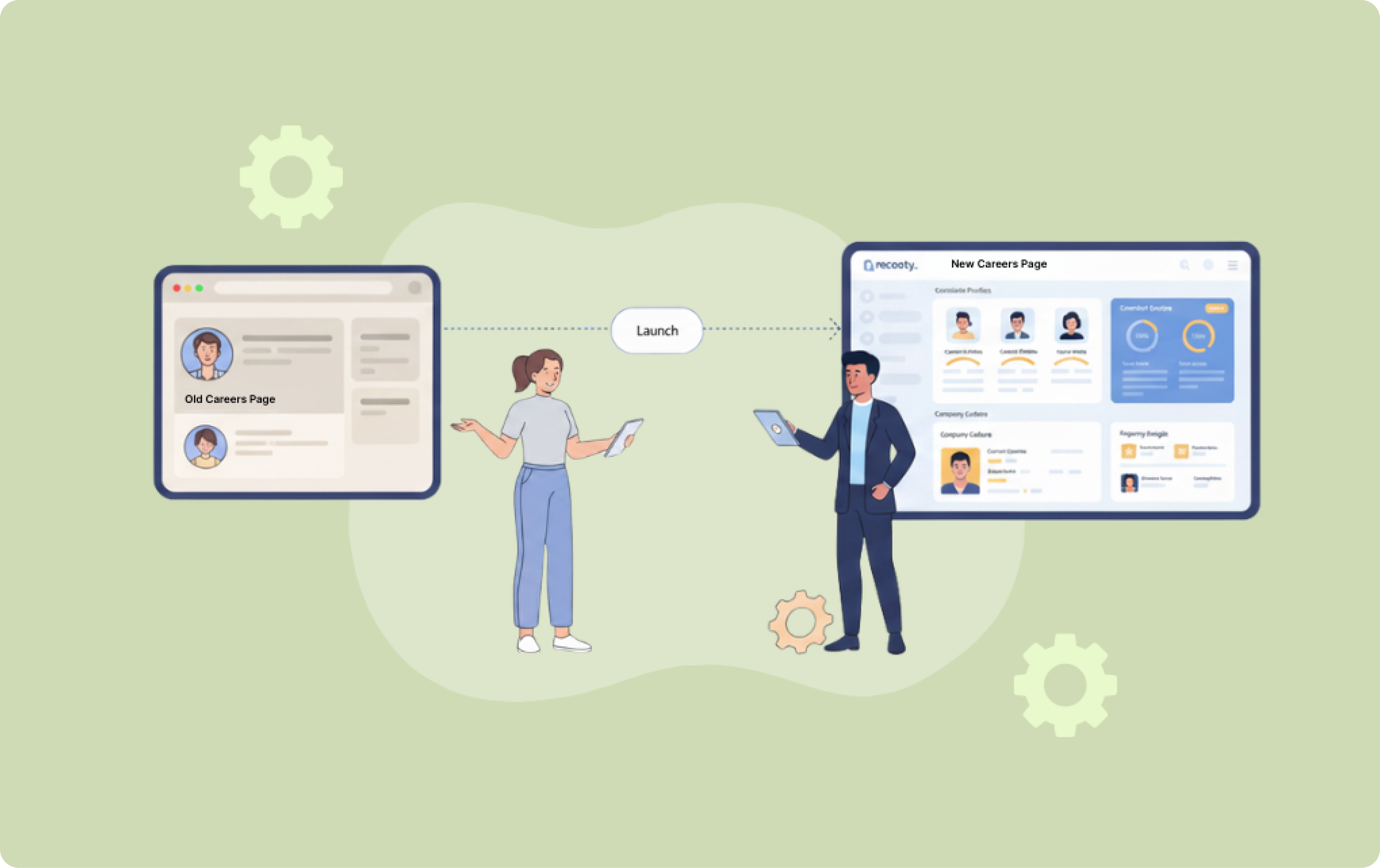
Step 1: Establish Your Migration Platform: Assessment and Strategic Planning
Before you ever lay hands on any candidate files or plan system downtime, you need an end-to-end picture of your current data structure, gaps in workflow automation, and compliance requirements.
Start with enterprise data migration analysis: Your candidate files will more than likely be scattered over multiple systems with non-standard field mapping and normalization data issues. Enumerate each custom field, integration process, and unit of candidate data that you currently have on hand.
Resume parsing compatibility issues specifically due to the fact that different platforms are reading file formats in a different manner and parsing errors migrating will contaminate months' worth of candidate data. Cleanse this first before data destruction and subsequent reporting flaws.
Audit your current approval chains and workflows automation: Document all the current approval chains, notification setup, and collaborative tools your team uses. The average job-candidate won't complete applications that take longer than twenty minutes, and therefore, if current workflows result in lengthy application procedures, migration is the ideal time to streamline. Write down what workflows actually add value and what are done just because "that's the way we've always done it."
Begin early with compliance management processes: GDPR compliance is not an afterthought of migration, but you do need to include it in each step of your planning stage. You review your current retention policies, access controls, and audit trail logs. You will be using these logs when you log compliance records and automate audit trails in migration.
Ready, set, checklist!
- Have a look at all possible sources of data (ATS, spreadsheets, email)
- Document API, integrations, and custom fields
- Resume parsing testing in PDF, DOC, and TXT formats
- Mapping approval workflows (hiring manager → HR → leadership)
- Detection of the application drop-off point
- Testing verification of GDPR policy, retention rule, and access logs
Step 2: Mastering Data Migration: Protecting Your Candidate Records
Data migration is where career site initiatives either start with a bang or make compliance hell that takes months to placate. The difference is careful planning, rigorous testing, and having some backup plans along the way.
Conduct systematic data normalisation: Do not migrate non-conformant data. Normalise candidate records, de-duplicate, and conduct resume parsing compatibility tests on all file formats prior to migrating.
Produce detailed field mapping reports: Business-critical data held in custom fields is not always presented within the same degree of detail in new systems. Map data transformation routines instead of duplicating work.
Keep audit logs and compliance data: GDPR requires consent records, processing logs, and retention policy documentation. Segment compliance data from regular candidate data.
Use parallel operations as a safety measure. Both new and old systems should be run in parallel for at least two weeks. Process new applications within Recooty with a view to historical data being preserved.
Document rollback processes in excruciating detail: You must be crystal clear on how you will restore service using your legacy system if something goes awry during migration.
Quick checklist!
- Normalize data: normalize formats (name, email, phone)
- Eliminate duplicate candidate records
- Map custom fields (e.g., "portfolio link") to Recooty counterparts
- Store audit logs, consent records, and processing history
- Allow parallel operation (legacy + Recooty live for 2 weeks)
- Keep the rollback plan in place to fall back on the previous ATS if the migration fails
Step 3: Design Your High-Performance Careers Portal
Technical deployment either onboards the best talent or drives them to the competition.
Create mobile-first career page builder requirements: Optimize first for mobile and, second, for desktop. Test optimization of the "Apply Now" button on different screen sizes and user states.
Including consistent company branding: Having the same fonts, color schemes, and tone of voice on your main site as on your career site. Branding inconsistency calls into question the professionalism of the company.
Post human and search engine rankings: Create well-written, keyword-filled job postings that job hunters actually search for. Format in scan-ready with bullet points so that apples-to-apples comparisons can be made.
Automate smarter, not harder: Map existing approval chains, notification tendencies, and collaboration norms prior to creating automated workflows. Pilot small quantities initially prior to company roll-out.
Create integration processes with existing systems: Graph out all existing system interfaces and task API integrations to HRIS, background check vendors, and interview scheduling tools.
Quick checklist!
- Construct a mobile-first career site
- Test "Apply Now" button on iOS, Android, and desktop
- Utilize brand fonts, colors, and tone on the career site
- Construct SEO-optimized job postings (job + keywords + bullet points)
- Automated approvals & notifications (launch with 1 dept first)
- Enact API integrations (HRIS, background checks, schedulers)
Step 4: Control Search Results with Next-Generation Strategies
Visibility of search results is what prevents quality candidates from viewing your jobs or from ever even knowing that you are hiring.
Use full schema markup: Use JobPosting schema for single jobs, organization schema for company information, and LocalBusiness markup for office locations. Test application using Google's Rich Results testing tools.
Build intent-first FAQ pages: Build rich answers to top candidate questions about jobs, hiring process, and company culture. Optimize both for humans to read as well as for AI answer generation content.
Optimize for generative search visibility: AI platforms yield single authoritative answers rather than a list of results. Build clear, authoritative content with a nice contextual presentation to be quoted in AI responses.
Add llms.txt for AI optimisation: Utilise structured information files with large language models and AI systems to facilitate natural expression of generated content.
Quick checklist!
- Add JobPosting, Organization, LocalBusiness schema
- Create an FAQ page answering questions for candidates (process, salary, culture)
- Readability format for AI/LLM (short headings, answer in a formatted format)
- Optimize Core Web Vitals (LCP <2.5s, FID <100ms, CLS <0.1)
- Publish the llms.txt file containing org/career data in a formatted format for AI
Step 5: Maintain GDPR Compliance Throughout Migration
Compliance with data protection must be incorporated into every aspect of your migration.
Automate retention policies: Utilize multiple retention periods for unsuccessful applicants (6-12 months), new starters (term + 6-7 years), and interview records. Automate data purging to reduce the risk of compliance.
Use robust access controls: Utilize role-based permissions to limit visibility of data based on business needs. Use advanced logging on all data view, edit, and delete activities.
Activate data subject rights response procedures: Have procedures for responding to access, correction, and erasure requests within 30-day response windows. Complete reporting immediately.
Maintain all processing records: Document legal basis for different data—legitimate interest for core recruitment, explicit consent for marketing messages and extended retention.
Establish data breach response processes: Have separate processes for security breaches to candidate data, e.g., notification timetables and regulator-approved communication procedures.
Rapid checklist
- Automate retention policies (rejects = 6–12 months, hires = 6–7 years)
- Use role-based access (HR only, hiring manager limited access)
- Use DSR responses (access, correction, deletion within 30 days)
- Document legal basis (legitimate interest vs explicit consent)
- Have breach response plan in place (notify within 72 hrs, templates available)
How You Can Demonstrate ROI and Encourage Continuous Improvement
Success in migration isn't measured on the completion of technical transfer but on delivering tangible improvement in recruitment outcomes and candidate experience that is good value for money.
Apply KPI mapping and baseline metrics: Capture snapshots of existing application rates of completion, time-to-hire, candidate satisfaction scores, and cost-per-hire before migration. These baselines subsequently become essential to being able to demonstrate ROI as well as being able to realize where improvements can be made post-go-live.
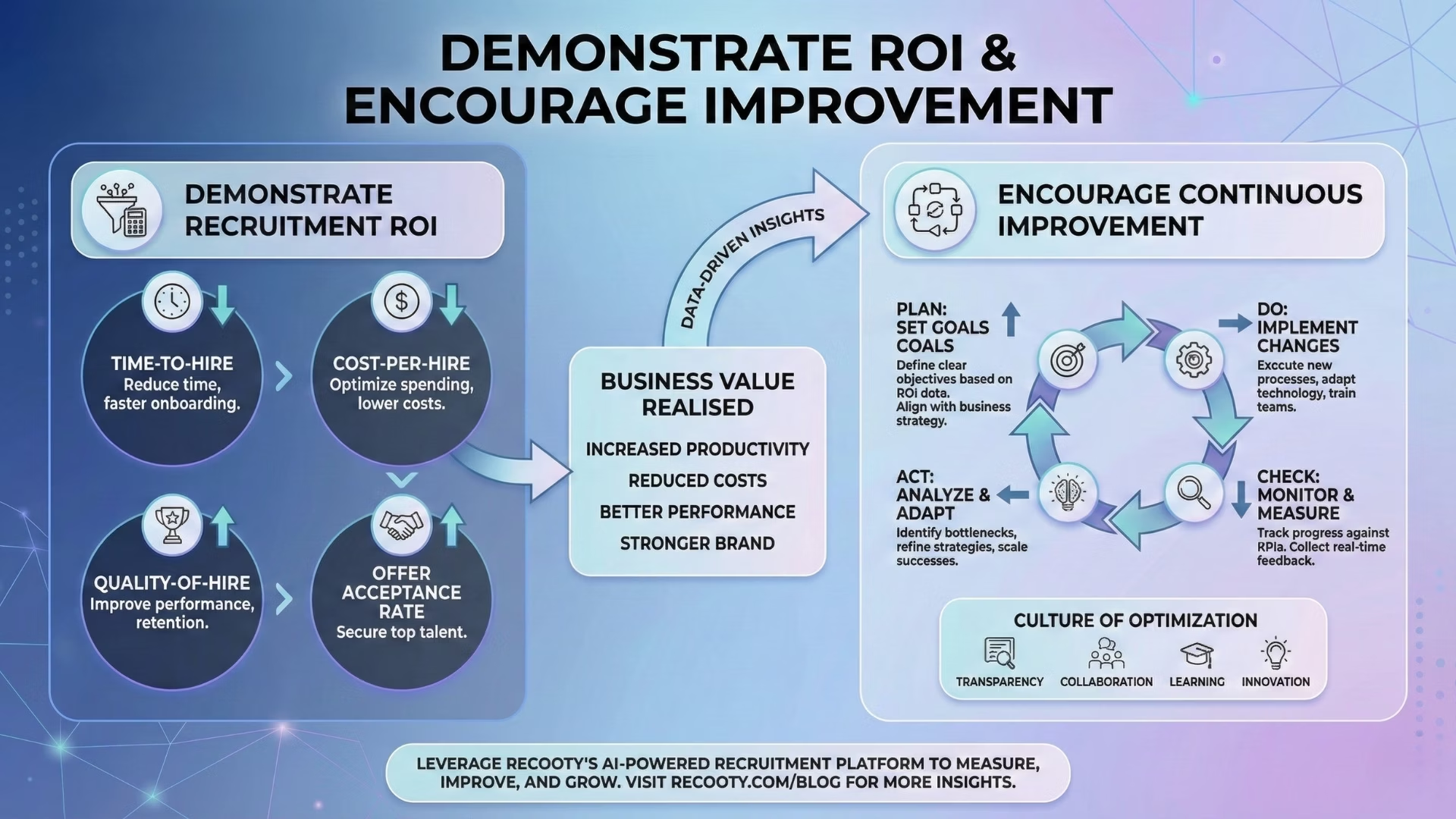
Leverage detailed reporting modules: Design dashboards to track volume of applications, source performance, candidate flow through the process, and manager satisfaction. Having real-time awareness of these metrics enables problems to be caught before they become major ones, and performance to be optimized on a continuous basis.
Precisely quantify ROI in a variety of functions: Quantify cost savings in terms of reduced administrative effort alone. Include enhanced candidate experience scores, reduced time to hire, enhanced search visibility metrics, and reduced compliance risk in your quantification of ROI.
Track AEO and generative SEO activity: Track branded search volume, job posting visibility in AI results, and citation rate in answer engines. These emerging metrics become more significant as more job applicants turn to AI systems to find employment.
Apply recurring optimization cycles: Apply quarterly examination of application drop-off points, monthly examination of search performance metrics, and ongoing A/B testing of job posting formats and application flows.
Your Roadmap to Migration Success: What to Do Next
The winners of the war for talent aren't paying more or giving better benefits. They're giving candidate experiences that make it simple to apply, finding their jobs a natural process, and the process is professional overall.
Recooty careers site branding gives you the technical foundations to compete, but to win, migration must be considered. Protect your candidate data, SEO-convert for discoverability, remain compliant along the way, and monitor it all that affects your hiring results.
Ready to transform your recruitment with a careers site that actually converts candidates? Create your career page for free with Recooty and discover how future-proof job portals drive measurable hiring results!
.png)
.png)

.webp)