.webp)
.avif)
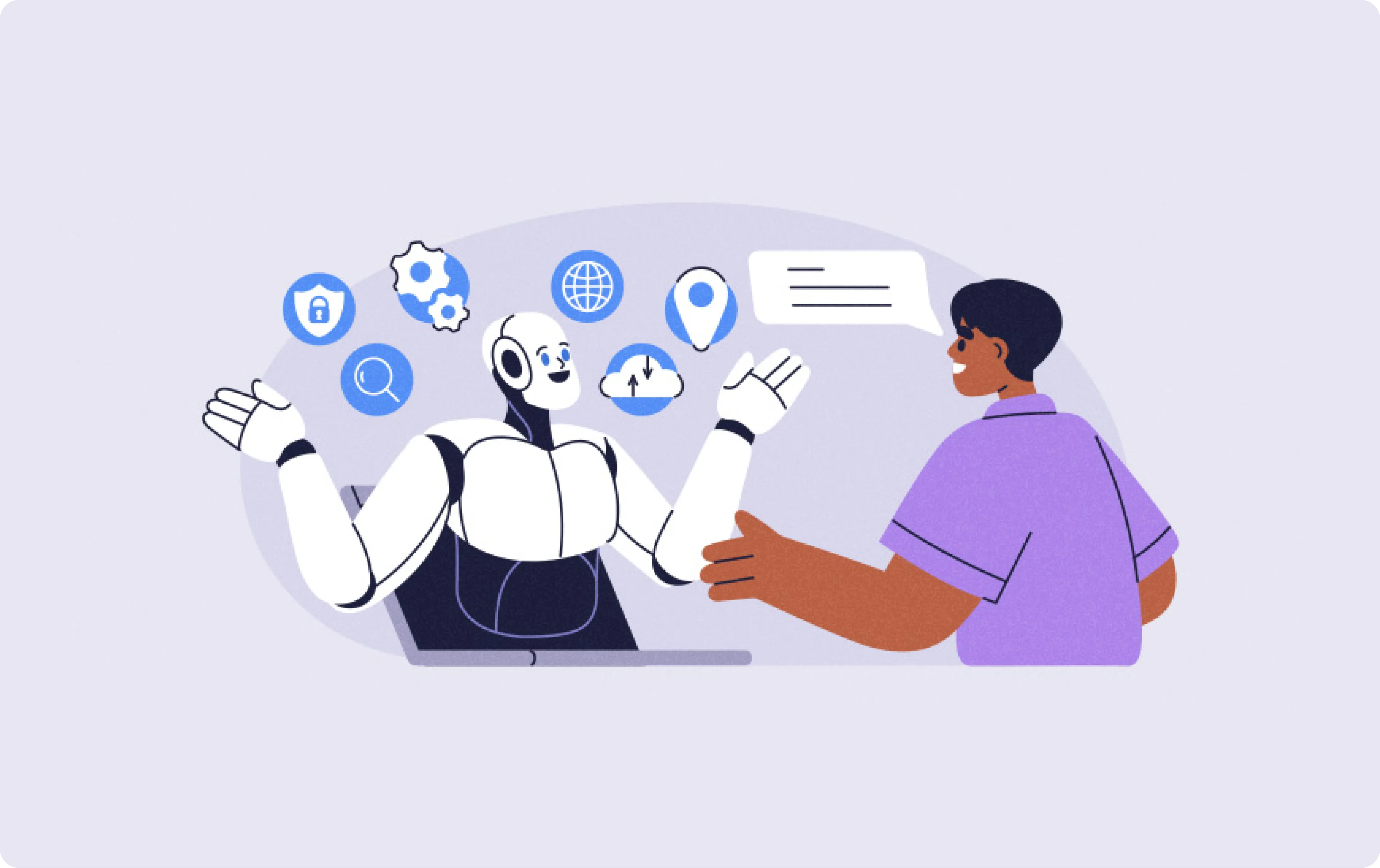
AI-powered HR platforms are reshaping employee experiences by offering personalized career pathing, AI-led mentorship, and predictive workforce insights.
The benefits of using AI in employee engagement include data-driven decision-making, more efficient analytics, a better employee experience, and improved employee trust.
Organizations leveraging AI for employee experience are seeing dramatic improvements in retention, productivity, and cost savings.
AI can improve the employee experience by enhancing employee skills, eliminating repetitive tasks, and more.
AI-driven learning platforms are transforming employee training by providing personalized development plans that address individual skill gaps.
Nearly half of employees say they want more formal training to boost AI adoption. Leveraging AI to simplify jobs can boost employee satisfaction.
The Future of Work is Here: How AI is Revolutionizing the Employee Experience
For years, I've watched HR departments struggle under the weight of manual, repetitive tasks that drain time and frustrate employees.
From endless paperwork for new hires to answering the same policy questions over and over, the focus was on process, not people.
Today, we're in the middle of a massive shift, and I'm here to guide you through how you can improve employee experience with AI, moving from a reactive, administrative function to a proactive, strategic powerhouse.
From Manual Processes to Intelligent Automation: The Core Shift
The core of this transformation is moving away from manual work and embracing intelligent automation. It’s not just about doing things faster; it’s about doing them smarter.
This guide will walk you through the practical steps to implement everything from AI Onboarding automation to sophisticated AI HR assistants, creating a workplace that’s more efficient, engaging, and supportive for everyone.
Moving Beyond One-Size-Fits-All HR
For too long, the employee experience has been generic. But with AI, we can finally deliver the personalization that employees now expect.
Instead of generic handbooks, think AI-powered chatbots that answer specific questions instantly. This is the new standard.
Here are quick answers to some common questions about this shift:
How can AI improve employee experience?
AI improves the employee experience by automating repetitive tasks, personalizing training and career paths, and providing instant 24/7 support through virtual assistants.
What is an example of AI in HR?
A prime example is an AI onboarding chatbot that guides a new hire through their first week, answering questions about benefits, scheduling training, and introducing them to team members automatically.
What skills do employees need to work effectively with AI?
To work effectively with AI, employees need skills in digital literacy, critical thinking, and adaptability to leverage AI tools for problem-solving and innovation.
Boosting Productivity and Employee Engagement with AI
When you automate routine queries and administrative tasks, you free up your HR team to focus on high-impact initiatives like culture, talent development, and employee relations.
This journey to improve employee experience with AI begins even before day one. In my experience, using a tool like Recooty for AI-powered recruiting is critical because it automates the initial screening and communication, setting a positive, efficient tone that carries directly into its seamless AI Onboarding automation features.
A great candidate experience is the foundation of a great employee experience.
The Tangible ROI of Investing in AI for HR
Implementing AI isn't just a "nice-to-have"; it delivers a measurable return on investment. Organizations that have embraced these technologies report dramatic improvements in employee retention, faster time-to-productivity for new hires, and significant cost savings from increased HR efficiency.
By following the steps in this tutorial, you'll learn how to build a powerful business case and demonstrate the clear value of creating an AI-powered workplace.
Core Applications: How to Use AI to Improve the Employee Experience
To truly understand how to improve employee experience with AI, we need to map out where it can make the biggest impact.
AI isn't a single solution; it's a collection of powerful tools that can be applied at key touchpoints across the entire employee lifecycle, from the first interview to their long-term career growth.
By strategically implementing AI, you can automate the mundane, personalize support, and gain insights that were previously impossible to see.
Key Ways to Enhance the Employee Journey with AI
Let's dive into the specific applications and review how different types of AI solutions are fundamentally changing the workplace.
I'll share my hands-on experience with each of these categories, giving you a clear picture of what works, what to watch out for, and how to get started.
Recooty: The Best AI Recruiting Software to Kickstart the seamless Employee Experience
Overview
I firmly believe the employee experience begins the moment a candidate first interacts with your company.
A clunky, slow, or impersonal hiring process can sour a future employee's perception before they even get an offer. This is where a tool like Recooty comes in.
It uses AI to streamline and automate the top of the hiring funnel, ensuring a seamless transition from candidate to new hire.
Key Features
- AI-Powered Candidate Sourcing: Intelligently finds and suggests qualified candidates from various job boards and databases.
- Automated Screening: Uses AI to screen resumes and rank candidates based on job requirements, saving recruiters countless hours.
- One-Click Job Posting: Distributes job openings to over 250+ job boards with a single click.
- Branded Career Pages: Helps you create a professional and engaging career site that reflects your company culture.
- Streamlined Interview Scheduling: Automates the back-and-forth of scheduling interviews with candidates and hiring managers.
Pros & Cons
- Pros: Extremely user-friendly and affordable, significantly reduces time-to-hire, creates a highly professional candidate experience, and centralizes all recruiting activities.
- Cons: It's a specialized recruiting tool, so you will need to integrate it with a separate HRIS for post-hire onboarding and management.
Our Experience
For smaller to mid-sized companies, managing dozens of applicants across different platforms is a nightmare.
I’ve recommended Recooty to several startups, and the feedback is always the same: it simplifies everything.
The AI-powered screening is remarkably accurate, and the platform makes it easy to maintain clear communication with candidates, which is essential for building a strong employer brand.
The seamless handoff from Recooty to a dedicated AI Onboarding automation tool creates a cohesive and impressive journey for new hires.
Pricing Plans
Recooty is known for its accessible pricing, with plans like the Starter plan starting at just $79 per month. They also offer a free trial, which is fantastic for testing it out.
Best For
Small to medium-sized businesses, startups, and recruiting agencies that need a powerful, cost-effective AI recruiting platform to find top talent quickly.
Final Verdict
You can't improve employee experience with AI if you're failing at the very first step.
Recooty ensures your hiring process is efficient, professional, and AI-driven, setting the perfect foundation for the rest of an employee's journey with your company.
It is the ideal starting point for any organization serious about leveraging AI in HR.
AI Onboarding Automation: Creating a Flawless First Impression
Overview
AI Onboarding automation is all about using intelligent software to manage the administrative and logistical tasks of bringing a new employee into the company.
This technology ensures that from the moment an offer is accepted, new hires have a smooth, welcoming, and efficient introduction to the organization, which is critical for long-term retention.
Key Features
- Automated Workflows: Automatically triggers tasks like sending offer letters, collecting digital paperwork, and initiating background checks.
- Equipment and App Provisioning: Creates tickets and requests for IT to set up laptops, software access, and email accounts before day one.
- Onboarding Chatbots: An AI onboarding assistant that can answer new hire questions 24/7 about benefits, company policies, or their first-week schedule.
- Personalized Onboarding Checklists: Creates tailored 30-60-90 day plans based on the new hire's role, department, and seniority level.
Pros & Cons
- Pros: Drastically reduces manual HR workload, ensures a consistent experience for all new hires, and accelerates time-to-productivity.
- Cons: Can feel impersonal if not paired with human touchpoints; initial setup and integration with systems like Workday or your HRIS can be complex.
Our Experience
I vividly remember the days of chasing down new hires for paperwork and frantically coordinating with IT.
After we implemented an AI onboarding automation system, our process was transformed.
New hires would receive a welcome message from our AI onboarding chatbot the week before they started, and all their equipment would be waiting on their desk on day one.
The feedback was overwhelmingly positive; employees felt cared for and ready to contribute immediately.
Pricing Plans
Pricing for these tools, like BambooHR or Rippling, typically follows a per-employee-per-month (PEPM) model, ranging from $8 to $20 per employee, often bundled within a larger HRIS platform.
Best For
Growing companies, especially those with remote or hybrid workforces, that need to scale their onboarding process without sacrificing quality.
Final Verdict
AI Onboarding automation is no longer a luxury; it’s a necessity for creating a positive first impression.
It sets the tone for the entire employee journey and is one of the most impactful ways to improve employee experience with AI.
Personalized Training and Development: AI-Driven L&D Paths
Overview
AI is revolutionizing learning and development (L&D) by moving away from generic course catalogs and toward highly personalized learning journeys.
These platforms analyze an employee's role, skills, performance data, and career aspirations to recommend relevant training content, from articles and videos to full courses.
Key Features
- Skill Gap Analysis: Identifies individual and team-wide skill gaps by analyzing project data and performance reviews.
- AI-Powered Recommendations: Suggests micro-learning content, courses, and mentors tailored to an employee's development goals.
- Career Pathing: Shows employees potential career paths within the company and the skills they need to develop to get there.
Pros & Cons
Pros: Increases employee engagement in learning, directly supports internal mobility and retention, and ensures training budgets are spent effectively.
Cons: Heavily reliant on having a high-quality, well-tagged library of content.
Our Experience
We used to struggle with getting employees to engage with our Learning Management System (LMS).
After adopting an AI-driven platform, we saw engagement triple. Instead of searching a massive library, our employees received proactive "nudges" in Slack with links to short articles or videos directly related to the skills they were trying to build for their next project.
Best For
Organizations focused on upskilling and reskilling their workforce, particularly in fast-changing industries like tech and healthcare.
Final Verdict
Personalized L&D is a powerful retention tool. When employees see a clear path for growth that is supported by intelligent, relevant training, they are far more likely to stay and grow with the company.
Virtual AI HR Assistants: Providing 24/7 Employee Support
Overview
AI HR assistants are conversational AI chatbots designed to be the first point of contact for employee questions.
They integrate with your internal knowledge bases and HR systems to provide instant, accurate answers to common queries about payroll, benefits, time off, and company policies, freeing up your human HR team for more strategic work.
Key Features
- Natural Language Processing (NLP): This is the core AI technology that helps machines understand human language, allowing employees to ask questions naturally.
- 24/7 Availability: Provides instant support to employees across all time zones, which is crucial for global or remote teams.
- HRIS Integration: Can pull personalized data to answer questions like, "How much PTO do I have left?" or "Where can I find my last pay stub?"
- Automated Ticket Routing: If the bot can't answer a question, it can automatically create a ticket and route it to the correct HR specialist.
Pros & Cons
- Pros: Significantly reduces the volume of repetitive HR tickets, provides consistent and accurate information, and improves the overall digital employee experience.
- Cons: Requires a well-maintained knowledge base to be effective; can struggle with highly complex or emotionally sensitive employee issues.
Our Experience
Our HR team was spending nearly half its day answering the same 20 questions.
We implemented an AI HR agent from Leena AI within Microsoft Teams, and it was a game-changer.
Within six months, it was resolving over 65% of all incoming queries without human intervention. This allowed my team to finally focus on proactive employee relations and career coaching.
Pricing Plans
Pricing for specialized HR AI agents can vary, often involving a platform setup fee and a monthly subscription based on employee count, starting from a few thousand dollars per month for mid-sized companies.
Best For
Mid-sized to large enterprises that want to scale their HR support function and provide a modern, self-service portal for their employees.
Final Verdict
An AI HR assistant is one of the most effective tools for boosting HR efficiency and employee satisfaction simultaneously.
It meets employee expectations for instant, on-demand information.
Intelligent Recognition Systems: Boosting Morale and Engagement with Bonusly
Overview
Bonusly is a leading employee recognition and rewards platform designed to foster a culture of appreciation. It uses a fun, social, and AI-enhanced approach to make recognition visible and frequent.
Instead of top-down annual awards, it empowers everyone in the organization to give small, meaningful bonuses to their peers, directly contributing to a positive AI-powered employee experience.
Key Features
- Peer-to-Peer Recognition: Employees get a monthly allowance of points to give to colleagues for great work, tying recognition directly to company values.
- AI-Powered Analytics: The platform's AI analyzes recognition patterns to identify top performers, influential team members, and potential team friction or disengagement.
- Rewards Catalog: Employees can redeem their accumulated points for a vast catalog of gift cards, cash payouts, or custom company rewards.
- Social Feed: All recognition is visible on a public feed, amplifying the positive impact and reinforcing desired behaviors across the company.
- Integration with Communication Tools: Seamlessly integrates with platforms like Slack and Microsoft Teams, allowing employees to give recognition without leaving their workflow.
Pros & Cons
- Pros: Highly effective at boosting morale and engagement, provides valuable insights into team dynamics, and is extremely easy for employees to adopt and use.
- Cons: The value is dependent on consistent employee participation; the rewards catalog can become a primary focus if not managed with an emphasis on the meaning behind the recognition.
Our Experience
Before Bonusly, our recognition efforts were sporadic and inconsistent. After implementing it, I saw an immediate change.
The public feed became a daily source of positivity, and managers started using the analytics to spot unsung heroes on their teams.
During a particularly tough project, I saw our engineers using Bonusly to keep each other motivated. It made our company values feel alive and tangible, which is a massive win for AI in employee engagement.
Pricing Plans
Bonusly's pricing starts with the Core plan at approximately $3 per user/month, with more advanced features and analytics available in their Pro and Custom plans.
Best For
Companies of all sizes, especially those with remote or hybrid teams, that are looking to build a strong, positive culture and make employee recognition a daily habit.
Final Verdict
Bonusly is an outstanding tool to improve employee experience with AI.
It successfully gamifies recognition in a way that feels authentic and impactful, providing leaders with powerful data on who is truly driving the culture forward.
AI for Performance Management: Ensuring Fair and Data-Driven Feedback with Lattice
Overview
Lattice is a comprehensive people management platform that uses AI to streamline and improve performance reviews, goal setting (OKRs), and employee feedback.
It moves companies away from the dreaded annual review and toward a model of continuous, data-informed performance conversations, which is a cornerstone of modern AI in performance management.
Key Features
- AI-Powered Performance Reviews: Lattice can summarize feedback from multiple sources (peers, self-assessments, manager reviews) to help managers write more comprehensive and less biased reviews.
- Goal & OKR Tracking: Allows for transparent goal setting across the organization, helping employees see how their work connects to the company's strategic objectives.
- Continuous Feedback: Employees and managers can give and request real-time feedback throughout the year, which is all tracked in the platform.
- Engagement Surveys: Includes tools for running pulse surveys and deeper engagement studies, with AI helping to identify key themes and sentiment from open-ended comments.
- 1-on-1 Meeting Agendas: Provides tools to help managers and employees structure their one-on-one meetings, ensuring they are productive and forward-looking.
Pros & Cons
- Pros: Centralizes all performance-related activities**, reduces recency bias in reviews, and provides powerful analytics for identifying high-performers and development needs.
- Cons: Can be a significant investment in both time and money to implement fully; requires strong manager adoption to be truly effective.
Our Experience
I used to spend weeks chasing down performance reviews and trying to calibrate ratings fairly. With Lattice, the process became data-driven and continuous.
The biggest impact was on our managers. Armed with a year's worth of feedback and goal progress in one dashboard, they could have far more meaningful and objective development conversations.
The AI-powered summary feature was a lifesaver, helping them synthesize pages of feedback into actionable insights.
Pricing Plans
Lattice's pricing for its Performance Management + OKRs bundle starts at around $11 per user/month.
They offer different modules that can be purchased separately or as part of a larger suite.
Best For
Mid-sized to large companies that are committed to building a culture of high performance and continuous development.
It's particularly valuable for organizations that want to move to a more agile, data-driven HR model.
Final Verdict
Lattice is a powerhouse for any company serious about using AI to make performance management fair, transparent, and effective.
While a great recruiting experience from a tool like Recooty gets talent in the door, Lattice ensures they grow and thrive once they are inside.
Predictive Analytics: Proactively Identifying Burnout and Attrition Risks with Visier
Overview
Visier is a specialized people analytics platform that uses AI and machine learning to uncover deep insights from your HR data.
It goes beyond simple reporting dashboards to provide predictive analytics, answering critical questions like "Who are our key employees at risk of leaving?" and "What are the key drivers of burnout in our sales department?"
Key Features
- Predictive Attrition Models: Visier's AI analyzes hundreds of data points (compensation, tenure, performance, manager changes) to generate a "resignation risk" score for employees.
- Burnout Detection: Can identify patterns associated with burnout, such as increased overtime, decreased communication, and higher PTO usage, allowing for proactive intervention.
- Diversity & Inclusion Analytics: Provides detailed insights into DEI metrics, helping to identify biases in hiring, promotion, and compensation processes.
- "What-If" Scenario Planning: Allows HR leaders to model the impact of potential changes, such as a new compensation plan or a corporate restructuring, on employee retention and costs.
Pros & Cons
- Pros: Provides incredibly powerful, actionable insights for strategic workforce planning, helps leaders make data-driven decisions, and can deliver a massive ROI by reducing costly employee turnover.
- Cons: It is an enterprise-grade tool with a corresponding price tag; requires clean, high-quality data from multiple HR systems (HRIS, ATS, LMS) to be accurate.
Our Experience
As an HR leader, my biggest fear was being caught by surprise when a top performer resigned. Visier gave us a crystal ball.
We were able to identify a high-risk team where several key engineers were predicted to leave within six months. Digging into the data, we saw the root cause was a lack of career progression.
This allowed us to intervene with a new career pathing program for that team, and we successfully retained all of them.
It was a clear demonstration of how AI can move HR from being reactive to truly strategic.
Pricing Plans
Visier does not publicly list its pricing. It is an enterprise solution sold on a custom subscription basis, with costs typically running into the tens of thousands of dollars per year, depending on the size of the organization.
Best For
Large enterprises (1,000+ employees) with mature HR and data analytics functions that are looking to make sophisticated, data-driven decisions about their workforce.
Final Verdict
For large organizations, Visier represents the pinnacle of using AI to improve employee experience and business outcomes.
By predicting and preventing attrition, it pays for itself many times over and gives HR leaders a powerful voice in the boardroom.
A Practical Playbook: Implementing AI in Your HR Strategy
Embarking on a journey to improve employee experience with AI can feel overwhelming. I've been there.
The market is flooded with tools, and the promises are huge. But through trial and error, I've learned that a structured, phased approach is the key to success.
This playbook is the exact roadmap I've used to successfully launch AI initiatives, from initial idea to company-wide adoption. It’s designed to help you avoid common pitfalls and get tangible results, fast.
Phase 1: Building Your Foundation for AI Success (Months 1-3)
This is the most important phase. Skipping this groundwork is like building a house on sand. Before you even think about buying software, you need a solid strategy. This is where you align your AI goals with your business goals.
Step 1: Identifying High-Impact Use Cases (e.g., Onboarding, FAQ bots)
First, you need to figure out where AI can make the biggest difference. Don’t try to boil the ocean.
Why this matters:
Focusing on a high-pain, high-impact area delivers a quick win. This builds momentum and gets leadership excited about further investment.
As research from SHRM shows, a positive onboarding experience is critical for retention.
How to do it:
I always start by gathering the HR team and asking:
"What are the most time-consuming, repetitive tasks we do?" and
"What are the most common questions employees ask us?"
Invariably, the answers point to two areas:
1. New Hire Onboarding: The mountain of paperwork, IT requests, and scheduling is a perfect candidate for AI Onboarding automation.
2. Employee Questions: Replying to queries about PTO, benefits, or company policies is ideal for AI HR assistants.
Pro Tip: Choose the process that causes the most visible friction. If your managers are constantly complaining about how long it takes to onboard someone, start there.
Step 2: Assessing Your Current HR Tech Stack and Data Readiness
Your AI tools will need data to function. Now is the time for an honest assessment of your current systems.
Why this matters:
An AI tool without access to clean, organized data is useless. It can lead to incorrect answers from a chatbot or failed workflows, destroying employee trust before you even get started.
How to do it:
Map out your key HR systems.
- Applicant Tracking System (ATS): Where does your candidate data live? This is the very first touchpoint. In my experience, starting with a modern, AI-native ATS like Recooty is a huge advantage.
It ensures the data coming *into* your organization is already structured and clean, making the handoff to your HRIS seamless.
Human Resource Information System (HRIS): Is your employee data (names, roles, start dates) accurate in your system of record (e.g., Workday, BambooHR)?- Knowledge Base: Are your company policies and procedures documented and stored in a central place like a wiki or SharePoint?
Pro Tip: If your data is a mess, make cleaning it up your primary goal for this phase. A simple project to centralize all policy documents can pay huge dividends later.
Step 3: Building the Business Case: How to Calculate the ROI of AI in HR
You will need a budget. To get it, you need to show how this investment will save or make the company money.
Why this matters: Leadership approves projects that have a clear Return on Investment (ROI). Speaking in terms of dollars and efficiency is far more effective than just talking about a "better experience."
How to do it:
Create a simple spreadsheet.
- Cost Savings: Calculate HR team hours saved. For example: *100 repetitive questions per week x 5 minutes per question x $30/hour HR salary = $2,500 saved per month.*
Productivity Gains: Estimate the value of faster onboarding. For example: *New hires become fully productive 2 weeks earlier. For a salesperson with a $50k/month quota, that's $25k in potential revenue per hire.- Tool Costs: Factor in the software subscription. This is where a tool like Recooty can make your business case much more compelling. Enterprise AI tools can be prohibitively expensive.
You can propose starting with Recooty's affordable AI recruiting platform (starting around $79/month) to *prove* the value of AI in HR with a low-risk, high-impact investment, paving the way for a larger budget later.
Phase 2: Choosing the Right AI Tools and Launching a Pilot (Months 4-6)
With a clear plan and budget, you can now enter the market. The goal here is to select the right partner and prove the concept on a small scale.
Step 1: Key Features to Look for in AI HR Assistants and Onboarding Tools
When you're watching demos, it's easy to get distracted by flashy features. I focus on the fundamentals.
Why this matters:
Choosing the right tool from the start saves you from a painful migration later. The core functionality must be solid.
How to do it:
Use a checklist for every demo. Here are my non-negotiables:
- Deep Integrations: It *must* connect easily with your core HRIS and communication tools (Slack/Teams).
- User-Friendly Workflow Builder: Your HR team should be able to create and edit an onboarding automation template without coding.
- Powerful Analytics: The tool must have a clear dashboard showing you what's working and what's not.
- Enterprise-Grade Security: Ask about SOC 2, ISO 27001, and GDPR compliance. This is non-negotiable when handling employee data.
Step 2: Running a Successful Pilot Program: Metrics and KPIs to Track
Never roll out a new tool to everyone at once. A pilot program allows you to learn and iterate in a controlled environment.
Why this matters:
A pilot proves the tool's value, uncovers unexpected issues, and helps you build a group of internal champions before a full launch.
How to do it:
1. Select a Pilot Group: Choose one tech-savvy department (like Engineering or Marketing) of about 50-100 employees.
2. Define Success: Set clear, measurable goals. For an AI HR assistant, a great KPI is "Deflect 40% of HR tickets from the pilot group within 90 days."
For AI Onboarding automation, it could be "Improve the new hire satisfaction score for the pilot group by 15%."
3. Gather Feedback: Hold weekly check-ins with the pilot group to gather feedback and make adjustments.
Phase 3: Scaling and Optimizing Your AI-Powered Employee Experience (Months 7-12)
You've proven the value. Now it's time to deliver it to the entire organization and ensure long-term success.
Step 1: Integrating AI with Core Systems for Seamless Workflows
This is where you create truly magical experiences. The goal is a fully connected ecosystem.
Why this matters: Deep integration automates entire cross-functional processes, eliminating manual handoffs and creating a seamless digital employee experience.
How to do it: Work with your IT team to connect your systems.
Example Scenario: When a hiring manager marks a candidate as "Hired" in Recooty, it should automatically:
1. Create an employee profile in your HRIS (Workday).
2. Trigger the AI Onboarding automation workflow.
3. Create tickets in IT's system (ServiceNow/Jira) to provision a laptop and software.
4. Enroll the new hire in mandatory training in your LMS.
Step 2: Developing a Change Management Strategy to Drive Employee Adoption
The best tool in the world is useless if nobody uses it. Communication and training are essential.
Why this matters: Employees can be skeptical or even fearful of AI. A strong change management plan builds trust and ensures you realize the full value of your investment.
How to do it:
- Communicate the "Why": I always frame it as "giving you a super-smart assistant to handle the boring stuff so you can focus on more important work."
- Create Champions: Use your pilot group as evangelists to share their positive experiences.
- Provide Training: Host short, engaging training sessions. For an AI onboarding chatbot, record a quick video showing new hires how to use it.
Pro Tip: Launch your AI HR assistant with a fun name (we once used "Ask HR IBM"-style names like "Penny" for our policy bot) to make it more approachable and less intimidating. This small step significantly boosted our adoption rates.
Best Practices for Maximizing the Impact of AI in HR
Implementing AI tools is just the first step. The real magic happens when you customize and fine-tune these systems to reflect your unique company culture and meet the specific needs of your employees.
Over the years, I've learned that a generic, out-of-the-box setup rarely delivers the best results. Here are some of my most trusted best practices and customization tips to truly improve employee experience with AI and get the maximum return on your investment.
.jpg)
Personalize Your AI's Tone and Personality
One of the biggest lessons I've learned is that an AI HR assistant shouldn't sound like a robot.
Giving your bot a personality that aligns with your company culture can dramatically increase employee adoption.
Why it matters: A friendly, approachable tone makes the AI feel like a helpful colleague rather than a cold, impersonal system.
This builds trust and encourages employees to use it as their first point of contact, which is key for AI in employee engagement.
How to apply it:
- Give it a Name: Instead of "HR Bot," give it a memorable name. We once named our bot "Leo," and it immediately made the tool more personable.
- Customize Greetings and Sign-offs: Program your bot to use language that fits your culture. A tech startup might use emojis and a casual tone, while a financial services firm would opt for something more professional but still helpful.
- Inject Company Values: Program your AI to occasionally reference your company values when answering questions. For instance, if a value is "Always Learning," the bot could end a response with, "Keep up the great learning!"
Use AI to Deliver Proactive Nudges and Reminders
Don't wait for employees to come to you with questions. I've found that using AI HR assistants to deliver proactive, helpful nudges is a powerful way to enhance the digital employee experience.
Why it matters: Proactive support shows employees that the company is invested in their success and well-being.
It helps them stay on track and take advantage of important benefits or deadlines they might otherwise miss.
How to apply it:
- Benefits Enrollment: Program your AI to send a personalized reminder via Slack or Teams a week before the benefits enrollment deadline, with a direct link to the portal.
- Performance Review Reminders: Instead of a generic email, have the AI send a nudge to managers: "Hi [Manager Name], just a friendly reminder that [Employee Name]'s performance review is due next Friday. Here is the link to their profile to get started."
- Anniversary and Birthday Alerts: Use the AI to send a celebratory note on an employee's work anniversary, perhaps even reminding them of a specific company perk available after their first year.
Create a Continuous Feedback Loop to Make Your AI Smarter
Your AI is a learning machine. The more feedback it gets, the smarter it becomes.
I always tell my team that every time an employee says, "the bot couldn't answer my question," it's not a failure; it's a learning opportunity.
Why it matters: An AI that doesn't improve will quickly lose credibility. A continuous feedback loop ensures your knowledge base stays current and your AI's accuracy increases over time, making it a more reliable resource.
How to apply it:
- Implement a Thumbs Up/Down System: At the end of every AI interaction, include a simple "Was this answer helpful?" with a thumbs up/down option.
- Review Failed Queries Weekly: Designate someone on the HR team to review all the "thumbs down" queries once a week. Use these insights to update your knowledge base or add new articles.
- Analyze Common Questions: Use the AI's analytics dashboard to identify the top 10 most frequently asked questions. If you see a spike in questions about a new policy, it's a signal that your initial communication may not have been clear enough.
Leveraging Recooty for a Seamless Transition from Candidate to New Hire
The best way to customize the employee journey is to start before day one. The data you gather during the hiring process is a goldmine for personalizing the onboarding experience. This is where a tool like Recooty becomes incredibly powerful.
Using AI to analyze candidate data for a personalized onboarding experience
Why it matters: A personalized onboarding plan shows a new hire that you've been paying attention and are invested in their specific needs. It accelerates their learning curve and makes them feel valued from the very beginning.
How to apply it:
Scenario: Imagine you've hired a software engineer using Recooty. Recooty's AI resume parser has identified "Python" and "AWS" as their core skills, but "Docker" was listed as a secondary, developing skill.
Customization: You can use this insight to trigger a personalized AI Onboarding automation workflow.
The standard onboarding plan is automatically customized to include an extra training module on your company's Docker environment and schedules a meeting with your in-house Docker expert during their first week.
Automating pre-boarding tasks to keep new hires engaged from day one
Why it matters: The period between offer acceptance and the first day is a critical time. A lack of communication can lead to "pre-hire churn." I've seen great candidates drop out during this phase. Automating engagement keeps the excitement high.
How to apply it:
- Scenario: A candidate accepts an offer for a marketing role through Recooty.
- Customization: This action triggers an automated pre-boarding sequence.
- Day 2: They receive an automated welcome email with a link to a short video from the CEO.
One Week Before Start: They get an email with a "Meet the Team" guide, including fun facts about their future colleagues.- Three Days Before Start: The AI onboarding assistant sends them a message via a temporary portal: "Hi [New Hire Name]! We're so excited for you to start on Monday. Here's a look at your first-day schedule so you know what to expect."
By using the rich data from an AI-powered ATS like Recooty, you're not just automating tasks; you're crafting a thoughtful, personalized welcome that sets the stage for a fantastic employee experience.
Navigating the Challenges: Risks and Ethical Considerations of using AI HR assistants
As exciting as AI is, it's not a magic wand. Throughout my career implementing these systems, I've learned that being proactive about the potential risks is just as important as being excited about the benefits.
To successfully improve employee experience with AI, you have to anticipate the challenges and build a strategy grounded in ethics and trust. Ignoring these issues can lead to failed projects, damaged morale, and even legal trouble.
Here are the biggest challenges I've encountered and how my teams have navigated them.
Data Privacy and Security: Safeguarding Sensitive Employee Information
This is, without a doubt, the number one concern for both employees and leadership. You are dealing with personally identifiable information (PII), and a breach can be catastrophic.
The Challenge: AI HR assistants and analytics platforms need access to sensitive employee data to function.
This creates a significant security risk if not managed properly. Employees are rightfully concerned about who can see their data and how it's being protected.
How We Troubleshoot This:
- Vendor Vetting is Crucial: I never even consider a vendor that doesn't have robust security certifications like SOC 2 Type II and ISO 27001.
I ask for their security documentation upfront. This is a non-negotiable first step. - Implement Role-Based Access Control (RBAC): We work with IT to ensure the AI tool has the absolute minimum level of access it needs to do its job.
For example, the AI can confirm an employee's salary range to answer a question, but no human HR generalist can see the raw salary data through the AI's admin panel. - Anonymize Data for Analytics: When using AI for engagement analytics, we always ensure the data is anonymized and aggregated.
The goal is to identify trends (e.g., "the engineering team is showing signs of burnout"), not to single out individuals.
Mitigating Algorithmic Bias in AI-Driven Hiring and Performance Reviews
AI learns from the data it's given. If your historical data contains biases, the AI will learn and amplify them. This is a massive ethical and legal risk, especially in hiring.
The Challenge: An AI trained on a company's past hiring decisions might learn to favor candidates from certain universities or backgrounds, inadvertently discriminating against qualified diverse candidates.
This undermines the goal of fair AI in performance management and hiring.
How We Troubleshoot This:
- Start with a Bias-Conscious Tool: This is why I'm a strong advocate for starting your AI journey with a modern recruiting tool like Recooty.
It's designed for fairness and helps you focus on skills and qualifications from the very beginning, creating a cleaner, less biased dataset that flows into your other HR systems. - Regular Audits: We partner with third-party auditors to regularly test our AI models for bias.
They run simulations with diverse candidate profiles to ensure the AI is making recommendations based on skills, not demographics. - Keep a Human in the Loop: This is critical. I always stress that AI should be a co-pilot, not the pilot.
AI can screen and recommend, but the final hiring or promotion decision must be made by a human who can apply context and judgment. This "human-in-the-loop" approach is a core principle of responsible AI.
Transparency and Trust: Communicating How AI is Used in the Workplace
Employees are often wary of new technologies, especially when they involve monitoring or data collection. I've learned that a lack of communication is the fastest way to breed mistrust.
The Challenge: If employees don't understand how an AI tool works or why it's being used, they will assume the worst, that it's a surveillance tool or a precursor to layoffs.
This fear can kill adoption and create a negative AI-powered employee experience.
How We Troubleshoot This:
1. Create a Simple, Clear AI Policy: We draft a one-page document in plain language that explains what our AI tools do, what data they use, and what they *don't* do (e.g., "Our AI will never be the sole decision-maker in a promotion").
2. Host "Ask Me Anything" Sessions: Before launching a new tool, I host open Q&A sessions with employees. Being transparent and answering their questions directly is the best way to build trust.
3. Focus on the "WIIFM" (What's In It For Me?): All our communications focus on how the AI benefits the employee. For example: "We're launching this AI onboarding assistant to give you instant answers 24/7, so you never have to wait for HR to get back to you."
Addressing Employee Concerns about Job Displacement and Surveillance
This is the elephant in the room. Many employees hear "AI" and immediately worry about their jobs being automated.
The Challenge: The fear of being replaced or constantly monitored by an algorithm is real and can lead to significant resistance and decreased morale.
How We Troubleshoot This:
- Frame AI as Augmentation, Not Replacement: Our messaging is always about how AI will augment human capabilities, not replace them.
We emphasize that by automating repetitive tasks, AI frees up our people to focus on more strategic, creative, and fulfilling work. For instance, Deloitte’s research on AI highlights this shift toward human-AI collaboration. - Invest in Reskilling: We proactively identify roles that are likely to be impacted by automation and invest in training and development programs to help those employees transition to new, higher-value roles within the company.
- Be Explicit About Surveillance: We make it clear in our AI policy that we do not use AI to monitor individual employee productivity (e.g., tracking keystrokes or mouse movements). We focus on team-level and process-level analytics to improve systems, not to police people.
The Next Frontier: Future Trends in AI for Employee Experience
As an HR professional who has been working with this technology for years, I can tell you that what we've seen so far is just the beginning.
The next wave of AI is poised to improve employee experience with AI in ways that are even more proactive, personalized, and deeply integrated into the flow of work.
Keeping an eye on these future trends is crucial for staying ahead of the curve. Here’s what I'm most excited about and what my team is already preparing for.
The Rise of Hyper-Personalization in Career Pathing and Benefits
We've moved from a one-size-fits-all approach to a personalized one, but the future is *hyper-personalization*.
This means tailoring every aspect of the employee journey to the individual's unique skills, goals, and even life circumstances.
What it is: Imagine an AI that acts as a personal career coach for every employee. It won't just recommend a generic "management track."
Instead, it will analyze an employee's project successes, feedback from peers, and stated interests to suggest a unique career path that might not even exist yet.
Why it matters: Hyper-personalization is the ultimate retention tool. When employees feel that the company truly understands and is invested in their individual growth, their loyalty and engagement skyrocket.
Real-world example: An AI could notice that a marketing manager consistently gets high praise for her data analysis skills on projects.
It might proactively suggest a "-day" project with the data science team and recommend specific micro-learning modules on SQL, creating a custom "Marketing Analytics" career path just for her.
Agentic AI: Proactive HR Assistants that Complete Tasks Autonomously
Today's AI HR assistants are great at answering questions. Tomorrow's HR AI agents will be "agentic," meaning they won't just provide information; they will autonomously take action and complete multi-step tasks on the employee's behalf.
What it is: This is the difference between asking, "How do I submit an expense report?" and saying, "Here are my receipts from my business trip to London, please file my expense report."
The agentic AI will understand the request, pull the correct expense codes, fill out the forms in the financial system, and submit it for approval, all without further human intervention.
Why it matters: This trend, which IBM is heavily investing in, will eliminate a massive amount of administrative friction from an employee's day. It will free up employees to focus entirely on high-value work, dramatically boosting productivity and job satisfaction.
Real-world example: A new parent could simply tell the HR AI agent, "I need to start my parental leave in four weeks." The agent would then orchestrate the entire process: submitting the official leave request in the HRIS, notifying the manager, pausing payroll, and even initiating the process to arrange for benefits during the leave period.
Using AI for Deeper Sentiment Analysis and Well-being Monitoring
Current sentiment analysis can tell you if employees are generally positive or negative.
The next generation of AI will provide a much deeper, more nuanced understanding of employee well-being, helping companies proactively identify and address issues like burnout and disengagement.
What it is: Instead of just analyzing survey text, future AI will ethically and anonymously analyze aggregated communication metadata (e.g., are teams working later hours?
Are cross-departmental messages getting faster or slower responses?).
It will identify patterns that are early warning signs of team-level stress or burnout.
Why it matters: This allows leaders to move from reacting to burnout after it has already happened to proactively preventing it.
It's a shift from a reactive to a predictive model of employee well-being.
Real-world example: An AI might detect that communication within a specific product team has become more frequent after 8 PM over the past month and that the sentiment in their public Slack channels has become slightly more negative.
It could then send a confidential alert to the HR business partner, suggesting a well-being check-in with the team's manager.
Integrating AI-Powered DEI Tools to Foster a More Inclusive Workplace
The future of AI-powered employee experience is inherently inclusive. AI will play a critical role in helping organizations identify and eliminate systemic biases in their processes, from hiring to promotions.
What it is: These are specialized AI tools that can analyze job descriptions for biased language, review promotion data to ensure equity across demographics, and even provide real-time coaching to managers to ensure their feedback is fair and impartial.
Why it matters: Building a truly diverse, equitable, and inclusive (DEI) workplace requires constant vigilance. AI can act as an unbiased observer, highlighting issues that humans might miss and helping to hardwire fairness into the company's operating system.
Real-world example: To ensure a fair and inclusive hiring process from the very start, a company could use a tool like Recooty. Its AI-powered features help standardize the initial screening process, focusing solely on a candidate's skills and qualifications. This creates a level playing field and ensures that a diverse pool of talent makes it to the interview stage, setting the foundation for a more inclusive workplace culture.
Final Thoughts: Using AI to Build a More Human-Centric Workplace
Throughout this guide, I've shared my experience that the true power of AI in HR lies in a fascinating paradox: the more we intelligently automate, the more human-centric our workplaces can become.
By taking over the repetitive, administrative tasks that used to consume so much of our time, AI frees us to focus on what truly matters: connection, strategy, and culture.
We've seen how this technology is reshaping everything from training to recognition, creating a truly AI-powered employee experience.
We've walked through the key applications, from creating a flawless first impression with AI Onboarding automation to providing 24/7 support with smart AI HR assistants.
We've also laid out a practical, step-by-step playbook for implementation and tackled the critical ethical considerations of bias and data privacy head-on.
The goal has been to give you not just the "what," but a clear and actionable "how" to improve AI in employee engagement.
Ultimately, the journey to improve employee experience with AI is about augmentation, not replacement.
It's about giving your people the tools they need to thrive and your HR team the space to become true strategic partners.
And as we've discussed, that incredible journey starts with the very first touchpoint: finding and hiring the right people. A seamless, AI-driven hiring process sets the stage for everything that follows.
Frequently Asked Questions About AI in Employee Experience
How can AI improve employee experience?
From my experience, AI improves the employee experience in three main ways. First, it introduces powerful personalization, moving away from one-size-fits-all processes.
For example, instead of a generic onboarding plan, AI can create a tailored journey based on an employee’s specific role and skill set.
Second, it dramatically increases efficiency by automating tedious, repetitive tasks.
This allows employees to get instant answers to common questions 24/7 through AI HR assistants, rather than waiting for a human response.
Finally, AI provides the data-driven insights needed to proactively support employees. It can help identify early signs of burnout or disengagement, allowing leaders to intervene before small issues become big problems.
The goal is to create a more responsive, supportive, and seamless workplace.
What is an example of AI in HR?
A perfect example of AI in HR is an AI onboarding chatbot. I've seen these work wonders for new hires who are often overwhelmed with questions.
Instead of emailing HR or their manager, a new employee can simply ask the chatbot in Slack or Microsoft Teams, "Where can I find my benefits enrollment form?" or "What's the schedule for my first day?"
The bot instantly provides a direct answer and a link, drawing from the company's knowledge base.
This same bot can also be proactive, sending reminders like, "Don't forget to complete your compliance training by Friday!"
This is a fantastic example of using AI Onboarding automation to create a smooth and welcoming experience from day one.
What AI tool is best for HR?
There is no single "best" AI tool for HR, it really depends on your company's most pressing need. I always advise breaking it down by function to find the right solution.
For Recruiting: If your biggest challenge is finding and hiring talent efficiently, an AI-powered Applicant Tracking System (ATS) is the best place to start.
In my opinion, Recooty is an excellent choice for small to mid-sized businesses because it offers powerful AI features like automated screening and job posting at a very affordable price point.
For General HR Support: If your HR team is swamped with repetitive questions, a dedicated platform with AI HR assistants like BambooHR or Leena AI would be the best fit.
For Performance and Engagement: If your focus is on culture and development, a tool like Lattice, which uses AI in performance management, is a fantastic investment.
Will AI replace HR professionals?
Absolutely not. However, AI will fundamentally change the role of an HR professional for the better. My own career is a testament to this; AI didn't replace my team, it elevated it.
AI is brilliant at handling high-volume, repetitive, and data-intensive tasks.
This augments human capabilities, freeing up HR professionals from administrative burdens to focus on the strategic, high-touch work that requires empathy, critical thinking, and human connection, things like complex employee relations, leadership coaching, and shaping company culture.
How do you ensure AI decisions are fair and unbiased?
This is one of the most important ethical responsibilities when implementing HR AI. From my experience, a multi-layered approach is essential for bias mitigation.
First, it starts with choosing reputable vendors who are transparent about how they build and test their algorithms for fairness.
Second, it's crucial to keep a human in the loop for all critical decisions. AI should recommend or suggest, but a person should always make the final call on hiring, promotions, or terminations.
Finally, we regularly audit our AI systems using diverse test datasets to check for any drift or emerging biases. This continuous oversight ensures the technology supports your DEI goals rather than undermining them.
What are the privacy risks of using AI for employee data?
The privacy risks are significant and must be managed proactively. The primary risks are unauthorized access to sensitive employee data, potential data breaches, and the misuse of employee information.
To mitigate these risks, I insist on several non-negotiables. Any AI vendor we work with must have robust security certifications like SOC 2 and be GDPR-compliant.
Internally, we enforce strict role-based access controls, meaning the AI and its administrators can only access the minimum data necessary for their functions.
For analytics, we always ensure that the data is anonymized and aggregated. The goal is to analyze trends to improve the overall employee experience, not to monitor individuals.
How can small businesses benefit from AI HR assistants?
Small businesses can benefit immensely from AI HR assistants, often even more than large corporations. Many small businesses have a very small HR team, or sometimes none at all, with the owner or office manager handling HR tasks.
An AI HR assistant acts as a force multiplier. It provides a professional, consistent, and scalable way to handle employee inquiries without the cost of hiring a full-time HR person.
It ensures employees get instant answers to their questions, which builds trust and a positive culture from the start.
Furthermore, starting with an affordable AI tool for a high-pain area like recruiting can provide a massive return.
For example, using a tool like Recooty automates the most time-consuming parts of hiring, allowing a small business owner to focus on running their business instead of sifting through resumes.
Take the Next Step: Transform Your Employee Experience with AI
Start your AI transformation with smarter hiring today
Ready to truly improve employee experience with AI, from streamlining onboarding to launching intelligent HR assistants that work 24/7?
Start by strengthening your hiring process with a tool built for the future.
Recooty helps businesses of all sizes automate job posting, rank candidates efficiently, and personalize onboarding journeys seamlessly, all through one intuitive AI-powered solution.
It’s not just about hiring, it's about setting the foundation for a more human, connected, and productive workplace.
Try Recooty today to unlock powerful features like:
- AI resume parsing and screening
- Automated JD creation using AI
- Branded career pages and simplified candidate communication
Whether you're a startup or scaling HR team, Recooty is your first step toward a truly AI-powered employee experience.
.png)
.png)

.webp)