All Recooty Articles, HR Tutorials and Tips, Trending Topics
How to Choose the Right ATS for Your Business (Get FREE Checklist Inside)


 All Recooty Articles, HR Tutorials and Tips, Trending Topics


Hiring top talent requires speed and precision. With great candidates coming off the market in fewer than 10 days, an Applicant Tracking System (ATS) is essential for automating tasks and scaling your recruitment. However, with hundreds of vendors available, from enterprise tools to agile platforms like Recooty, picking the wrong software can lead to low team adoption, high drop-off rates, and wasted budget.
To choose the best ATS for your business, you must look beyond basic tracking and prioritize user experience (UX), real-time automation, native tech-stack integrations, and transparent pricing.
For Small to Medium Teams: Focus on ease of use, candidate sourcing features, and built-in careers pages to maximize visibility without heavy IT setup.
For High-Volume Hiring: Prioritize robust AI-powered screening, resume parsing, and automated workflows to handle large applicant pools.
For Complex Tech Stacks: Look for open APIs, Zapier webhooks, and direct integrations with your existing HRIS and payroll software.
Key Takeaway: The ideal ATS doesn’t just manage the candidates you have; it streamlines sourcing, enhances candidate experience on both mobile and desktop, and scales alongside your business hiring goals.
However, choosing the right ATS or AI recruiting software can feel just as complex as hiring itself. There are hundreds of vendors like Recooty, Greenhouse, Lever, Workday, iCIMS, BambooHR, and more, each promising smarter automation, better UX, and faster time-to-hire. 94% of recruiters say their ATS made hiring better, but that only works if the tool actually fits how your team hires.
This guide walks you through a simple checklist to help you choose an ATS that actually fits your goals, your team, and the way you hire, without wasting money on features you’ll never touch. First, here’s why picking the right ATS really matters.

The ATS you choose can make or break your entire hiring process, from the first application to the final offer. Let’s see how.
It helps you hire faster: Around 86% of recruiters say a good ATS saves time by handling things like resume parsing and interview scheduling tools, and job board integrations, so your team can focus on the actual hiring.
It helps you make better hires: Around 79% say their ATS actually helps them pick the right people. Smarter filters and tools, along with features like candidate relationship management (CRM) and employer branding features, mean you’re hiring well.
It handles high application volumes: Most job posts pull in over 250+ applicants, but only a handful get interviewed. A solid ATS helps you quickly sift through resumes so you don’t overlook great candidates hidden in the stack.
It improves candidate experience: Over 92% of candidates quit if the application takes too long or feels confusing. A smooth, simple process with support for mobile recruiting keeps them engaged, and makes your company look good in the process.
It cuts down cost and effort: Replacing someone can cost as much as nine months of their pay. A good ATS cuts down on manual tasks and paperwork, saving you both time and money.
It also helps you stay compliant with global hiring regulations such as GDPR, EEOC, OFCCP, and data privacy standards.
Short on time? Here’s the quick version:
|
Choosing an ATS can feel like walking through a showroom full of nearly identical software. Everything may sound good, only until you realize it doesn’t fit your workflow, doesn’t scale with your team, or is quietly left unused.
This step-by-step checklist is not about choosing the most advanced ATS tool out there; rather, it will help you choose the one that’s right for how you hire today, and tomorrow when your business scales.
The best ATS for your team is the one that fits what you need to fix. For example, if hiring feels slow, your main focus should be cutting down time-to-hire.
However, if top candidates keep ghosting, improving candidate communication could be the focus.
Furthermore, if you’re scaling fast, you may need more automation and sourcing reach. Also consider if your hiring tends towards volume hiring vs. niche hiring, or if your business size matters, such as small business vs. enterprise needs.
Each of these pain points lead you to a different type of tool, and a different short list of ATS vendors.
It’s easy to get caught up in all the features when you’re checking out options. To keep things clear, think about what results really matter to you first.
Write those down and run them by your team. This will guide your decision after your sales call with the vendor. Remember, you’re not merely looking for the best ATS software, you’re trying to solve a hiring problem.
Recruiters and HR leaders might use the tool the most, but they’re not the only ones. Hiring managers, HR ops, compliance, and finance teams often need to use it too.
For most companies, that means different user types with different needs, with some logging in daily, others just a few times per month. If the tool doesn’t make sense for all of them, adoption drops fast.
Hence, this is where ease of use becomes a serious consideration. The ATS should be simple enough for occasional users to get things done without help, but also powerful enough for recruiters to work quickly.
Confirm the ATS offers role-based user permissions and security features as well, including features like data encryption to protect sensitive information.
Ask vendors to show you how a hiring manager would review candidates, leave feedback, or move someone to the next step. What about a team lead who only logs into approve a request? Does it require training, or does it just make sense? The more intuitive the experience is for every role involved, the faster your hiring process moves.
What happens after someone clicks “Apply” can make or break your hiring funnel. If your system is slow, confusing, or hard to use on a phone, candidates will drop off, usually the best ones first.
Before you consider pricing or integrations, test the candidate experience from start to finish.
Apply to one of your own jobs on both desktop and mobile. How long does it take? Do you get any confirmation emails?
Can you save and return later? These details determine how your brand feels to job applicants.
Also, pay attention to how your ATS handles communication. Can your ATS send automatic updates, set up interviews, or let you message candidates?
These days, job seekers expect fast, real-time replies. If your system can’t keep up, you risk falling behind.
Software that stays the same ends up causing problems. ATS tools need to keep getting better to match how hiring keeps changing, whether it’s finding candidates easier, linking with job sites, better reports, working well on phones, or using smart tech to match people faster.
Note that not every vendor treats updates as a priority. Some push a release every few months, others might go silent for years.
And you won’t always notice the lack of movement until competitors start pulling ahead, or your workflows feel increasingly outdated.
When you evaluate an ATS, check the cadence of their product updates, the last major release, how they announce changes to clients, and so on. The best vendor helps you use their strong features well.
This step helps you choose the right ATS platform that grows with your team, adapts to the market, and keeps pushing the product forward.
Bonus: Ask what customer feedback loop looks like. Some of the best ATS providers actively gather client suggestions and build them into the roadmap. That tells you they’re invested in user success.
Your ATS should connect smoothly with your HRIS, payroll, background checks, calendars, offer letters, and more. If it doesn’t, you’ll end up doing extra manual work, entering the same data again and again, and risking mistakes. Every tool you add to your HR setup should make things easier, not harder.
First, check if the system is cloud-based vs. on-premise ATS, as this affects accessibility and if it can be scaled.
Start by listing all your existing HR tools, and highlight which ones are most essential and which might be replaced down the line. Then ask vendors which native integrations they support, and what requires middleware of custom APIs.
A great ATS will integrate with your existing tools out of the box or provide easy ways to connect via Zapier, webhooks, or REST APIs. If they charge extra for integrations, factor that into the total cost of ownership.
Also test the actual experience, whether moving candidate information to payroll takes one click, or requires a CSV download and email.
Your recruiters must be able to sync interview times with hiring manager calendars. If not, the ATS is not the right fit regardless of how great its UI looks.
Good ATS systems manage candidates once they apply, but great systems help you find them in the first place. This is where sourcing features come in, actively supporting candidate outreach, from resume rediscovery to AI-powered suggestions.
Some systems surface passive candidates from past applicant pools, while others connect directly to job boards, sourcing platforms, or even your employee referral network.
A few go further, using AI to recommend candidates that match your job description, even if they’ve never applied before by parsing job descriptions and matching them with profiles in external databases, like job boards, resume banks, LinkedIn, and third-party sourcing tools.
The current market for talent is tight, and only the right ATS can help you find better-fit candidates.
Note: If sourcing is a main pain point for your team, make this a core part of your evaluation. Ask for a demo of how the platform handles rediscovery, talent pooling, filters, boolean search, and automated outreach. See if it can help you segment by skills, location, or readiness to move.
Data only matters if you can actually use it. A good ATS turns your HR data into insights that help you improve hiring. Think beyond basic reports and look for dashboards that show how long hiring takes, where candidates get stuck, and how engaged they are, all updated in real time.
Even better if the system can suggest what to do next or warn you about problems early.
Today, hiring managers want AI-powered analytics.
These tools help predict how hiring will go and spot patterns you might not see on your own.
They want to look for insights such as hiring speed, candidate drop-off points, and diversity metrics, supporting Diversity, Equity, and Inclusion (DEI) features initiatives.
When you ask vendors about analytics, request a demo using real-world data. Look for UI, report customization features, and if your team would be able to understand and use them without drowning in spreadsheets.
You want actual proof that the ATS works in the field. Look for testimonials from companies like yours, including similar size, industry-specific ATS, hiring volume, and challenges.
Check their initial hiring challenges, how the ATS solved them, any measurable results that you desire as well. Don’t stop at star ratings as well.
Dig into details about customer support, update frequency, and any hidden costs. Good vendors will connect you with actual clients. Hearing firsthand experiences saves you from surprises later.
Rolling out an ATS isn’t instant, it will depend on quality implementation support/onboarding. You’ll have to move over old data, set up the way your hiring steps will work, and train people who’ll be using it.
This process takes time, maybe a few weeks, maybe longer, depending on how complex your process is.
Before you say yes to any vendor, ask them how long it’s really going to take. Ask them what the setup will actually look like.
Not just how long it takes, but what happens first, what needs to be done on your side, and when your team can start using it for real.
If they can’t give you clear answers, that usually means delays later. You don’t want to be figuring this out halfway through when hiring’s already started.
You might be hiring for 10 roles today, but what about next year? Or when you open a new office? If your ATS can’t keep up as things grow or shift, such as remote/hybrid hiring needs, you’ll be stuck with a tool that feels small way too fast.
Look at how the system handles scale. Can you add more recruiters? More teams? Will it still work if you double your hiring? And can it plug into the rest of your HR systems without needing a bunch of extra steps? You want something that grows with you.
Not just for now, but something that still works when your hiring needs change. If the system bends with you, you won’t waste time (or money) switching tools every year.
The ATS you choose affects every part of your hiring. If you rush the decision or skip the planning, you’ll likely end up with a tool that doesn’t fit, and that’s going to slow everyone down, from recruiters to candidates.
Here are a few common mistakes to steer clear of:
Picking based on price alone: It’s easy to pick the cheapest one, especially if budgets are tight. But if it’s missing key features or the support isn’t reliable, you’ll waste more time fixing problems, and risk losing good candidates along the way.
Ignoring candidate experience: As discussed, nearly 92% of job seekers never complete their applications. A complicated or non-mobile friendly ATS could be driving candidates away before they even finish applying.
Skipping input from your team: Your recruiters and hiring managers are the ones who’ll use the system every day. If you leave them out of the decision, there’s a good chance they won’t fully use it, or worse, they’ll work around it. Talk to them early and find out what actually helps them do their job better.
Overbuying on features you won’t use: Some ATS platforms are packed with bells and whistles that are rarely used. This adds unnecessary frustration and can inflate your costs. Focus on what actually solves your hiring challenges.
Hence, at minimum, your ATS needs to handle the basics well while also offering features like automated workflows, tests built right in, and tools that help your team work together better. These bonus features do more than automate hiring, and actively improve your chances of landing the right fit the first time.
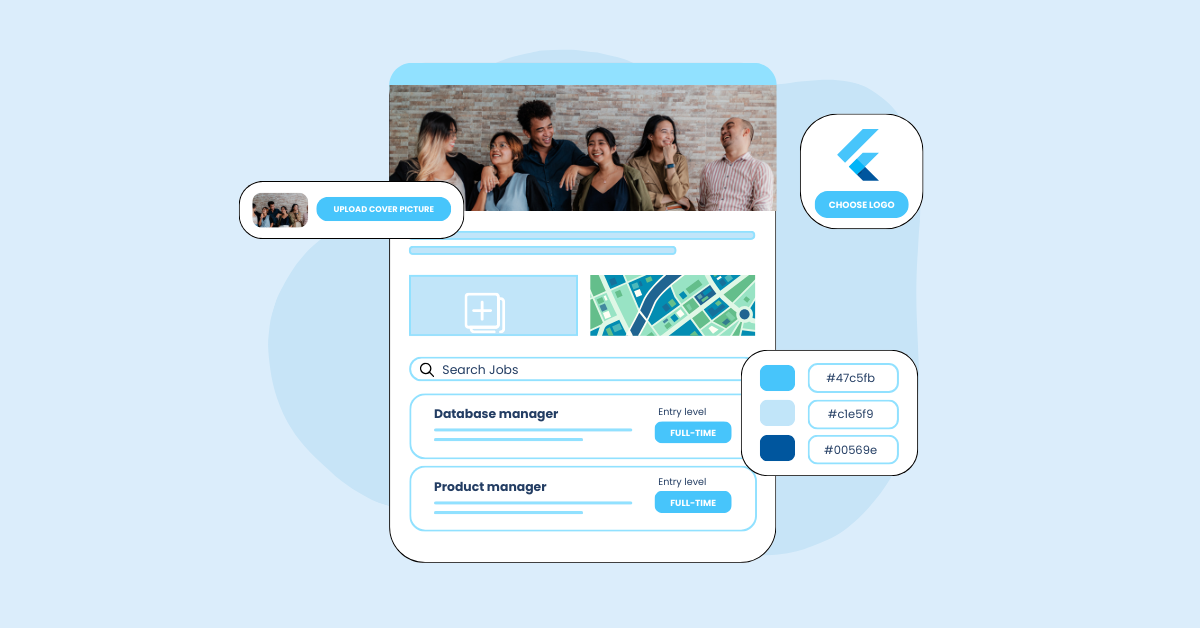
Take Recooty, for example. It’s a modern, AI-backed ATS is trusted by HR teams, founders, and recruiters across 90+ countries, including well-known companies like Revolut, Gumroad, and Airbnb. Recooty stands out for its simplicity and powerful automation, helping teams move faster without compromising on quality. Its easy to setup and scalable, making it ideal for growing businesses.
It’s also been recognized multiple times by G2, scoring 4.8 out of 5, as the top AI recruiting software. It offers features such as AI generated job descriptions, top-match candidate suggestions, resume parsing, job board distribution, built-in careers page builder, interview and email automation, and analytics.
Hence, teams using Recooty observe:
Looking for more options? Explore our expert list of the best AI applicant tracking systems in 2026, which is built to help you compare, evaluate, and make the smartest hiring decision for your team.
A cloud-based ATS is hosted online and accessible anywhere with internet, offering easier updates, scalability, and lower upfront costs. On the other hand, an on-premise ATS is installed locally on your company’s servers, providing more control over data but requiring more IT resources and higher initial investment.
ATS vendors offer several pricing models, including subscription-based, per-user pricing, or freemium plans with basic features for free and paid upgrades. Choose a model that fits your team size and hiring model to avoid overpaying for unused features.
Reliable ATS vendors generally provide multiple support channels, be it live chat, email, and phone. They also guarantee certain service level agreements (SLAs) covering uptime and response times. Good vendors offer onboarding help, training resources, and community forums.
Modern ATS platforms include DEI features such as anonymous application features to reduce bias, diversity tracking reports, and inclusive job description templates. These tools help companies track and improve hiring fairness and meet regulatory standards.
Essential security features include data encryption both in transit and at rest, strong user permissions and role-based access, regular security audits, and compliance with standards like GDPR. These protect candidate and company data from breaches.

Shubham Joshi is a dynamic HR Business Partner with over 8 years of experience in aligning people strategy with business goals, driving high-performance cultures, and...
View Full Profile →